51
This section provides the installation, connection,
and setup methods of speaker systems other than
the 7.1-channel system with surround back speakers.
For the speaker installation, connection, and setup
methods of the 7.1-channel system with surround
back speakers, see
C page 4 “Setup Wizard”.
Use Audyssey
®
Auto Setup function of this unit
to automatically detect the number of connected
speakers and perform optimal settings for the
speakers to be used.
Procedure for speaker settings
Install
Connect (vpage53)
Set up speakers (vpage59)
Install
This unit is compatible with Dolby Pro Logic gz (vpage125),
which offers an even wider and deeper surround sensation.
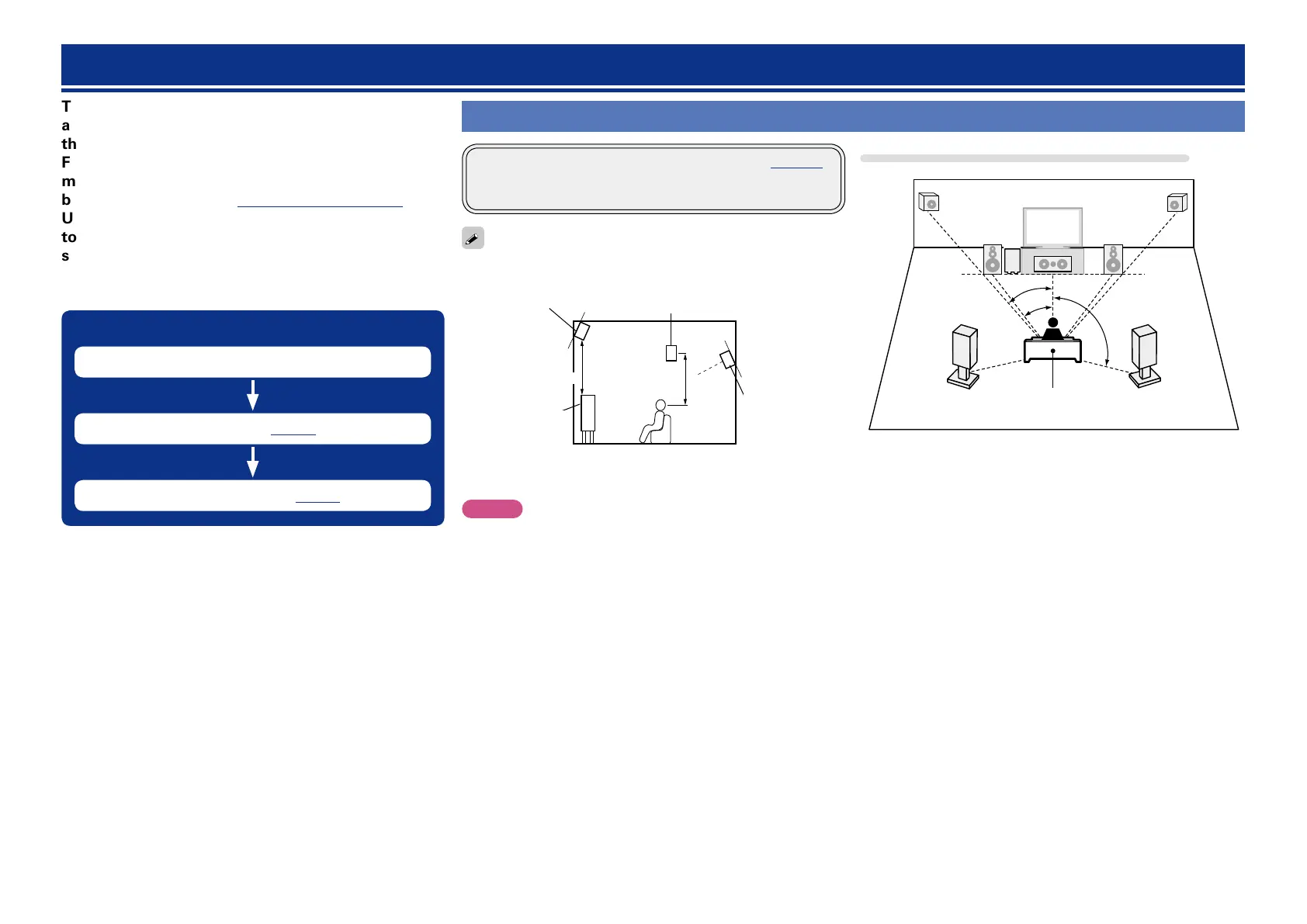
When using Dolby Pro Logic gz, install front height speakers.
Install the surround back speakers in a position 60 to 90 cm higher
than ear level.
z
Surround
speaker
60 – 90 cm
GViewed from the sideH
Front height
speaker
•Point slightly
downwards
At least
1 m
Surround back
speaker
•Point slightly
downwards
Front
speaker
z Recommended for Dolby Pro Logic gz
NOTE
It is not possible to use the surround back speakers and front height
speakers simultaneously.
When 7.1ch (Front height speaker) installed
FL
FR
FHRFHL
C
SL
SR
SW
z1
z2
z3
Listening position
z1 22˚ – 30˚ z2 22˚ – 45˚ z3 90˚ – 110˚
GSpeaker abbreviationsH
FL Front speaker (L) SL Surround speaker (L)
FR Front speaker (R) SR Surround speaker (R)
C Center speaker FHL Front height speaker (L)
SW Subwoofer FHR Front height speaker (R)
Speaker installation/connection (Advanced)















 To Next Page