32
RT (Radio Text)
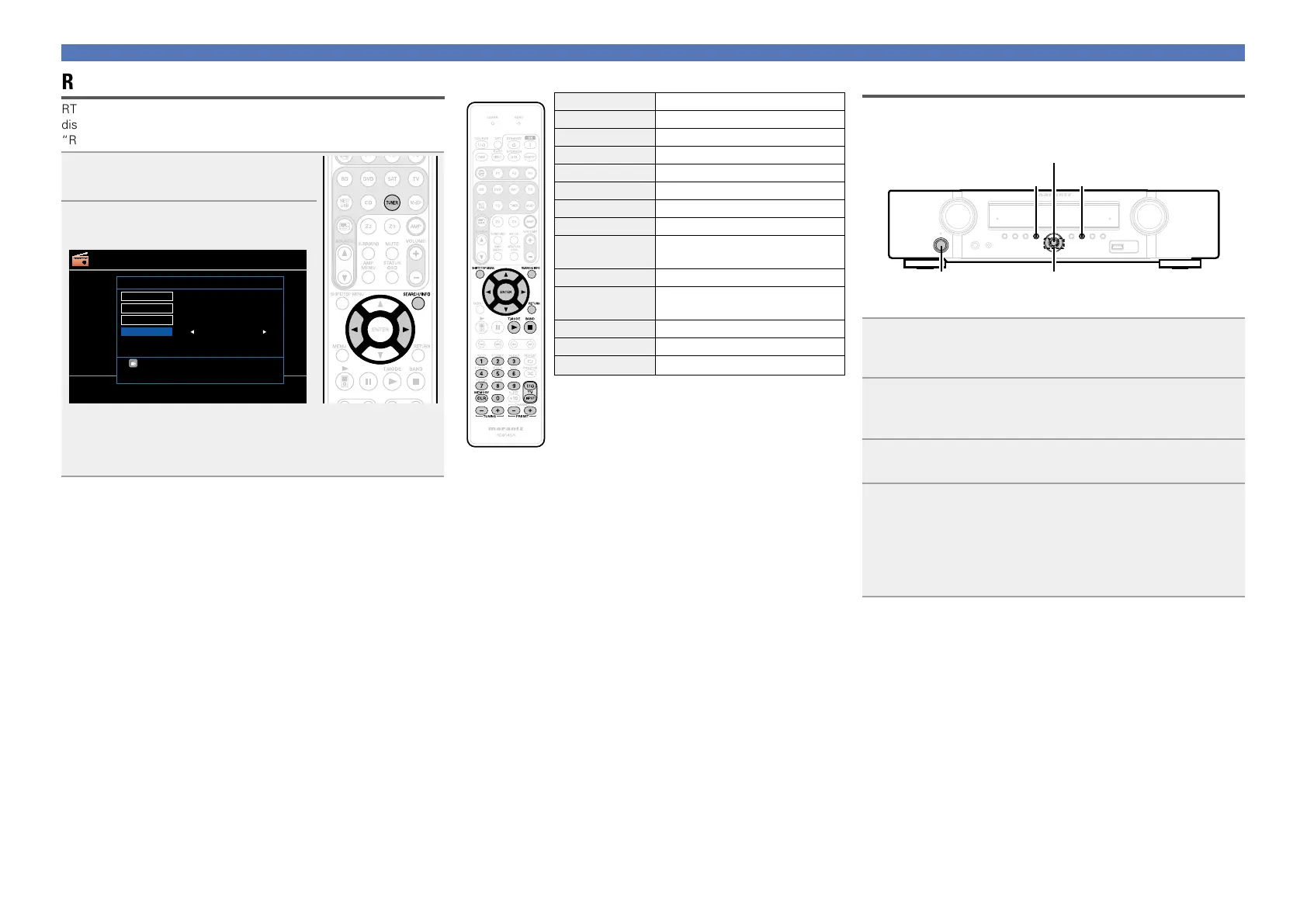
RT allows RDS stations to send text messages that appear on the
display.
“RT” appears on the display when radio text data is received.
1
Press TUNER twice to switch the
input source to “TUNER”.
2
Press SEARCH/INFO to select
“RT”.
TUNER
[
MEMORY
]
Band
Memory
[
T.MODE
] Mode[BAND]
[
PRESET+/-
] Preset
Tuning[
TUNING+/-
]
[
SEARCH
] Search
RDS
RDS station
Program category
Traffic info
ON
RDS
PTY
TP
RT
[
SEARCH
] SearchMode
FM 90.10MHz
•While receiving an RDS broadcast station, the text data broadcast
from the station is displayed.
•To turn the display off, press o p.
•If no text data is being broadcast, “NO TEXT DATA” is displayed.
nTuner (FM/AM) operation
Operation buttons Function
SHIFT/TOP MENU Preset channel block selection
SEARCH/INFO Direct frequency tuning / RDS search
uio p
Cursor operation
ENTER Enter
RETURN Return
T.MODE Switch search modes
BAND FM/AM switching
0 – 9
Preset channel selection (1 – 8) /
Direct frequency tuning (0 – 9)
MEMORY Preset memory registration
TV Z / X
TV power on/standby
(Default : marantz)
TV INPUT Switch TV input (Default : marantz)
TUNING +, – Tuning (up/down)
PRESET +, – Preset channel selection
Tuning in radio stations
Switching the tuning increment
The tuning increment factory settings are 9 kHz for AM, and 0.05 MHz
for FM.
o p
MENU
BAND
ENTER
ON/STANDBY
1
While pressing down MENU and BAND, press ON/
STANDBY
to turn on the power.
“AM9/FM50” appears on the display.
2
Press o p.
“AM10/FM200” appears on the display, and the tuning
increment is switched to AM and FM are 10 kHz and 0.2 MHz.
3
Press ENTER.
4
Press ON/STANDBY.
•The tuner preset memory will be cleared if this operation is
performed.
•This setting will not revert to the default values even when the
microprocessor is reset.















 To Next Page