36
Playing a network audio
nSearching stations by keyword
(Alphabetic strings)
1
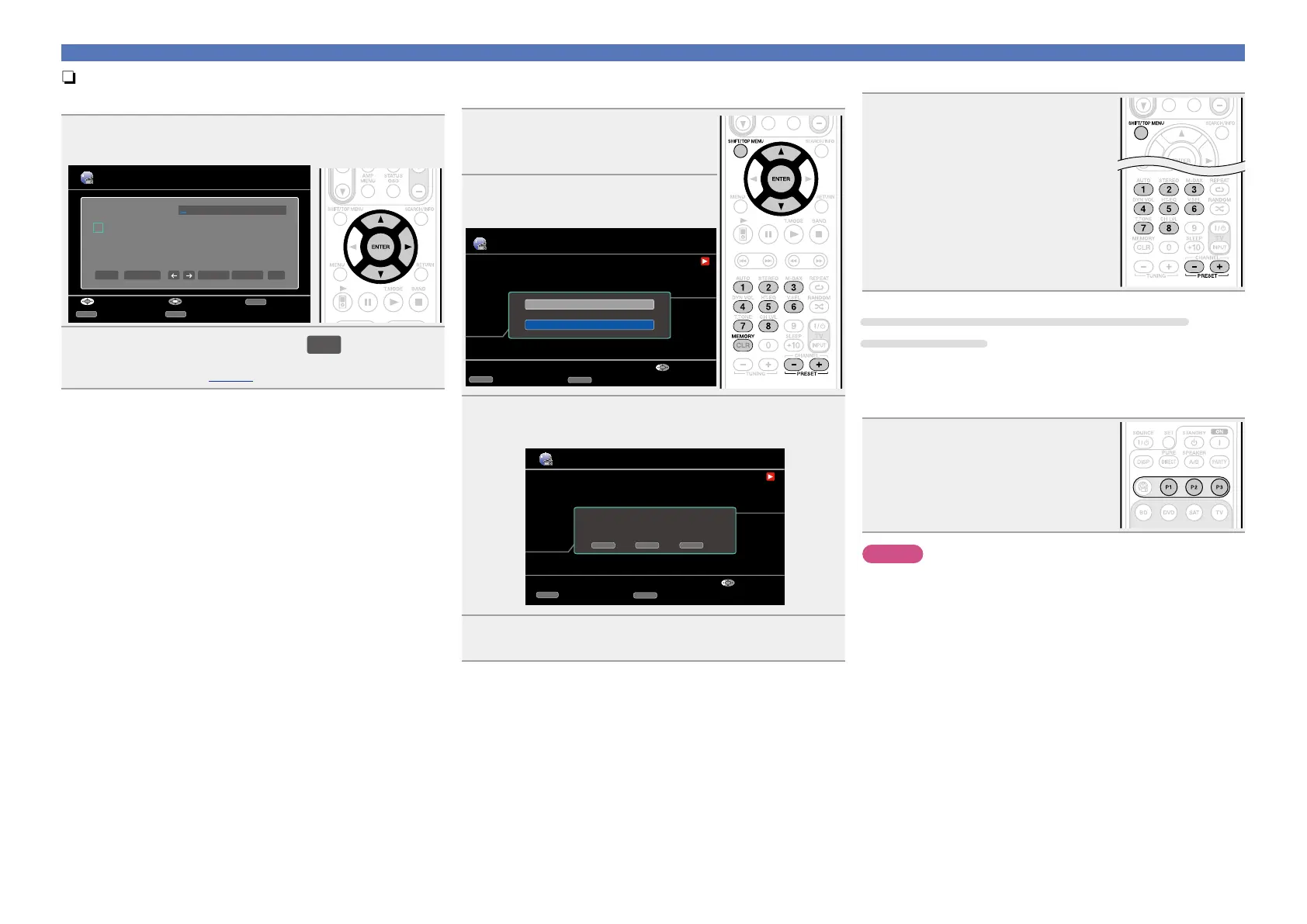
Press ui to select “Search by Keyword”, then press
ENTER or p.
Station
a
n
0
_
b
o
1
/
c
P
2
:
d
q
3
˜
e
r
4
?
f
s
5
[
g
t
6
\
h
u
7
]
i
v
8
ˆ
j
w
9
`
k
x
.
{
l
y
@
|
m
z
-
}
Search by Keyword
a/A SPACE
INSERT DELETE OK
RETURN
InputSelect Cancel
SEARCH
CursorMode
SHIFT
a/A
2
Input the characters, then press
OK
.
•For character input, see page78.
nPresetting internet radio stations
Preset Internet radio stations can be selected directly.
1
While the Internet radio station
you want to preset is playing,
press MEMORY.
2
Press ui to select “Preset”,
then press ENTER.
Internet Radio
00:14
100%
MEMORY
Memory
CASTING
Now Playing
WMA 63kbps
CH+/-
Preset
Favorites
Preset
Select
3
Press SHIFT/TOP MENU, then press PRESET +,
PRESET – or 1 – 8 to select the desired preset number.
Internet Radio
00:14
100%
MEMORY
Memory
CASTING
Now Playing
WMA 63kbps
CH+/-
Preset
To store preset:
Select A1-G8
Select
SHIFT CH+/- MEMORY
4
Press MEMORY again to complete the setting.
The Internet radio station is now preset.
nListening to preset internet radio stations
After pressing SHIFT/TOP MENU,
press PRESET +, PRESET – or 1 – 8 to
select the registered preset number.
This unit automatically connects to the
Internet and playback begins.
Registering Internet radio stations to preset
channel buttons
•Up to three Internet radio stations can be registered to the P1 – P3
buttons.
•Recommended Internet radio stations have already been registered
to the P1 – P3 buttons.
While the internet radio station you
want to preset is playing, press and
hold P1 – P3 for at least 3 seconds.
The internet radio station is now preset.
NOTE
If registered at a number that has already been preset, the previously
registered setting is cleared.















 To Next Page