93
System Setup
Setting items Setting details
Network Connect.
(Continued)
Proxy settings : Make this setting when connecting to the Internet via a
proxy server.
Network Connect.
DHCP
IP Address
OFF
192.168.0.1
Exit
Detail
q
Network Connect.
OFF
192.168.000.001
255.255.255.000
000.000.000.000
000.000.000.000
000.000.000.000
DHCP
IP Address
Subnet Mask
Default Gateway
Primary DNS
Secondary DNS
Proxy
Exit
w
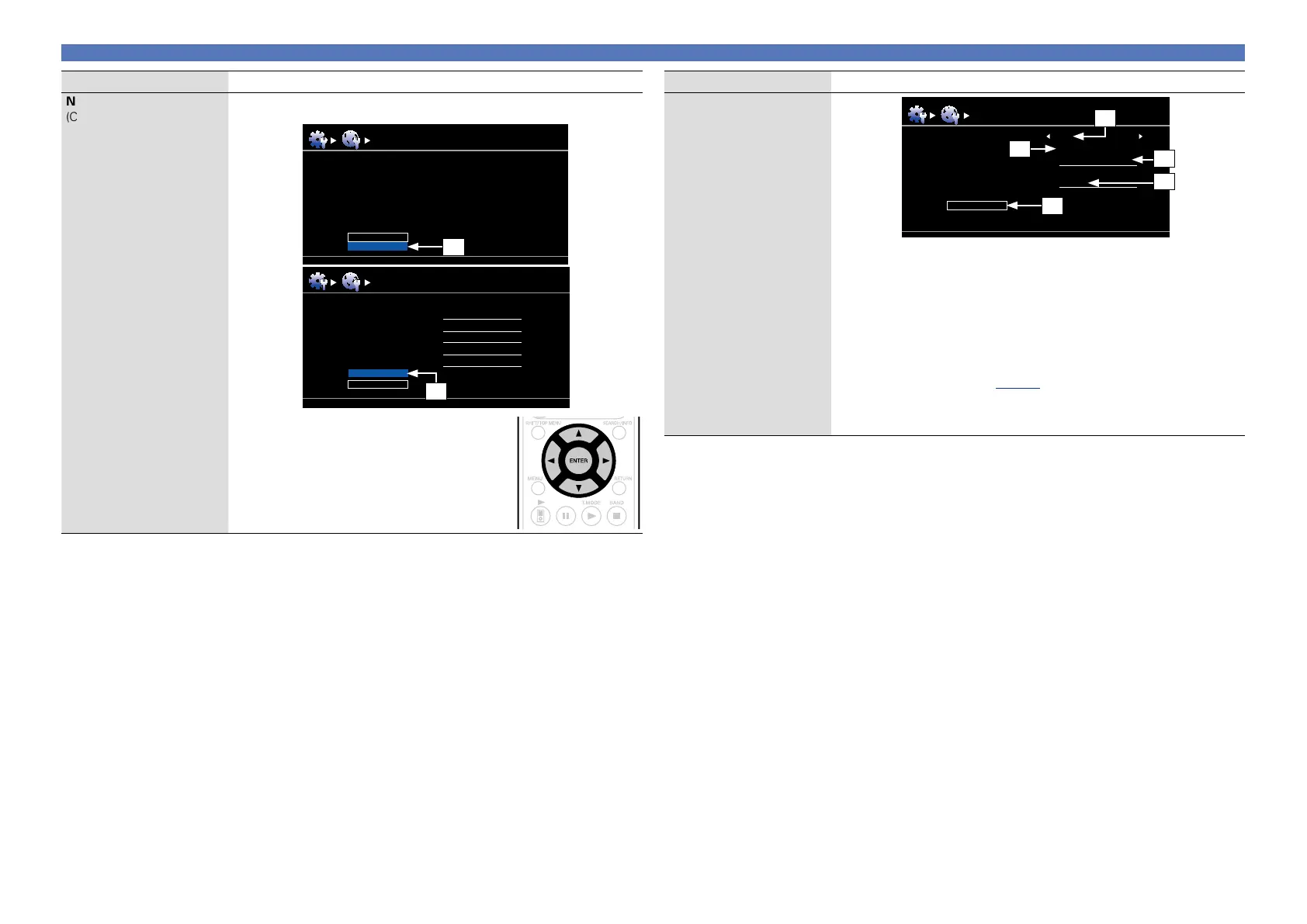
q On the menu, select “Network Connect.” –
“Detail” and press ENTER.
w Use ui to set “Proxy” and press ENTER.
Setting items Setting details
Network Connect.
(Continued)
Network Connect.
Proxy
Proxy
Address
Port
Exit
ON
Address
000.000.000.000
00000
u
y
e
t
r
e Use o p to set “Proxy” to “ON” and press i.
The proxy server is enabled.
r Use
o p to select the proxy server input method, and then press i.
Address : Select when inputting by address.
Name : Select when inputting by domain name.
t Use
uio p to input the proxy server address or domain name and
press
ENTER.
When “Address” is selected in step r : Input the address
When“Name” is selected in step r : Input the domain name
•For character input, see page78.
y Use
uio p to input the proxy server port number and press ENTER.
u Use
i to select “Exit” and press ENTER.
Setup is complete.















 To Next Page