Password
Entering the Setup Mode requires a password. Until the correct password
has been entered, the message
is shown on the Weight Display.
The Setup Mode password is fixed and is entered as described below:
To enter the password
1
Press the PRINT key once.
2 Press the DOWN arrow
four times.
3 Press the UP arrow once.
The keys must be pressed in this order
. If you enter an incorrect
password, start again by pressing the
PRINT key .
Setup Mode Commands
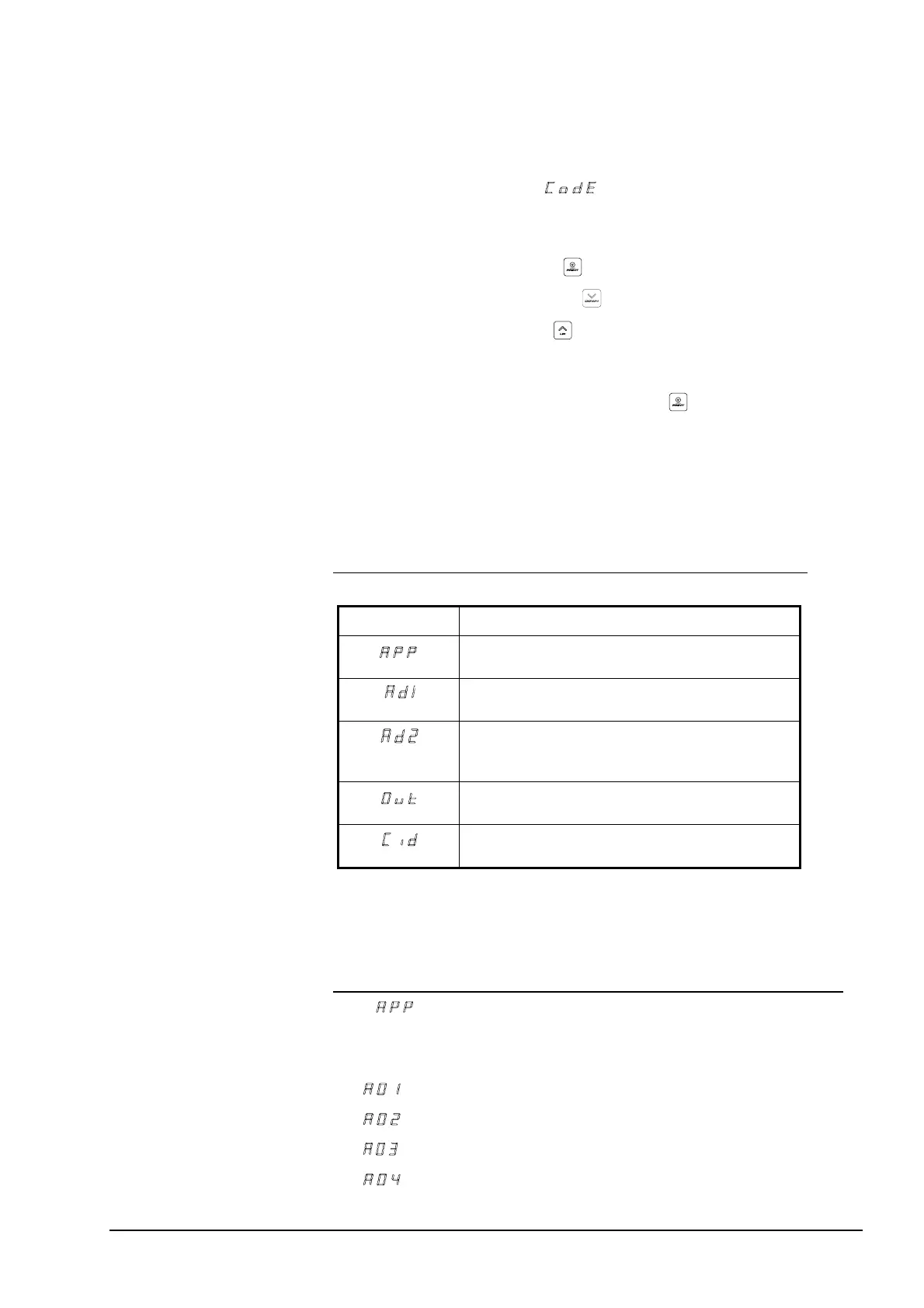
The Setup Mode commands are listed in the following table.
Table 4 Setup Mode commands.
Command: Description:
Application switches
To change the status of the application switches.
A/D converter 1
To show the direct reading of A/D converter 1.
A/D converter2
To show the direct reading of A/D converter 2. Only on
marine scales.
Output
To print information on the calibration.
CAN ID
To view and/or modify CAN Ids.
The following sections provide detailed descriptions of the Setup Mode
commands.
The
Command (Application switches)
Use this command to turn the application switches ON or OFF. There are
eight application switches available:
•
Zero tracking (see “Zero Key” on page 13)
•
Automatic tare (“Automatic Tare” on page 19)
•
Automatic recording
•
Extended mode, fifteen packing memories
34 • Advanced functions M1100, U2 & C2-3.3



 To Next Page