MR 150M–1050M SINGLE – MXIII CONTROLLER
OPERATION
28
MASTER PROGRAMMING GUIDE
When the Master Programming Mode is entered, parameters can be set to make the timer(s) function as needed.
NOTE:
Depending on current option settings, some displays cannot be viewed or set.
Entering Master Programming Mode:
1. Press and hold the Shift and Up buttons for 5 seconds.
OR
2. Set the time of day display to 12:01 PM or 12:01HR (See the “Setting the Time of Day” section on the “Timer
Operation” page). Then go to the main display screen, press the Up and Down buttons at the same time for
5 seconds.
Exiting Master Programming Mode:
1. Press the Extra Cycle button once per display until all are viewed. Master Programming Mode is exited and the
normal display screen appears.
2. To exit the Master Programming Mode without saving, press the Diagnostic button.
NOTE:
If no keypad activity is made for 5 minutes while in the Master Programming Mode, or if there is a power failure, no
changes will be made, and the unit will go back to the main display screen.
Resets:
Soft Reset: Press and hold the Up and Down buttons for 25 seconds until 12:00PM (or 12:00HR) appears. This re-
sets all parameters except for the ow meter totalizer volume.
Master Reset: Hold the Extra Cycle button while powering up the unit. This resets all of the parameters in the unit.
Check and verify the choices selected in Master Programming Mode.
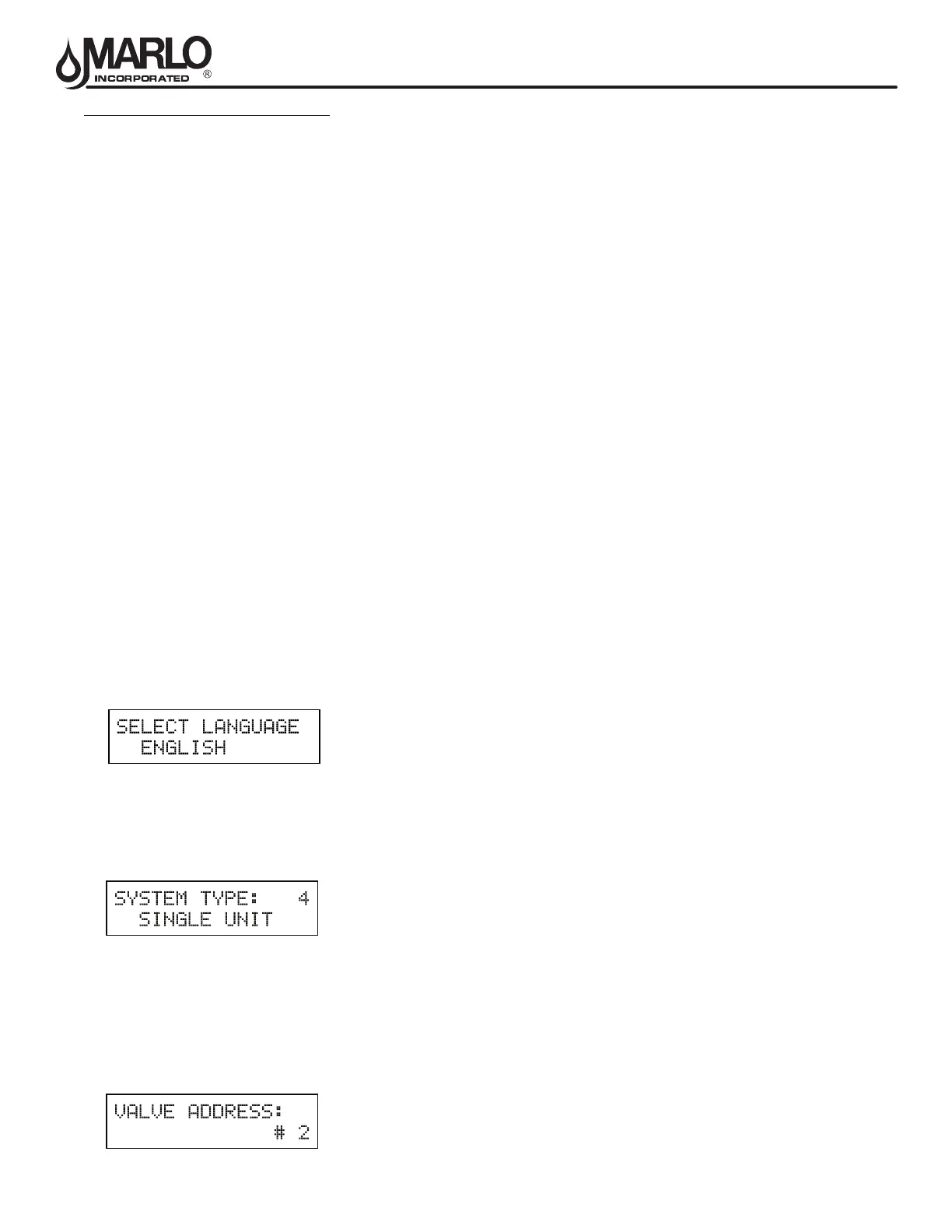
1. Choice of Language
This option selects the language for programming and display.
1. Use Up or Down to select language.
2. Press the Extra Cycle button.
2. System Type
This program type selects the system type (4, 5, 6, 7, or 9).
1. Use Up or Down buttons to adjust this value.
2. Press the Extra Cycle button.
CAUTION: Before entering Master Programming, please contact your local professional water dealer.
3. Valve Address
This program step selects the valve address (1, 2, 3, or 4) within the network needed for each timer for
communication. The #1 is the “master” or “lead” which contains programmed parameters, that will be used by all
of the timer(s) in the network to control Regeneration, in Service, or Standby of all the valve(s) in the system.
1. Use Up or Down buttons to adjust this value.
2. Press the Extra Cycle button.



 To Next Page