Chapter 5 INSTRUCTIONS FOR USE 49
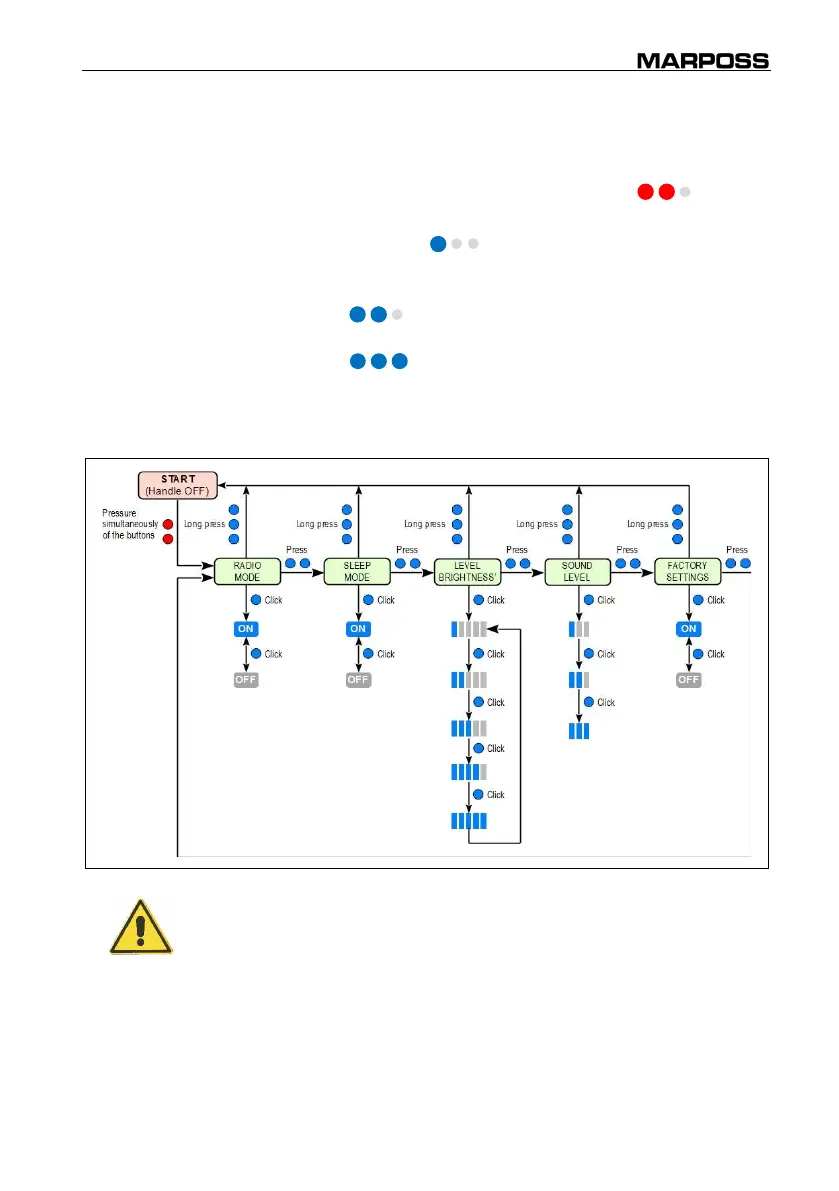
5.3.3 Setup
Initial condition
:
Handle switched Off
.
Access mode
: Simultaneous pressure of the 2 buttons ( red).
Description:
Settings of the operating parameters of the handle:
One click ( blue) to change the selected
parameter.
Pressure of only one of the two buttons
( blue) to move to the next parameter.
Long pressure of only one of the two buttons
( blue) to exit the SETUP menu and return
to the start conditions (START). The current
settings remain saved.
WARNING
The new settings will be effective only after the exit with the menu.



 To Next Page