EasyManua.ls Logo

Master MSPG-8000 - Page 33

Master MSPG-8000
108 pages
Print Icon
To Next Page IconTo Next Page
To Previous Page IconTo Previous Page
Loading...
Slot Type Multi Video Signal Generator MSPG-8000
www.Ltdmaster.com 33
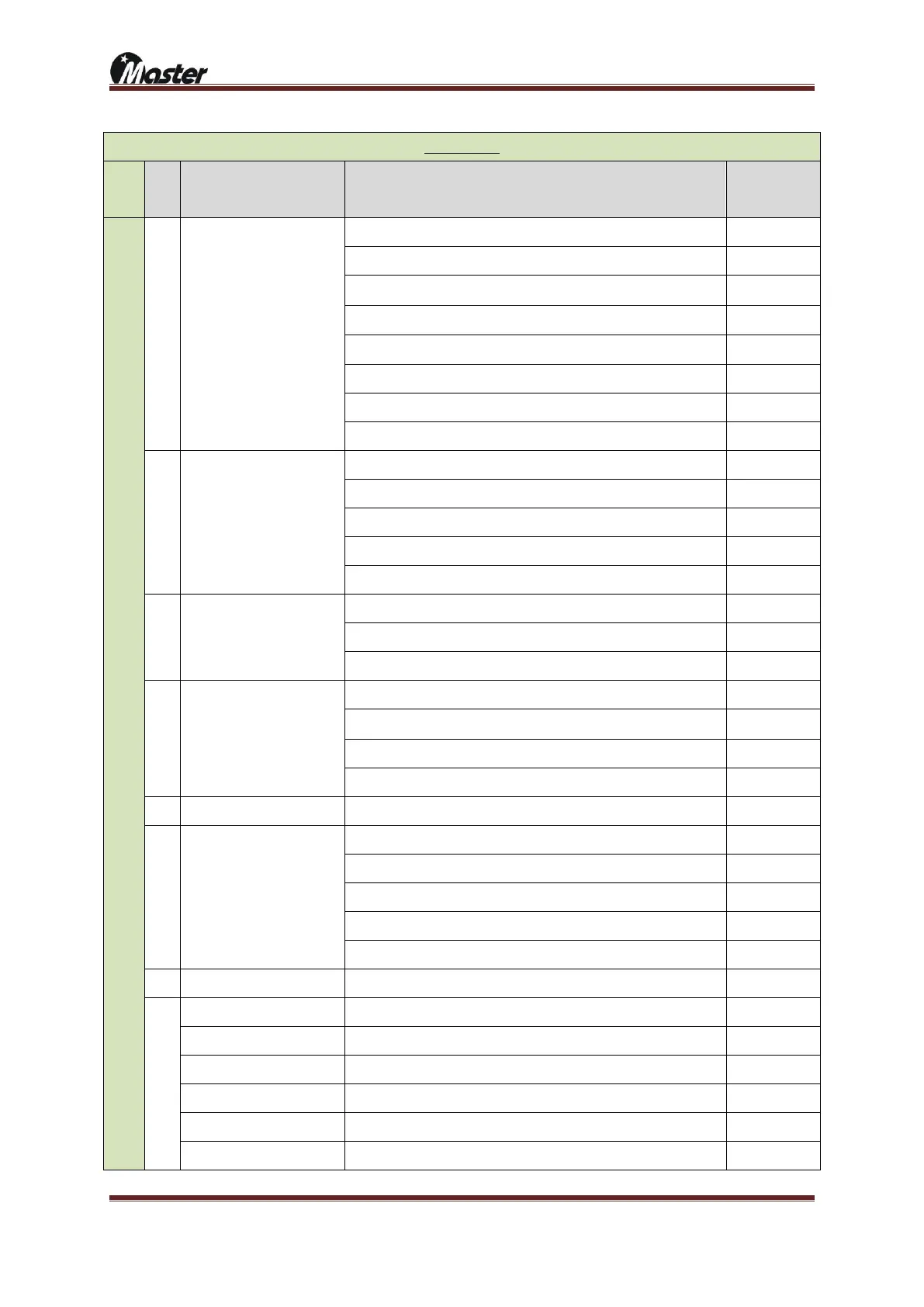
CVBS MODE
MO
DE
No
LIST
DESCRIPTION
SETTING
C
V
B
S
M
O
D
E
25
TV Time Mode
TV(CVBS) Time Mode Setting
1~8
Setting to NTSC-M
1
Setting to NTSC-J
2
Setting to NTSC-0.43
3
Setting to PAL-BDFH
4
Setting to PAL-M
5
Setting to PAL-60
7
Setting to SECAM
8
26
SCART
Set of SCART output mode.
0~3
Setting to RF
RF=0
Setting to CVBS
CVBS=1
Setting to RGB
RGB=2
Setting to Y/C
Y/C=3
27
SCART Aspect Ratio
Set of display rate when SCART are displaying
0 or 1
Setting to 4:3 SCART rate
4:3=0
Setting to 16:9 rate
16:9=1
28
S-V Ratio
Set of display rate when S-Video are displaying.
0~2
Setting to 4:3 S-VIDEO rate
4:3=0
Setting to 4:3(L) S-VIDEO rate
4:3(L)=1
Setting to 16:9 S-VIDEO rate
16:9=2
29
Video Filter
Function of reduce the Video signal noise.
0~7
30
Video Black Level
Set of Video Black level.
0~3
Setting to default
Default=0
Setting to 7.52 IRE
7.5IRE=1
Setting to 0 IRE_S
0 IRE_S=2
Setting to 0 IRE
0 IRE=3
31
Teletext
Set of Teletext on/off when PAL is displaying.
0~15
32
Closed Caption
Set of Closed Caption on/off when NTSC is displaying.
1~255
CC1=Roll-UP
Characters are displayed by Roll-up style, from 4Rows to 2Rows.
CC1=1
CC2=Pop-On
Characters are displayed by Pop-On Style, Up, Middle, Down.
CC2=2
T1=Roll-Up(Default)
Characters are displayed complete sentences.
T1=4
T2=Roll-Up(Default)
Displayed by one sentence's character
T2=8
CC3=Paint-On
Font's background color changed and displaying by paint-on style.

CC3=16

Related product manuals