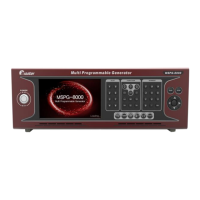
Slot Type Multi Video Signal Generator MSPG-8000
www.Ltdmaster.com 46
Reverse On Time (0~999)/Vf
Set up the reverse on/off time to 0~900/Vertical Frequency.
If you want to check reverse on/off pattern, you have to set up
on time and off time together
Reverse Off Time (0~900)/Vf
If there is character on the pattern, you can move only
character pattern to any direction.
*If you want to check moving pattern, you have to set up
“Moving Pixel Step (0~99)” to minimum “1”.
1: Moving only character right to left ←
2: Moving only character left to right →
3: Moving only character down to up ↑
4: Moving only character up to down ↓
5: Moving only character left/up to right/down ↘
6: Moving only character right/up to left/down ↙
7: Moving only character left/down to right/up ↗
8: Moving only character right/down to left/up ↖
If there are color base on the pattern, you can move only color
base pattern to any direction.
*If you want to check moving pattern, you have to set up
“Moving Pixel Step (0~99)” to minimum “1”.
1: Moving only color right to left ←
2: Moving only color left to right →
3: Moving only color down to up ↑
4: Moving only color up to down ↓
5: Moving only color left/up to right/down ↘
6: Moving only color right/up to left/down ↙
7: Moving only color left/down to right/up ↗
8: Moving only color right/down to left/up ↖
Moving pixel step set up 0 to 99
Moving Frame Interval (0~99)
Moving frame interval set up 0 to 99
Flicker On(CH, OSD, CL) (0~7)
Flicker on select to CH(Character), OSD(On screen display)
and GL(Color) (bit combination)
1: Flicker character only





 To Next Page