User Guide
3-9
MC310 USER GUIDE I 4-7
1. Ensure the driver installed using USB connection in Laptop/PC. Switch ON the printer & connect to the USB port.
2. Connect the LAN to printer along with USB & switch OFF & ON the printer. Ensure the PC/ Laptop also connect to
same LAN connection.
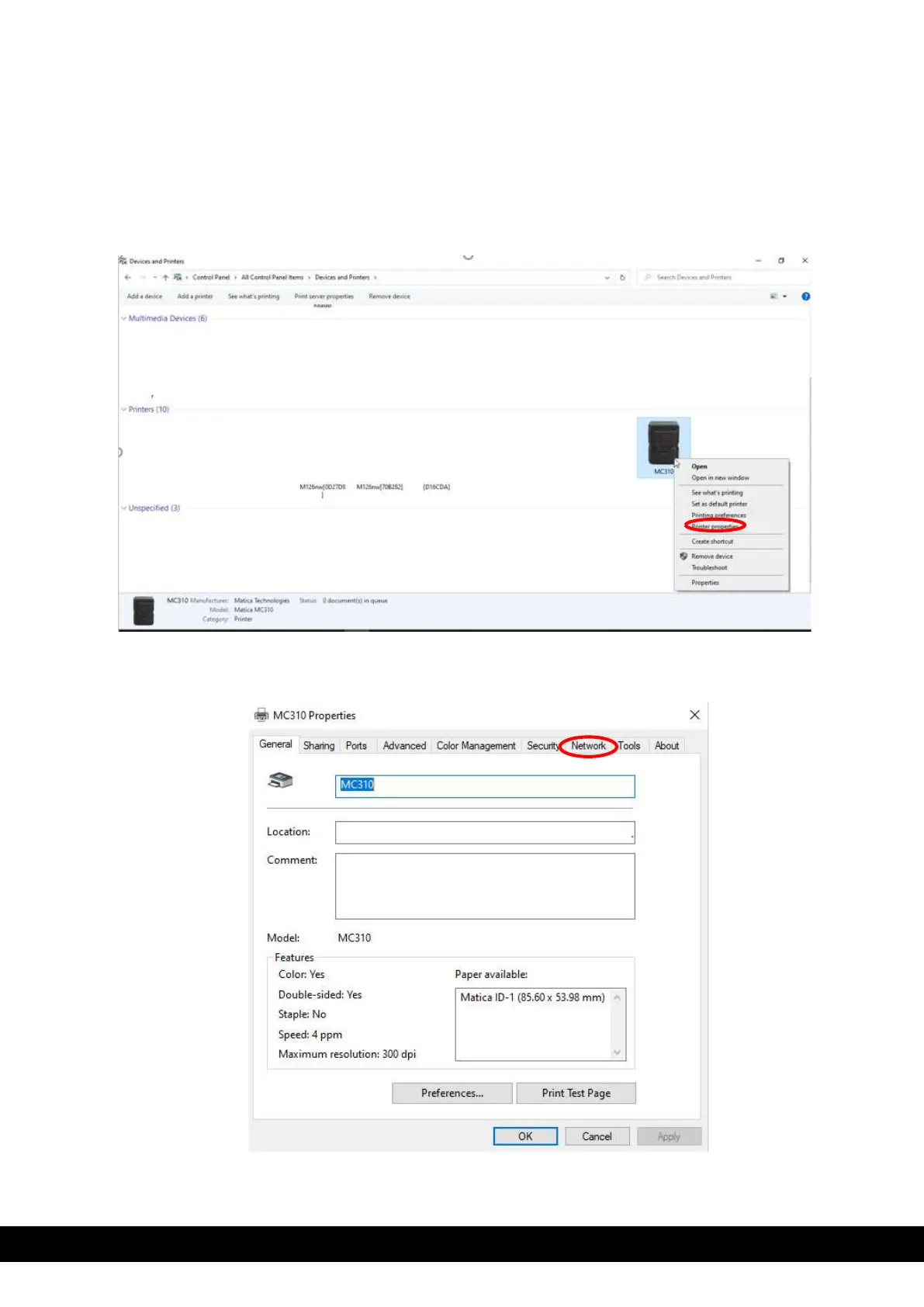
3. In the PC/Laptop go to devices & printers and right click using mouse on MC310 printer icon installed in
the PC/Laptop. Select printer properties from drop down menu.
4. In MC310 printer properties, click network tab.



 To Next Page