User Guide
3-9
MC310 USER GUIDE I 4-8
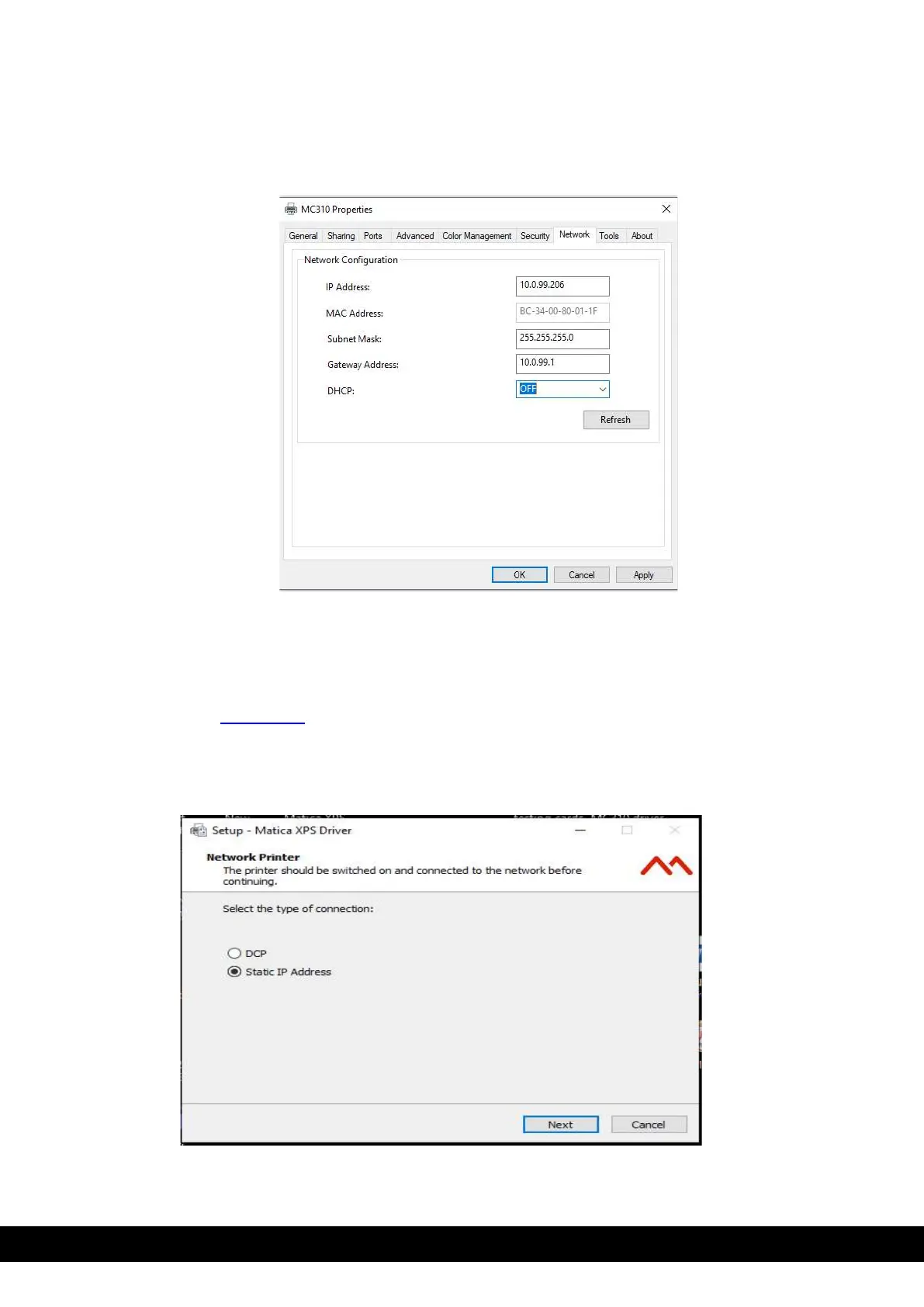
5. Network configuration tab appears. Note down the IP address & set DCHP to OFF condition. Click Apply
& than OK.
Note: If User need to change the IP address then set the DCHP to OFF state & change the IP address &
gate way address. Click apply & than OK.
6. Once IP address set or noted down, disconnect the USB connection from printer.
7. For connecting the MC310 through Static IP run the MC310 driver installer & follow the steps explaining
in Sub chapter 4.1.2.1 DCP from steps 1 to 11.
8. Connect the LAN cable and Switch OFF & Switch ON the printer.
9. Select Static IP address and Click ´Next´.



 To Next Page