17
T50/T100 PTM – User Guide – Version 2 Issue 1
Installation – Mounting the Print Head
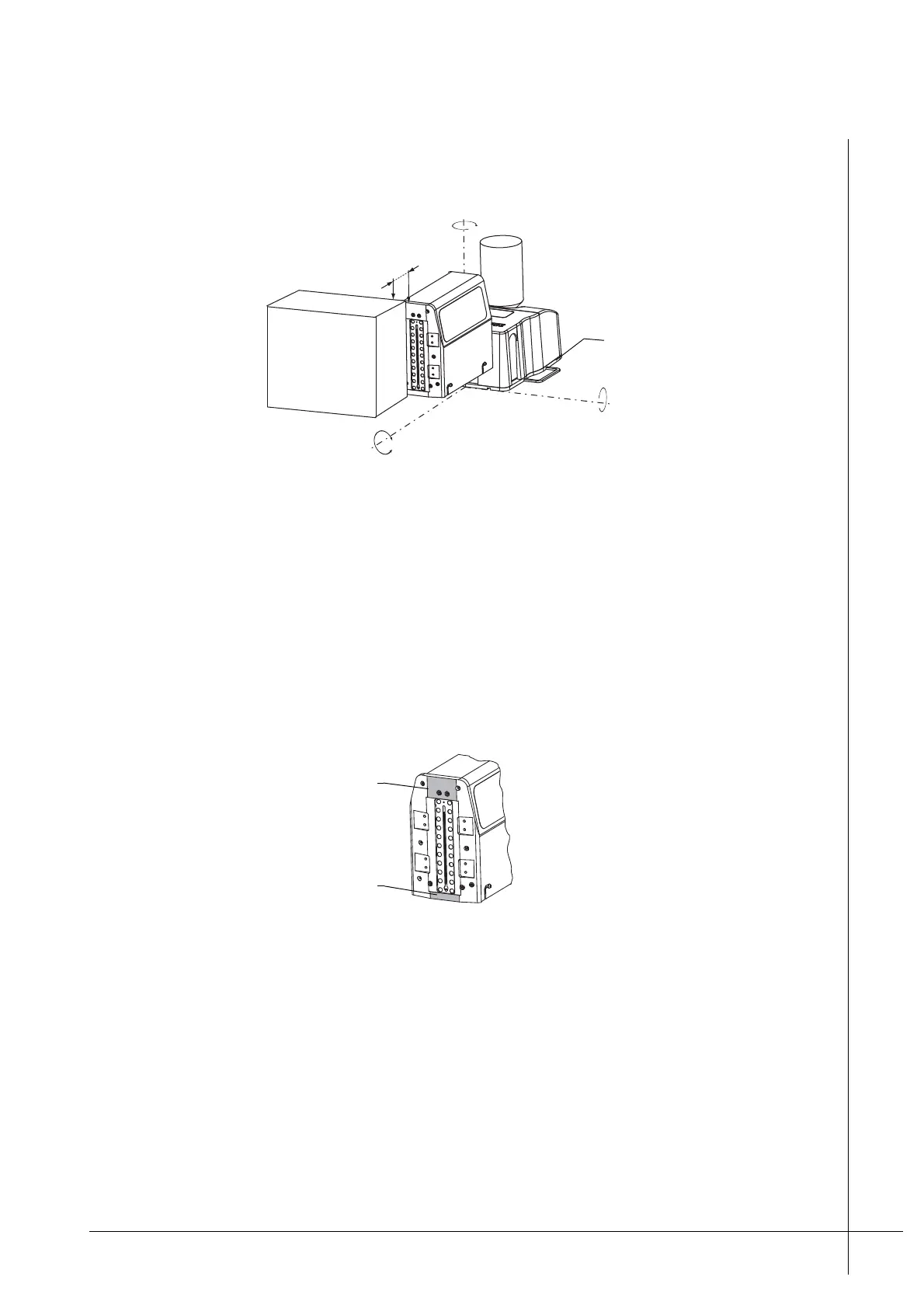
• The Ink-Resivoir’s bottom plate, as shown below, is horizontal to the ground and at zero
degrees to the x axis of the substrate’s face.
Figure 12 - Correct mounting of the print head
• The Ink-Resivoir’s bottom plate is at zero degrees to the y axis of the substrate’s face.
• The top most nozzle does not tilt either from or towards the approaching substrate’s face.
The nozzles must be at zero degrees to the z axis.
• The nozzles must be as close as possible (distance D) to the print target but not in
contact. Refer to Figure 12 above.
• The print head must be protected from contact with the print target. Do not allow the print
target to contact the print guides as shown below.
Figure 13 - Print head guides
If necessary, install guard rails to ensure that the print target does not contact the print
head.
Tilting a Print Head
If the print target does not travel on a horizontal plane, as shown below, the print head’s
nozzles can be tilted to the left or to the right of the Z axis, so that they are perpendicular to
D
X = 0°
Z = 0°
Y = 0°
Ink-Reservoir’s bottom
plate
Top print guide
Bottom print guide



 To Next Page