Installation – Mounting the Print Head
T50/T100 PTM – User Guide – Version 2 Issue 1
16
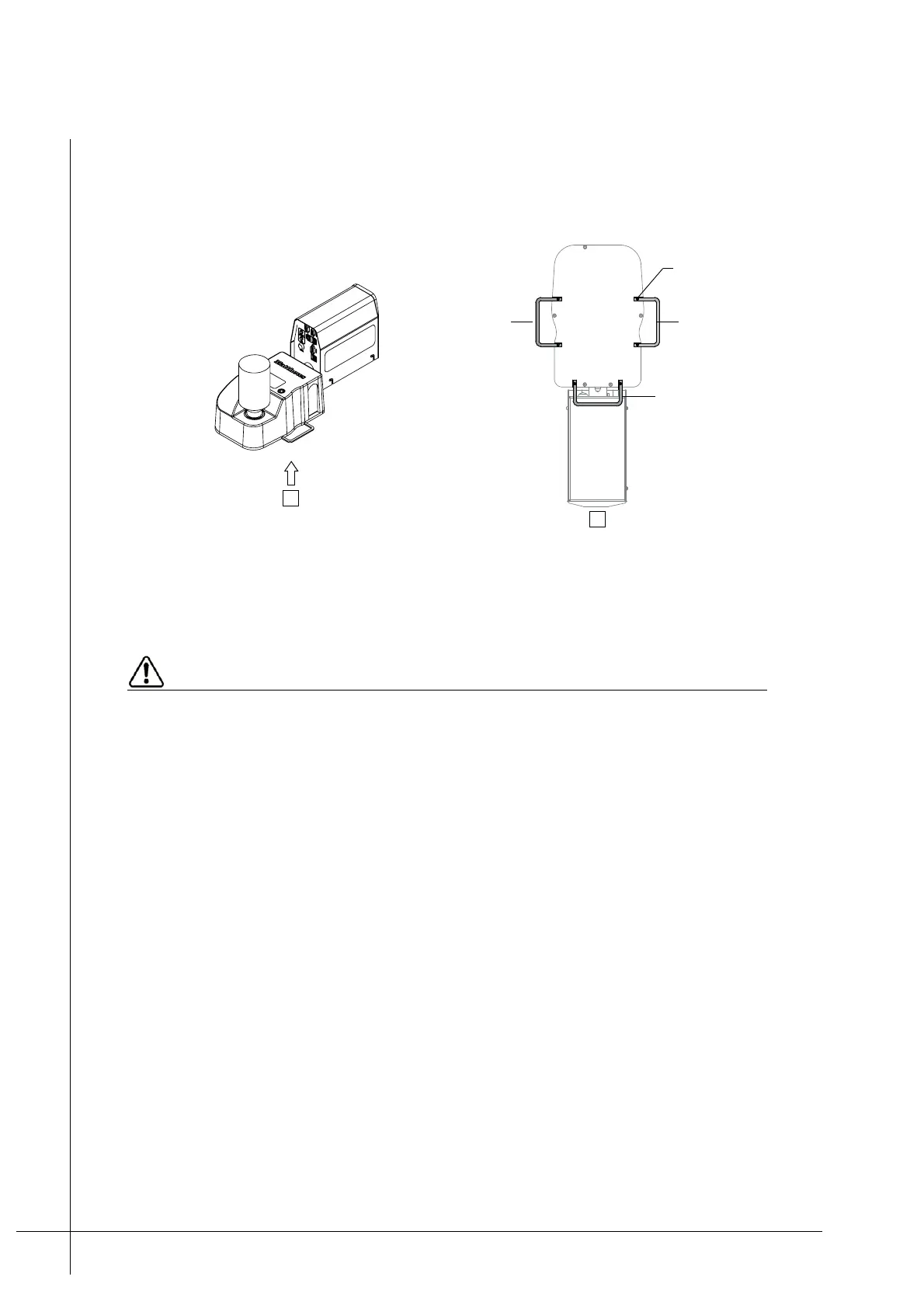
13. Unscrew and re-position the Cable-Bar as required. The Cable-Bar can be positioned to
the left, right, or straight ahead of the Ink-Reservoir, as shown below.
Note: The Cable-Bar is used to both guide and secure the print head’s cables.
Figure 11 - Positioning the Cable-Bar
Mounting the Print Head
PTMs must be mounted correctly as described below. Poor print quality or ink leakage
can occur if they are incorrectly mounted or positioned.
Make sure that the print target does not contact the PTM or its print guides. If a PTM is
hit, print quality will be affected. There is a risk that small particles will enter the print
head’s nozzles and block them, if the print target contacts the print guides.
A specially designed mounting assembly and stand kit can be purchased from Matthews for
easy mounting of the PTMs. For further information regarding this equipment contact your
local dealer.
The following must be adhered to when mounting a T50/T100 print head. Make sure that:
• They are free from any vibration. It is recommended that PTMs are mounted in isolation
(free standing) from the production line.
A
A
Cable-Bar screw x2
Right positioned
straight positioned
Left positioned



 To Next Page