31
T50/T100 PTM – User Guide – Version 2 Issue 1
Maintenance – Ink-Filter Replacement
Ink-Filter Replacement
The Iink Filter inside the Ink-Reservoir must be replaced every two years or sooner,
dependent upon operating environment. If the PTM is operated in dusty environments it will
require replacement more frequently.
Before starting the following procedure make sure that all warnings and cautions, as listed
under “Maintenance” on page 25 are read and adhered to.
Procedure – Iink Filter Replacement
1. Close the Ink-Vent-Screw.
2. Clean the Nozzle-Protector-Plate with a lint free cloth and then screw it on to the front of
the print head, finger tight. Make sure that it is mounted so the text "Gutter", that is
printed on the plate, is positioned at the bottom of the nozzles. It should be mounted as
shown in Figure 25 on page 30.
3. Make sure that all cables are disconnected and that there is no power supplied to the
PTM.
4. Unscrew and remove the Ink-Bottle from the Ink-Inlet.
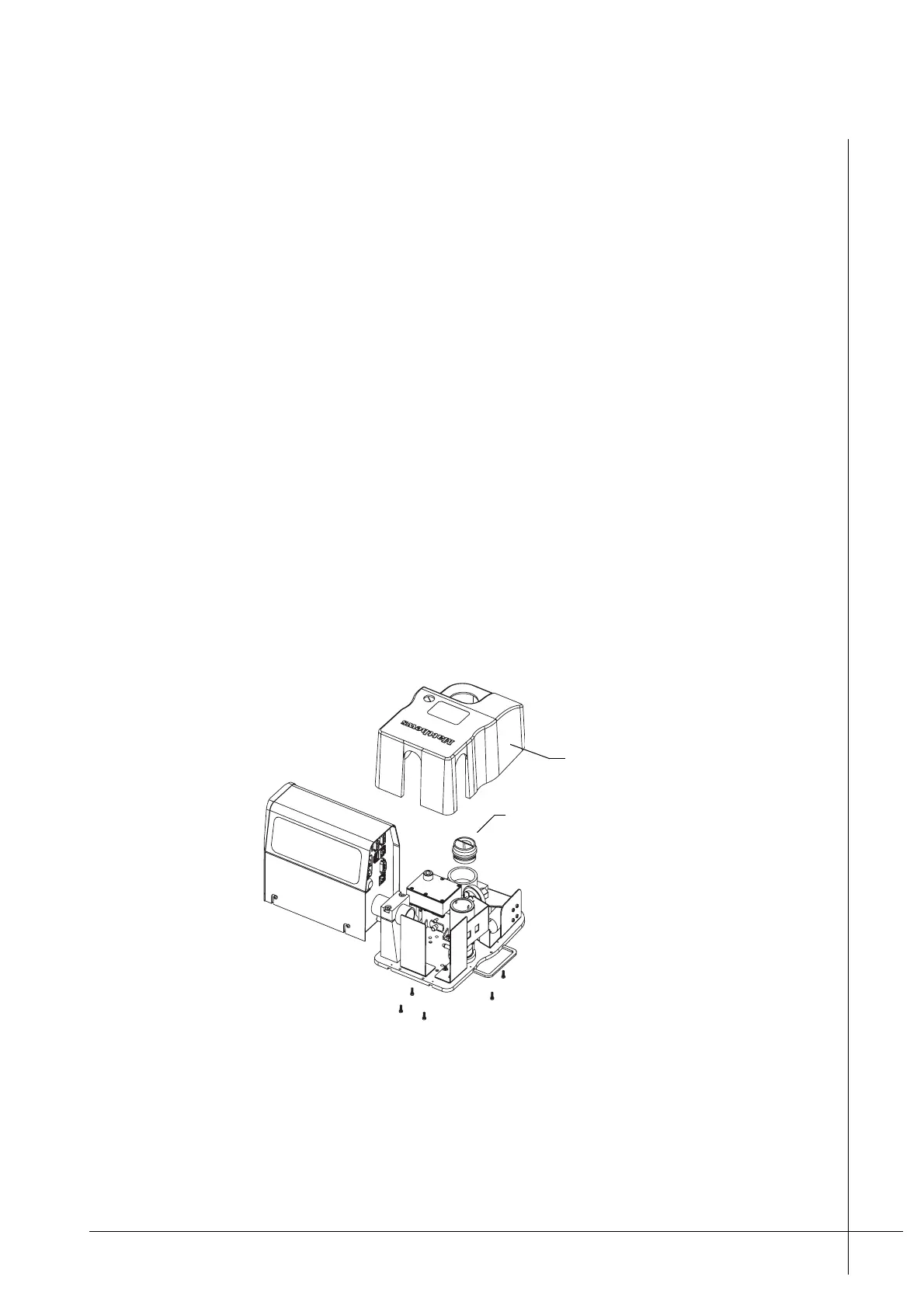
5. Make sure that the Ink-Reservoir-Cap is securely screwed in to the Ink-Inlet, so that no
ink is spilt. Then unscrew and remove the five screws that retain the Reservoir-Cover.
Figure 26 - Removing the Reservoir-Cover
6. Place the PTM so that it is level. Unscrew the Ink-Reservoir-Cap and then remove the
Reservoir-Cover. Screw the Ink-Reservoir-Cap back in to its inlet once the cover is
removed.
Reservoir-Cover
Ink-Reservoir-Cap



 To Next Page