Maintenance – Purging Trapped Air
T50/T100 PTM – User Guide – Version 2 Issue 1
30
2. Make a test print and inspect the quality of the printout. If the printout is not satisfactory
continue with this procedure.
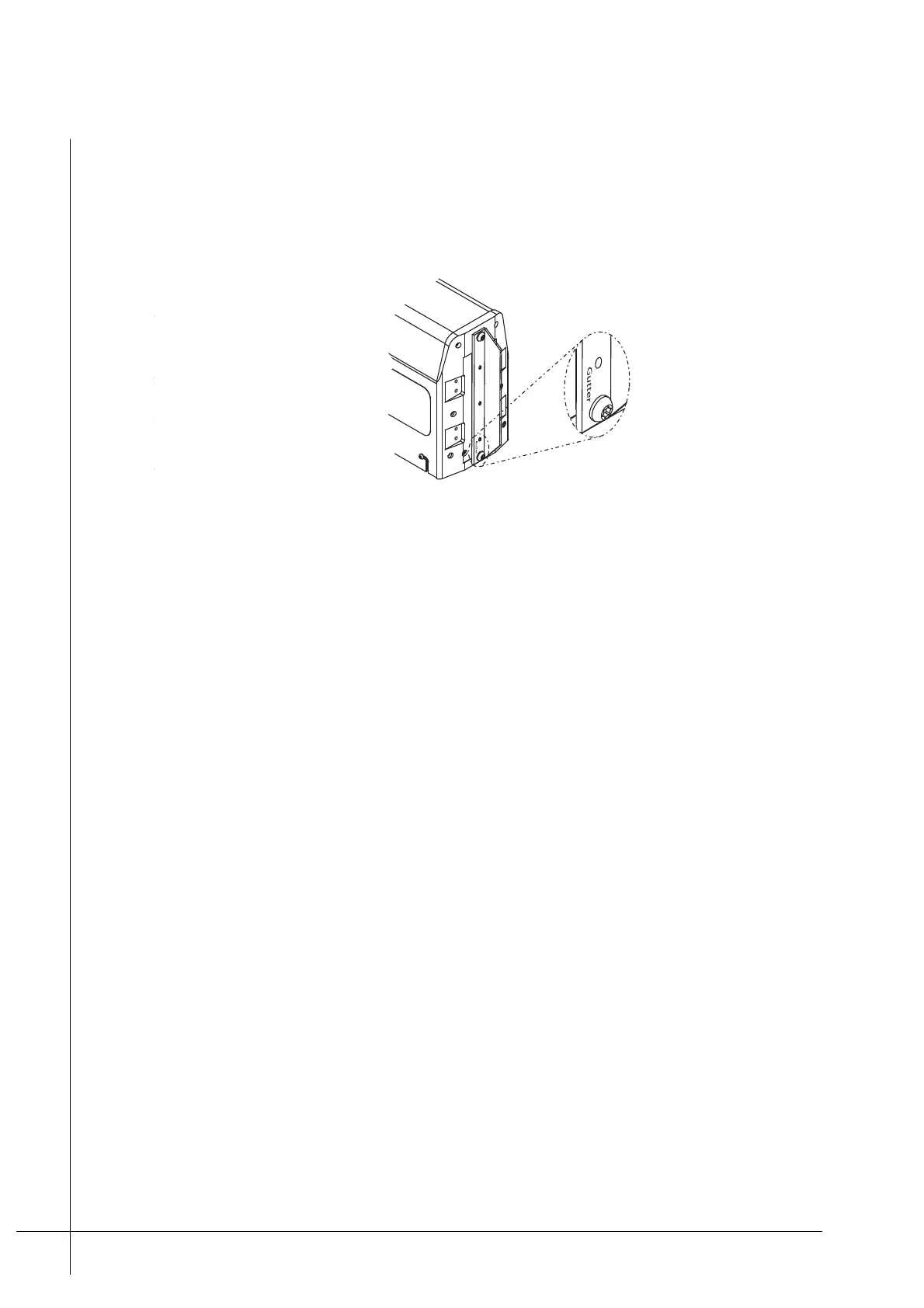
3. Clean the Nozzle-Protector-Plate with a lint free cloth and then screw it on to the front of
the print head, finger tight. Make sure that it is mounted so the text "Gutter", that is
printed on the plate, is positioned at the bottom of the nozzles.
Figure 25 - Mounting the Nozzle-Protector-Plate
4. Circulate ink through the PTM’s ink system for a period of fifteen minutes. The PCM has
an automated function that allows the user to set the number of minutes that ink is to be
circulated through the PTM’s ink system. This function is accessible from within the
Maintenance menu, under Print Head Maintenance. Refer to the PCM’s Technical
manual for further information.
5. Remove the Nozzle-Protector-Plate from the PTM.
6. Press and hold the PRIME button for five seconds and then release it.
7. Make a test print and inspect the printout. If the printout is not satisfactory continue with
this procedure.
8. Use a lint free cloth and make sure that the Nozzle-Protector-Plate is clean, then screw it
on to the PTM.
9. Use the PCM and circulate the ink in the PTM for a period of 2 – 3 hrs.
10. Remove the Nozzle-Protector-Plate from the PTM.
11. Press and hold the PRIME button for five seconds and then release it.
12. Make a number of printouts and inspect the quality of print. If air is still trapped in the
system repeat Step 3 to Step 4 and circulate the ink for a minimum period of 24 hrs.
13. If the above procedure does not solve the problem, the PTM will require service by a
qualified Matthews Technician



 To Next Page