7. Repeat steps 4-5 for installation of additional hard drives into drive cage.
8. Close the lower door of drive cage.
9. Close the upper door of drive cage.
10. Tighten the thumb screw. Install power and data cables to connectors on hard drive(s).
Install Hot Swap Drive(s)
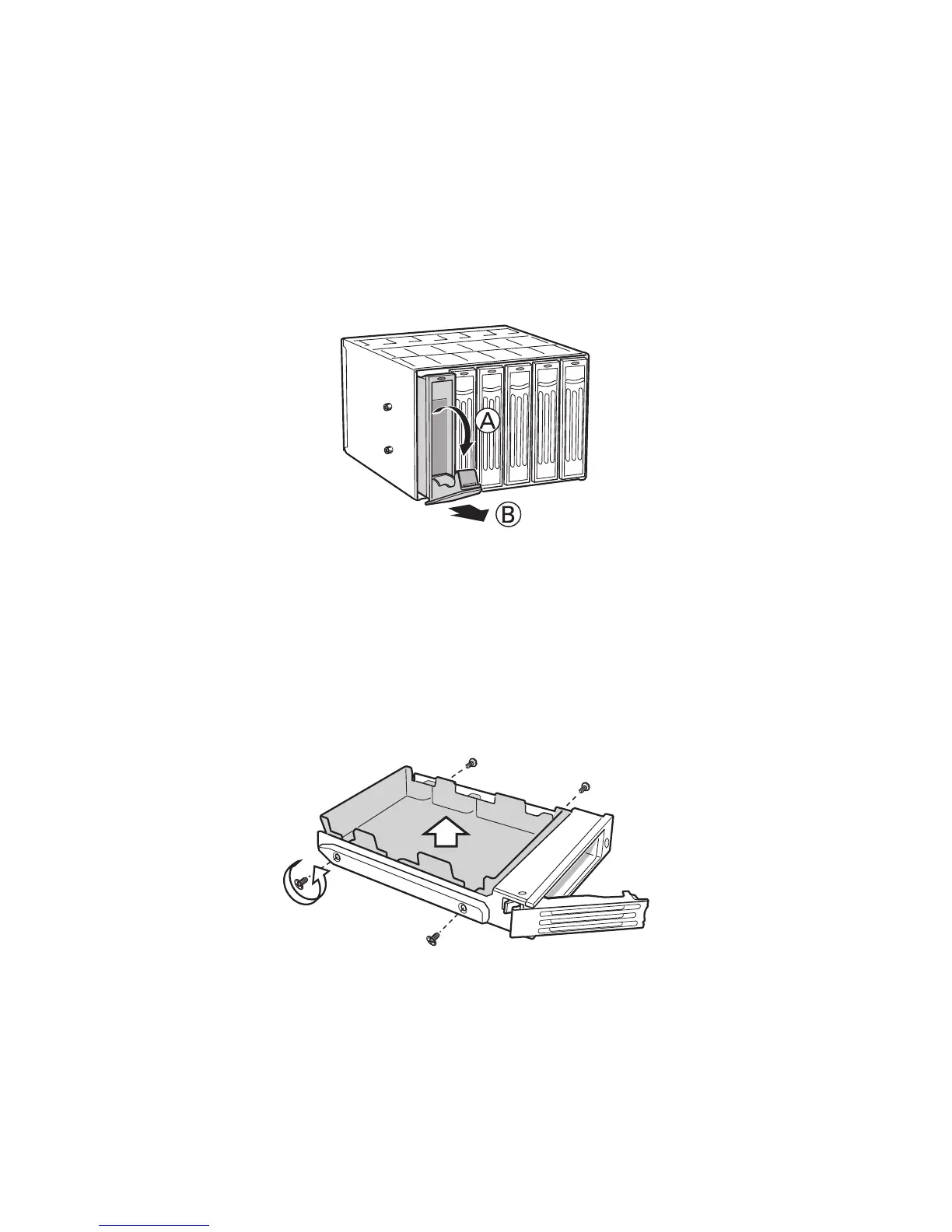
1. Press in on the green latch (letter “A”) at the end of the drive carrier to disengage it from
the hot swap drive cage. Pull out on the black lever (letter “B”) to fully open the drive carrier.
When the lever reaches a fully opened position, it will push the drive carrier out from the hot
swap drive cage.
Figure 16. Releasing Drive Carrier from Hot Swap Cage
2. Slide the drive carrier out of the drive cage.
3. Remove the four screws that secure the plastic retention device to the drive carrier. Remove
the plastic retention device.
Figure 17. Removing Plastic Retention Device



 To Next Page