21MAXDATA Server PLATINUM 3200 I M7
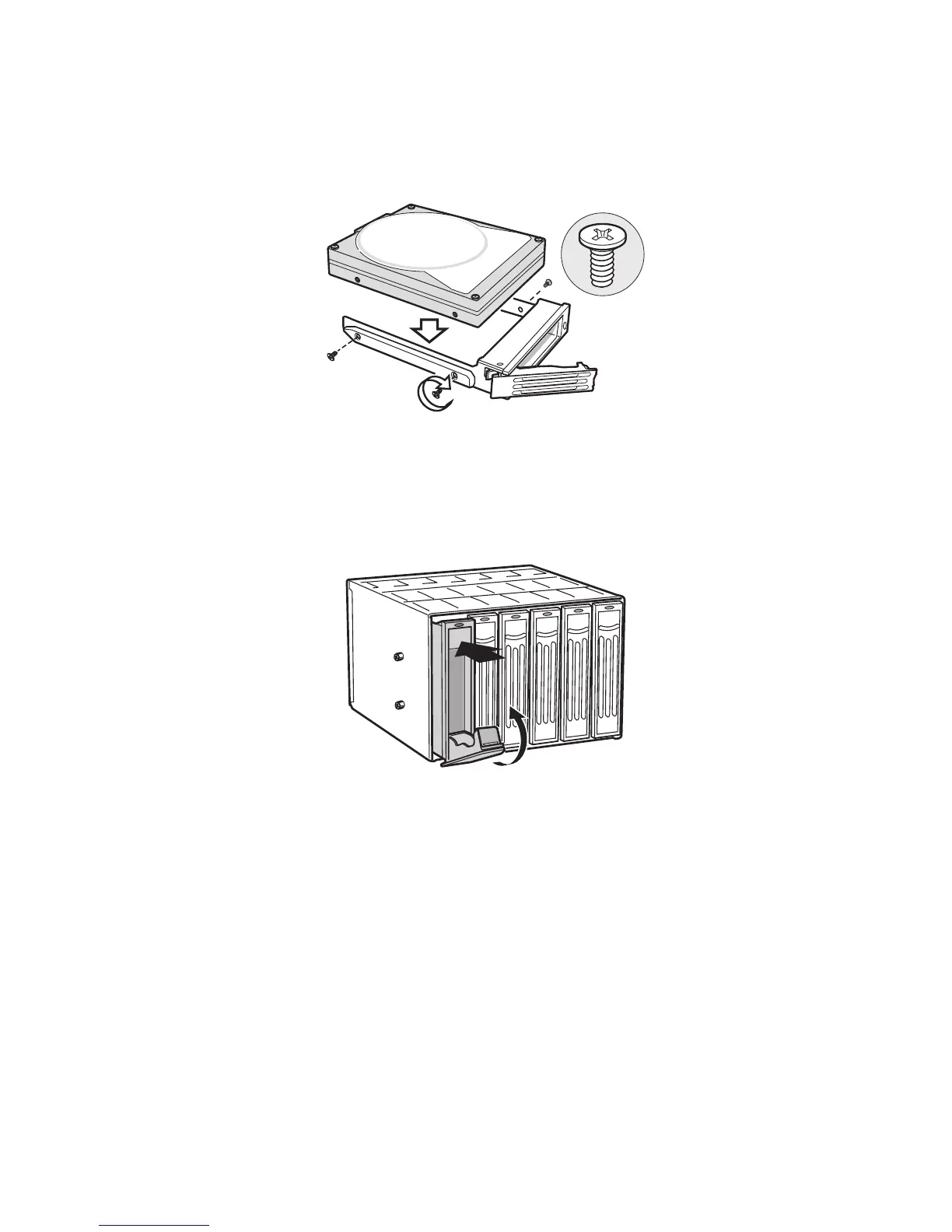
4. Secure the hard drive to the drive carrier using the four screws that were formerly attached to
the plastic retention device. Ensure that the connector end of the hard drive is facing the back
of the drive carrier. The label side of the hard drive should be facing up in the drive carrier.
Figure 18. Securing Hard Drive to Drive Cage
5. With the black lever open, insert the drive carrier into the drive cage. Once inserted, rotate the
black lever upwards to latch the drive carrier into position.
Figure 19. Inserting Drive Carrier into Drive Cage



 To Next Page