Install Fixed Hard Drive(s)
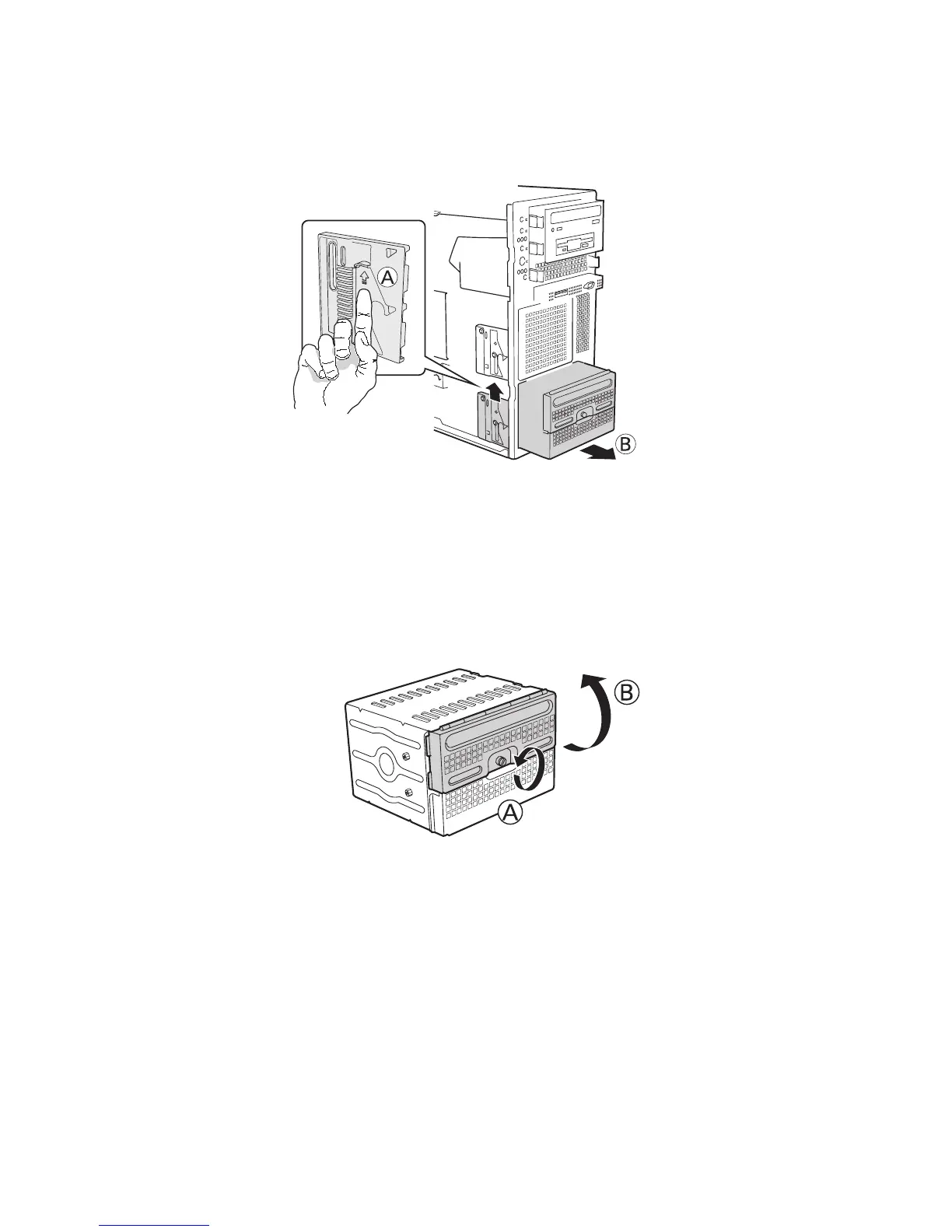
1. Push the blue plastic release mechanism upward to release the Fixed drive cage (letter “A”).
Pull out the drive cage so that it is partially exposed (about 2 inches out) from the drive bay
slot in the chassis (letter “B”). Partially exposing the drive cage will make it easier to open the
upper door of the drive cage.
Figure 11. Removing Six-drive Fixed Drive Cage from Chassis
NOTE
As an alternative, you may also fully remove the drive cage from its drive bay slot in the chassis.
Take care, however, to position the drive cage horizontally before opening the drive cage doors or
the drive rails will spill out.
2. Loosen the captive screw (letter “A”). Open the upper door (letter “B”).
Figure 12. Unlocking and Opening Upper Drive Cage Door



 To Next Page