37MAXDATA Server PLATINUM 3200 I M7
Clearing the Password
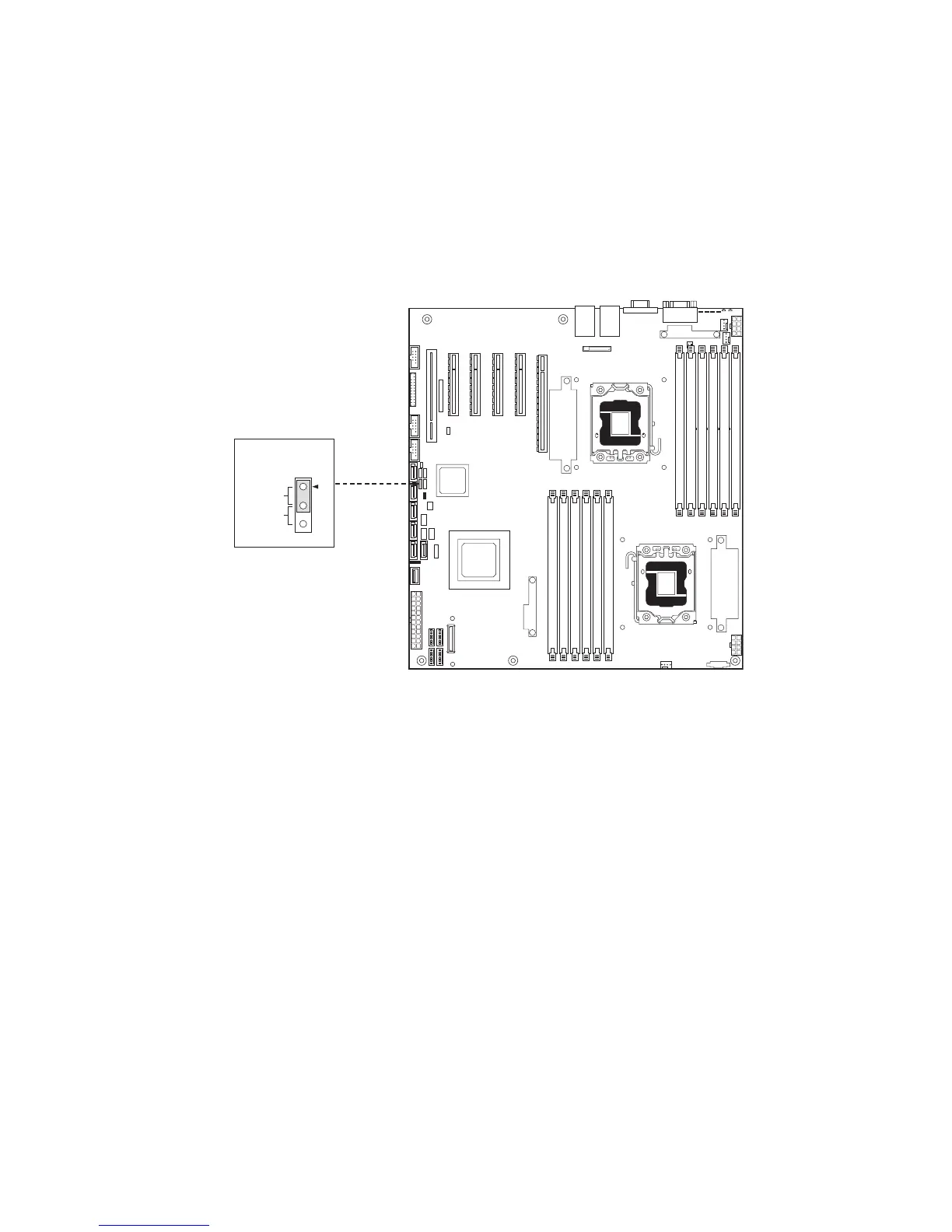
If the user or administrator password(s) is lost or forgotten, moving the password clear jumper into
the “clear” position clears both passwords. The password clear jumper must be restored to its original
position before a new password(s) can be set.
1. Power down the server. Do not unplug the power cord.
2. Open the server chassis.
3. Move the jumper from the default operating position (covering pins 1 and 2) to the Password
Clear position (covering pins 2 and 3).
Figure 31. Password Clear Jumper
4. Close the server chassis.
5. Power up the server and wait 10 seconds.
6. Power down the server.
7. Open the server chassis and move the jumper back to the default position (covering pins 1
and 2).
8. Close the server chassis.
9. Power up the server.



 To Next Page