38 Hardware Installations and Upgrades
Recovering BIOS Defaults
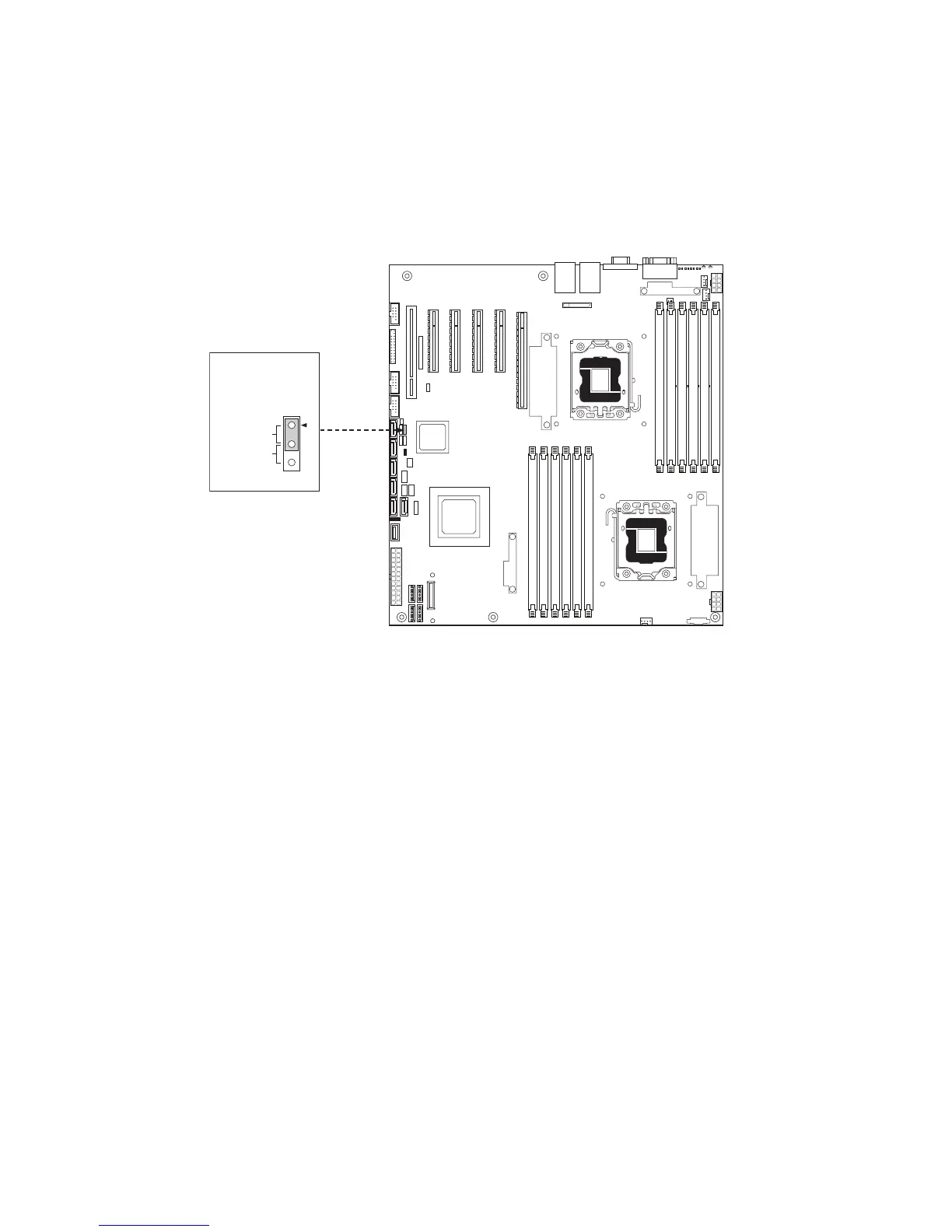
If you are not able to access the BIOS setup screens, the BIOS Defaults jumper will need to be used
to reset the system configuration.
1. Power down the system and unplug the power cord.
2. Open the server chassis.
3. Move the jumper from the default operating position (covering pins 1 and 2) to the reset/clear
position (covering pins 2 and 3).
Figure 32. BIOS Defaults Jumper
4. Wait 5 seconds.
5. Move the jumper back to the default position (covering pins 1 and 2).
6. Close the server chassis.
7. Power up the server.



 To Next Page