19MAXDATA Server PLATINUM 3200 I M7
3. Open the lower door.
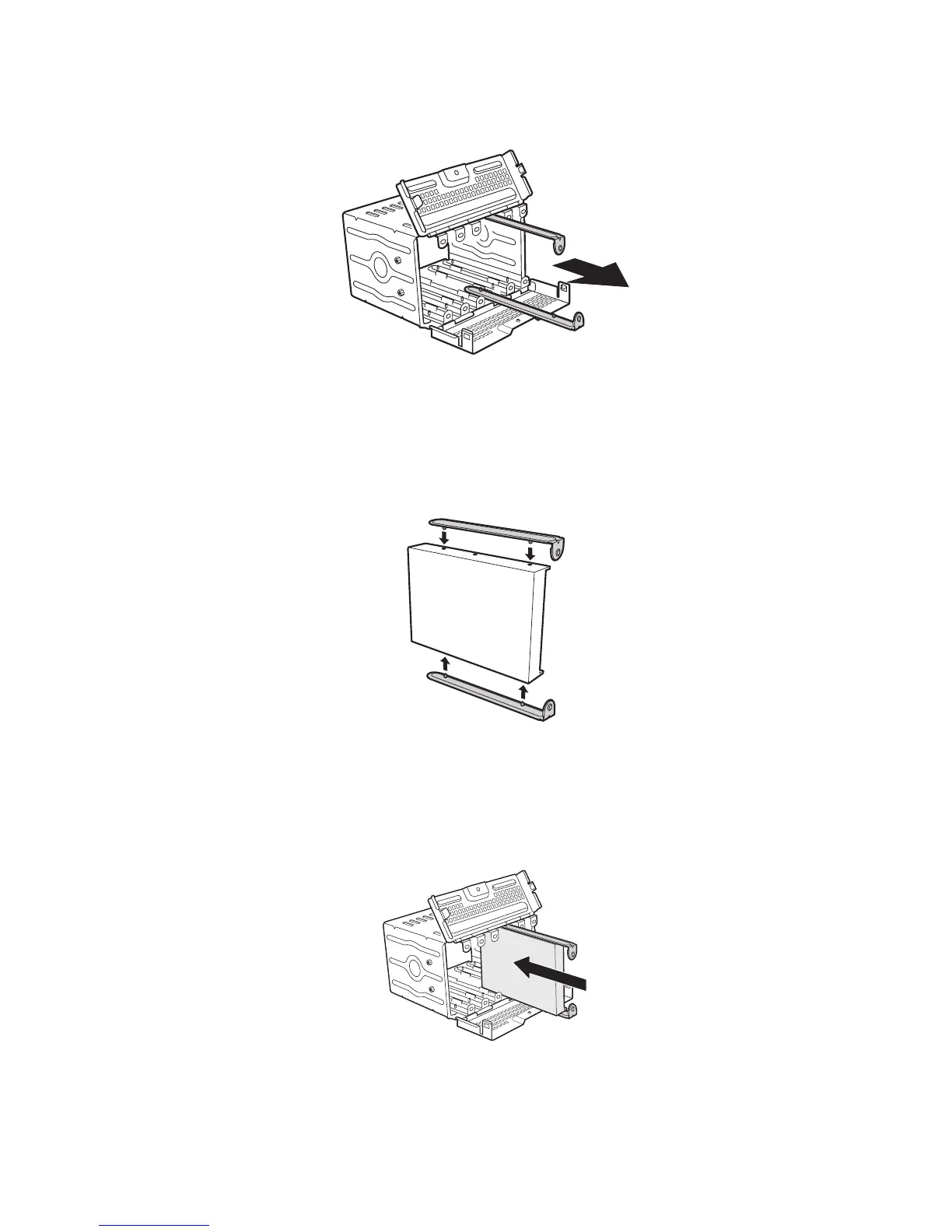
4. Remove a pair of device slides from the drive cage.
Figure 13. Remove Slides from Drive Cage Door
5. Attach the device slides to the hard drive. This is a tool-less operation. Insert tabs on device
slides into mounting holes on hard drive and then press firmly to secure device slides to hard
drive. Ensure that the metal tabs on the device slides are facing the front of the hard drive and
facing towards each other.
Figure 14. Installing Device Slides to Hard Drive
6. Insert drive/slide assembly into drive cage. Make sure that the cable connector end of the hard
drive faces towards the rear of the drive cage. The top of the drive is in the same orientation as
the arrow in the following illustration.
Figure 15. Inserting Drive/Slide Assembly into Drive Cage



 To Next Page