17MAXDATA Server PLATINUM 3200 I M7
Install 3.5-inch Floppy, DVD, or CD-ROM Drive
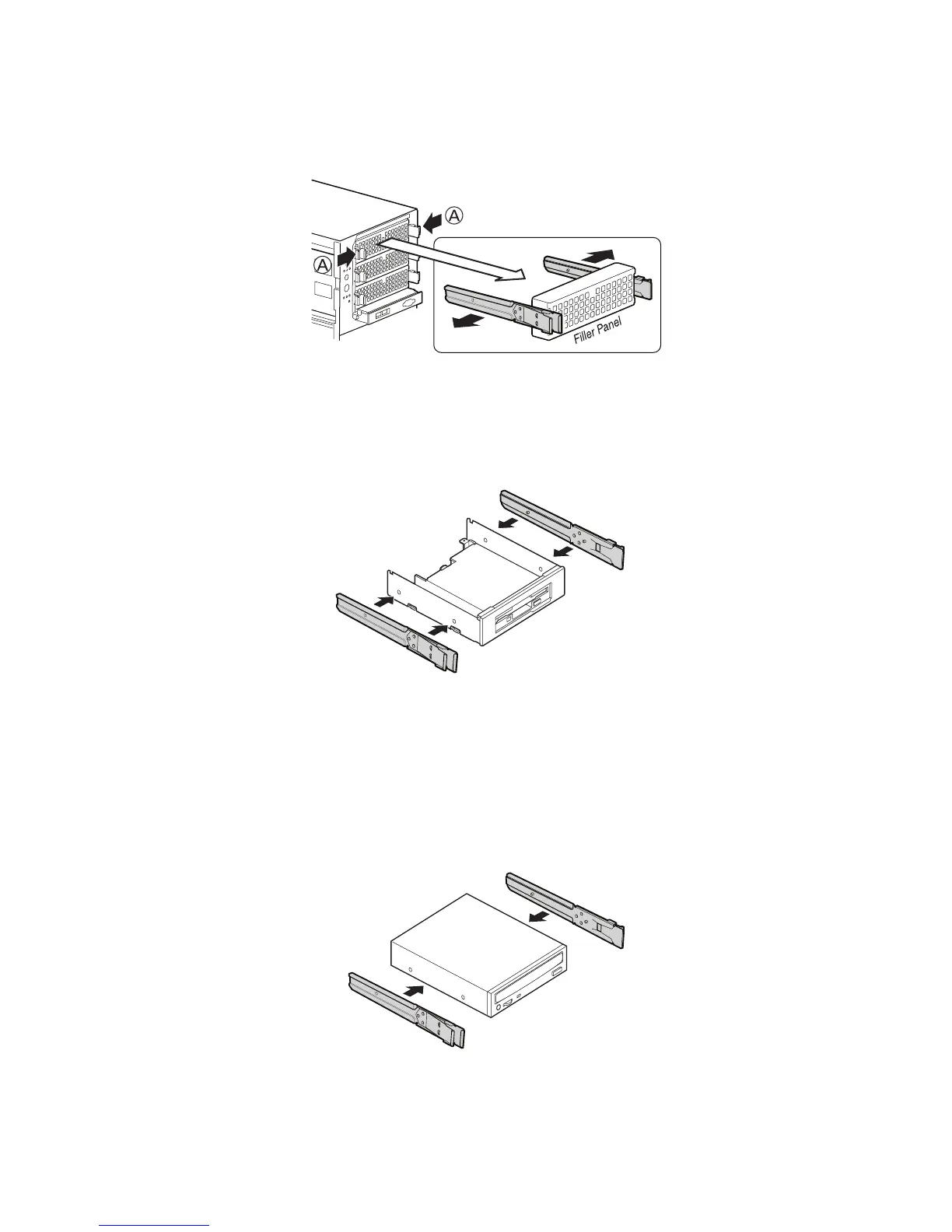
1. Press pair of slides inward (letter “A”) to release and pull slide/filler panel assembly out of
device bay.
Figure 8. Removing Slide/Filler Panel Assembly from Upper Device Bay
2. Attach the slides to the drive by pressing the slides firmly into the side dimples on the drive.
Figure 9. Installing Slides on 3.5-inch Floppy Drive
3. Insert the drive/slide assembly partially into the upper device bay. Connect power and data
cables.
4. Finish inserting the drive/slide assembly into the chassis until the slides lock into place.
Figure 10. Installing a DVD or CD-ROM Drive



 To Next Page