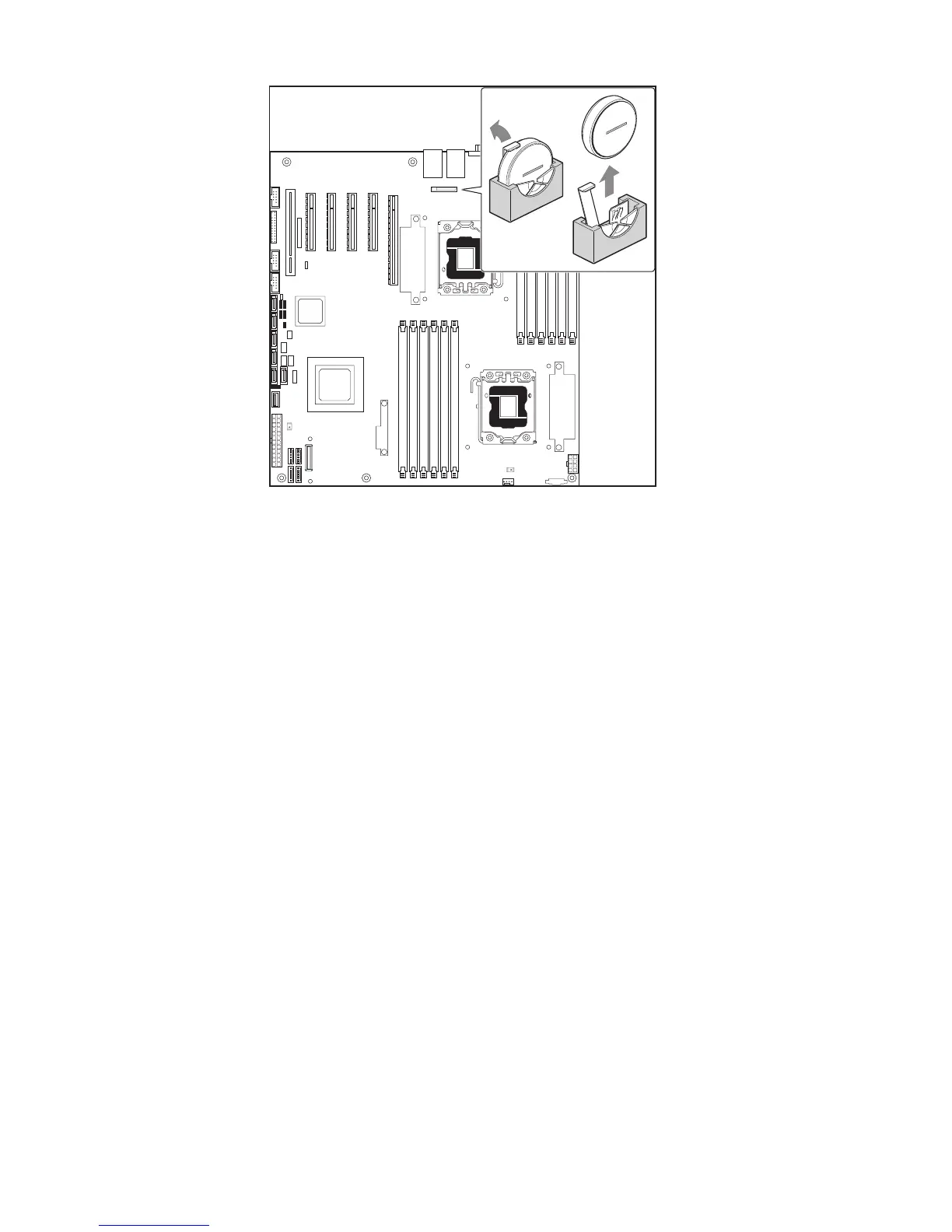
Figure 30. Replacing the Backup Battery
7. Dispose of the old battery according to local ordinance.
8. Remove the new lithium battery from its package, and observe the correct polarity. The printed
side of the battery must face up, or toward the DIMM slots.
9. Insert the battery in the socket.
10. Close the chassis.
11. Run Setup to restore the configuration settings to the RTC.



 To Next Page