59
QM00991-1
INPUT menu
Item Description
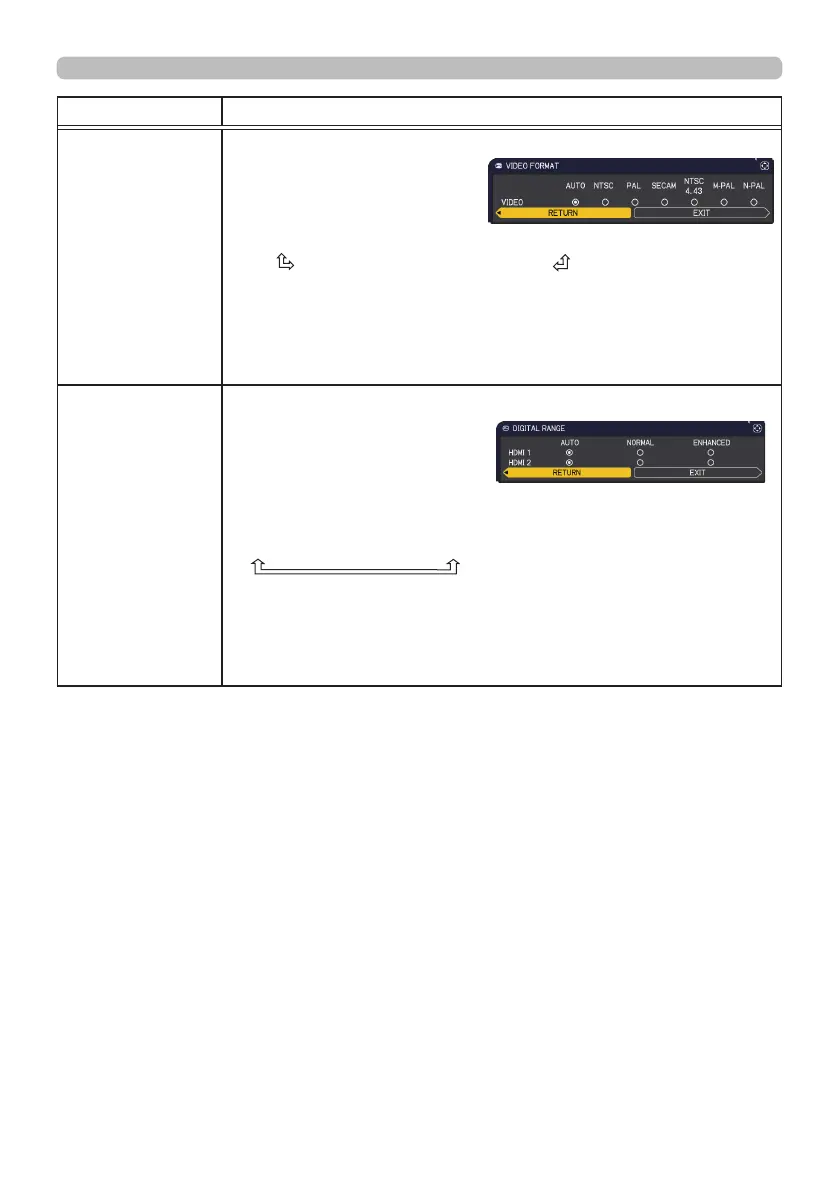
VIDEO FORMAT
The video format for VIDEO port can be set.
Using the ◄/► buttons switches
the mode for video
format.
AUTO
ó
NTSC
ó
PAL
ó
SECAM
N-PAL
ó
M-PAL
ó
NTSC4.43
•
This item is performed only for a video signal from the VIDEO port.
• The AUTO mode automatically selects the optimum mode.
• The AUTO operation may not work well for some signals. If the
picture becomes unstable (e.g. an irregular picture, lack of color),
please select the mode according to the input signal.
DIGITAL RANGE
The digital range of HDMI
TM
input signals from the HDMI 1and
HDMI 2 ports can be set.
(1) Use the ▲/▼ buttons to
select the port to be set.
(2) Use the ◄/►buttons to select the digital range.
AUTO
ó
NORMAL
ó
ENHANCED
AUTO: automatically sets the optimum mode.
NORMAL: sets the suitable mode for DVD signals. (16-235)
ENHANCED: sets the suitable mode for computer signals. (0-255)
• If the contrast of the screen image is too strong or too weak, try
finding a more suitable mode.
(continued on next page)



 To Next Page