80
QM00991-1
OPTION menu
Item Description
SCHEDULE
(continued)
■ How to activate(DATE AND TIME /
SPECIFIC DATE
)
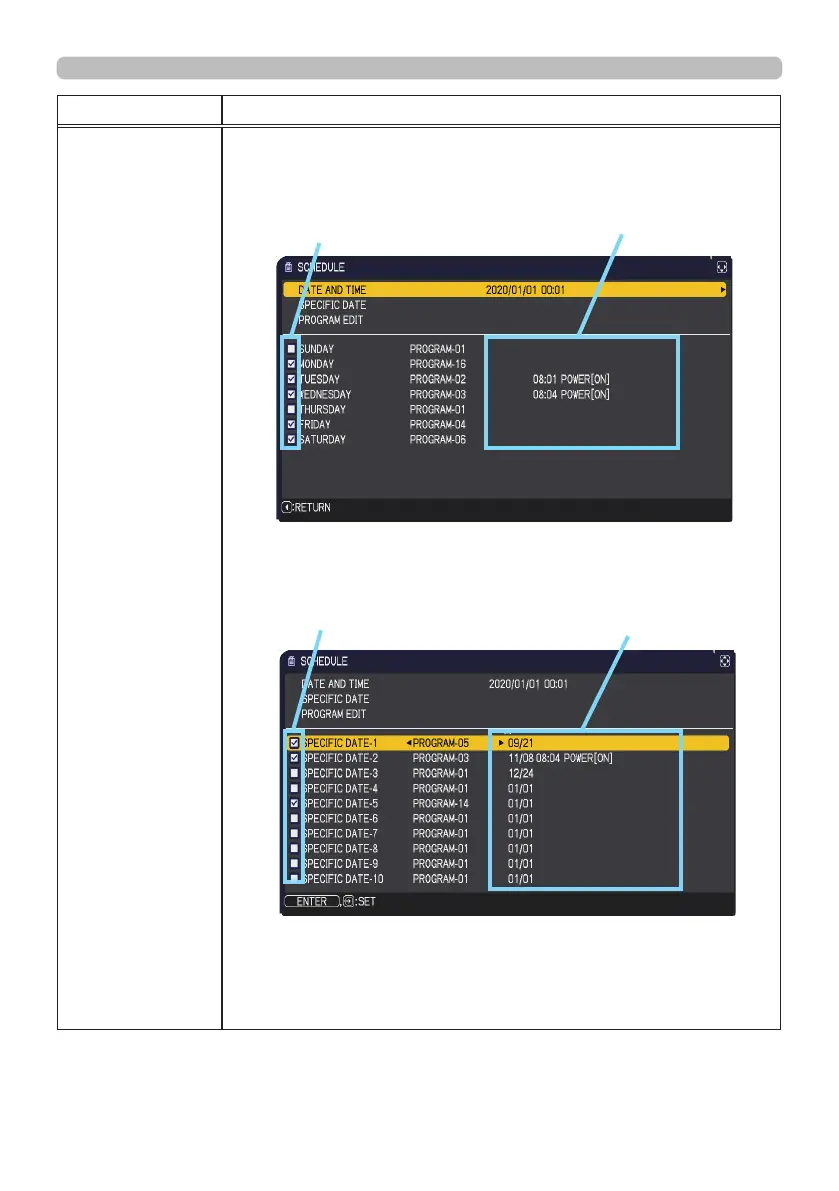
Place a check mark in the box.
1/2 page (Set the DATE(Year/Month/Date) and Time(24-hour scale).)
2/2 page (Set specic date from 1 to 10.)
Press the ▼ cursor button to move from 1/2 page to 2/2 page with
the state of selecting "SATURDAY".
(continued on next page)
Check mark
in the box
Date and rst setup
info could be seen
with the check mark.
Check mark
in the box
Date and rst setup
info could be seen
with the check mark.



 To Next Page