USER Manual
22
2
○
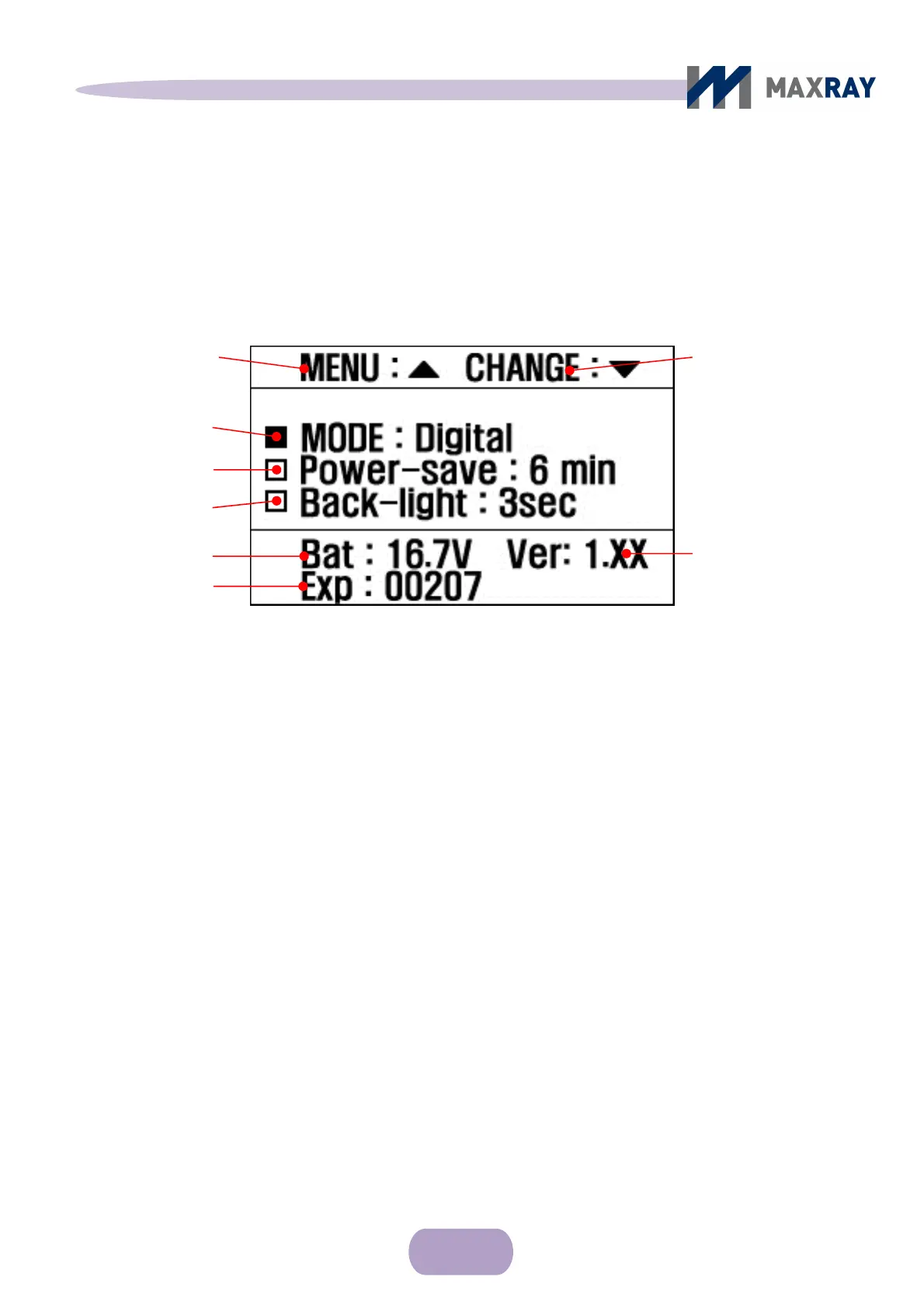
Environment Settings screen
Figure 6.4 Environment settings screen
MENU change: Indicates the menu options, which can be navigated by
pressing the ▲ button on the upper part of main body.
Value setting change: Indicates change of setup value, navigated by pressing
▼ button on upper part of main body.
Film / digital mode setting: Changes present exposure mode to film or digital
Automatic shutoff setting: Automatic
shutoff time is adjustable from 1 minute to
10 minutes, by 1 minute intervals.
Backlight time setting: The amount of time the blacklight remains on after any
button has been pressed is adjustable from 1 second to 10 seconds, by 1 second
intervals.
Battery level: Indicates the remaining battery strength.
UI version
To change the value
of individual settings.
Film/digital mode setting
Automatic shutoff
setting
Backlight time setting
Total exposure counts
Battery level
To change the MENU



 To Next Page