USER Manual
23
Total exposure counts: Indicates the number of x-ray exposures that have
occurred.
UI version: Indicates the current UI version number.
3
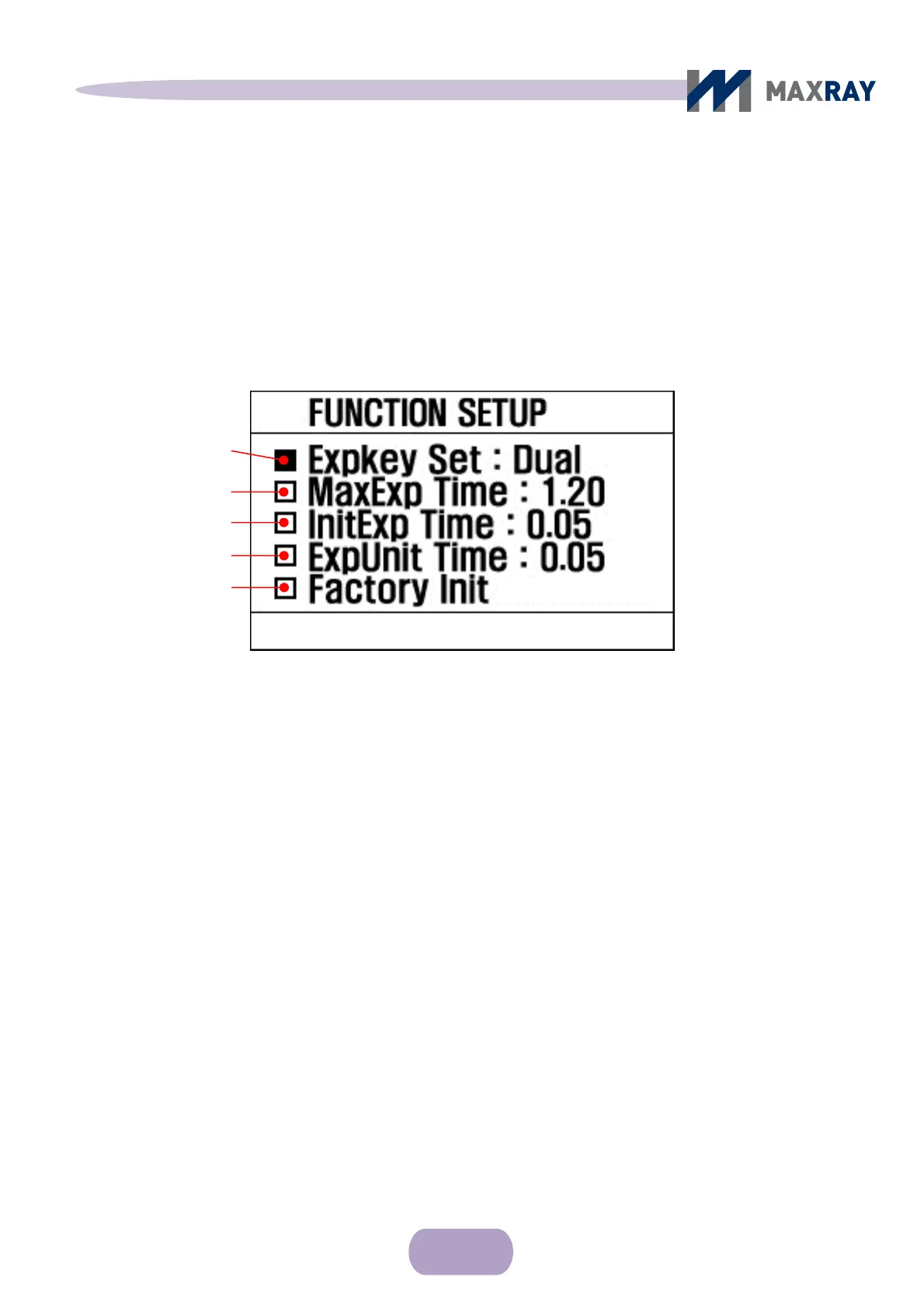
○ Function Setting Screen
Figure 6.5 Function setting screen
Exposure button enable / disable setting: ‘Remote' appears when only the wired
remote controller must be used to begin exposure, whereas 'Dual' appears when
either exposure button can be used.
Max exposure time setting: The maximum exposure time setup is available
and adjustable from 1 second to 2.5 seconds, by 0.05 second intervals.
Exposure start time setting: The minimum exposure time setup is available
and adjustable from 0.02 seconds to 0.2 seconds, by 0.01 second intervals.
Exposure time unit setting: Exposure time uni
t setup is available and adjustable
from 0.01 seconds to 0.1 seconds, by 0.01 second intervals.
Factory defaults: Returns all setup options to the initial factory settings.
Exposure button
enable / disable setting
Max exposure time setting
Exposure start time setting
Exposure time unit setting
Factory Defaults



 To Next Page