179
Controls in detail
Control system
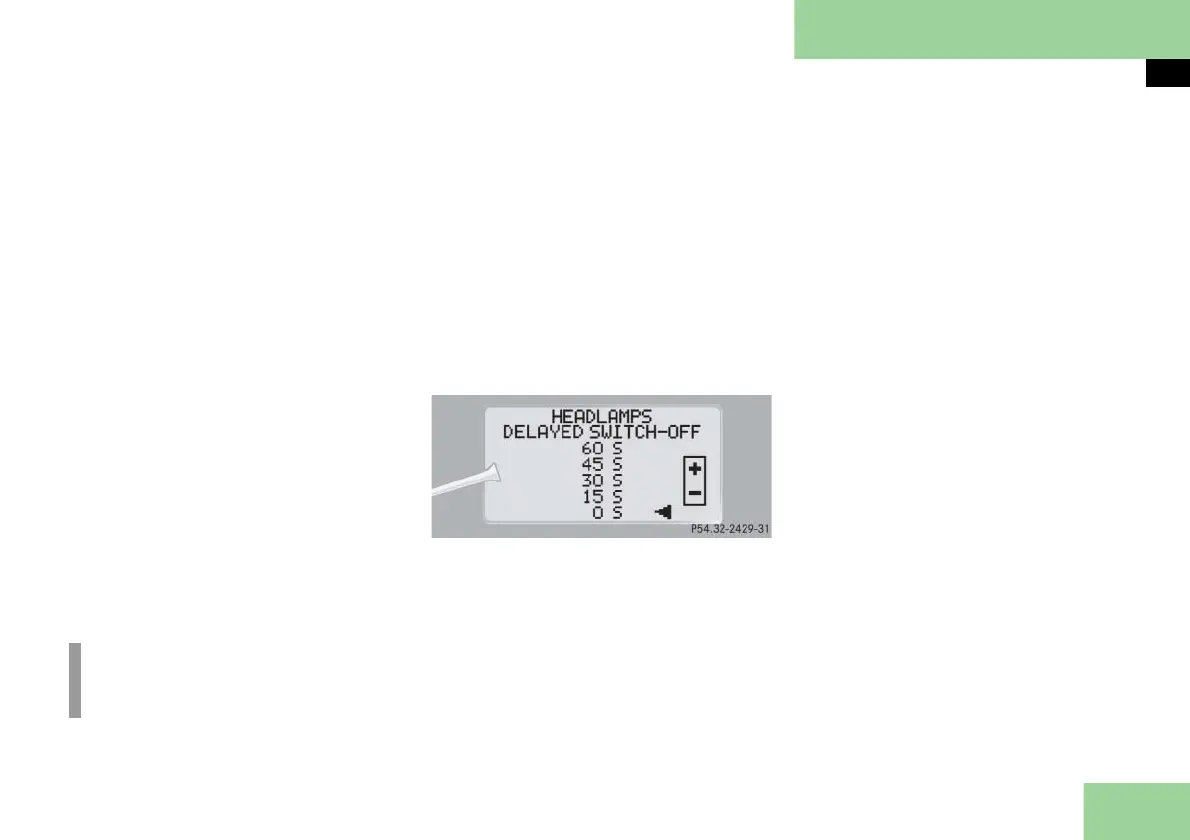
Setting night security illumination
(Headlamps delayed shut-off)
Use this function to set whether and how
long you would like the exterior lamps to
illuminate during darkness after exiting
the vehicle and all doors closed. With the
delayed shut-off feature activated and
the exterior lamp switch in position U
before the engine is turned off, the fol-
lowing lamps will switch on after you
have removed the SmartKey from the
starter switch:
Parking lamps
Tail lamps
License plate lamps
Side marker lamps
Front fog lamps
If you do not open a door after removing
the SmartKey, the lamps will automati-
cally shut off after 60 seconds.
To select delayed shut-off period:
Move the selection marker with
button
æ
or
ç
to the
LIGHTING
submenu.
Press button
j
or
k
repeatedly
until you see
HEADLAMPS DELAYED
SWITCH-OFF
in the multifunction dis-
play.
The selection marker is on the current
setting.
Press button
æ
or
ç
to select the
desired lamp-on period.
You can select:
0 S
, the delayed shut-off feature is
deactivated.
15 S, 30 S, 45 S,
or
60 S,
the de-
layed shut-off feature is activated.
Turn the exterior lamp switch to
position U before turning off the
engine.
You can temporarily deactivate the de-
layed shut-off feature:
Before leaving the vehicle, turn the
SmartKey in the starter switch to
position 0.
Turn the SmartKey in the starter
switch to position 2 and back to 0.
The delayed shut-off feature is deac-
tivated. It will reactivate as soon as
you reinsert the SmartKey in the
starter switch.
Vehicles with KEYLESS-GO**:
Press the KEYLESS-GO start/stop but-
ton on the gear selector lever
( page 55).
i
You can reactivate this function with-
in ten minutes by opening a door.



 To Next Page