264
Controls in detail
Useful features
Maybach 57:
To open, press button 1.
The storage compartment/drawer 2
opens.
To close, push storage compartment/
drawer 2 in until it engages in the
lock.
Maybach 62:
To open, press button 1.
The storage compartment/drawer 2
opens slightly.
If necessary:
Close the champagne flute/bottle
holder (
page 271).
or
Close the folding table*
(
page 275).
Press button 1 again.
The storage compartment/drawer 2
opens fully.
To close, push storage compartment/
drawer 2 in until it engages in the
lock.
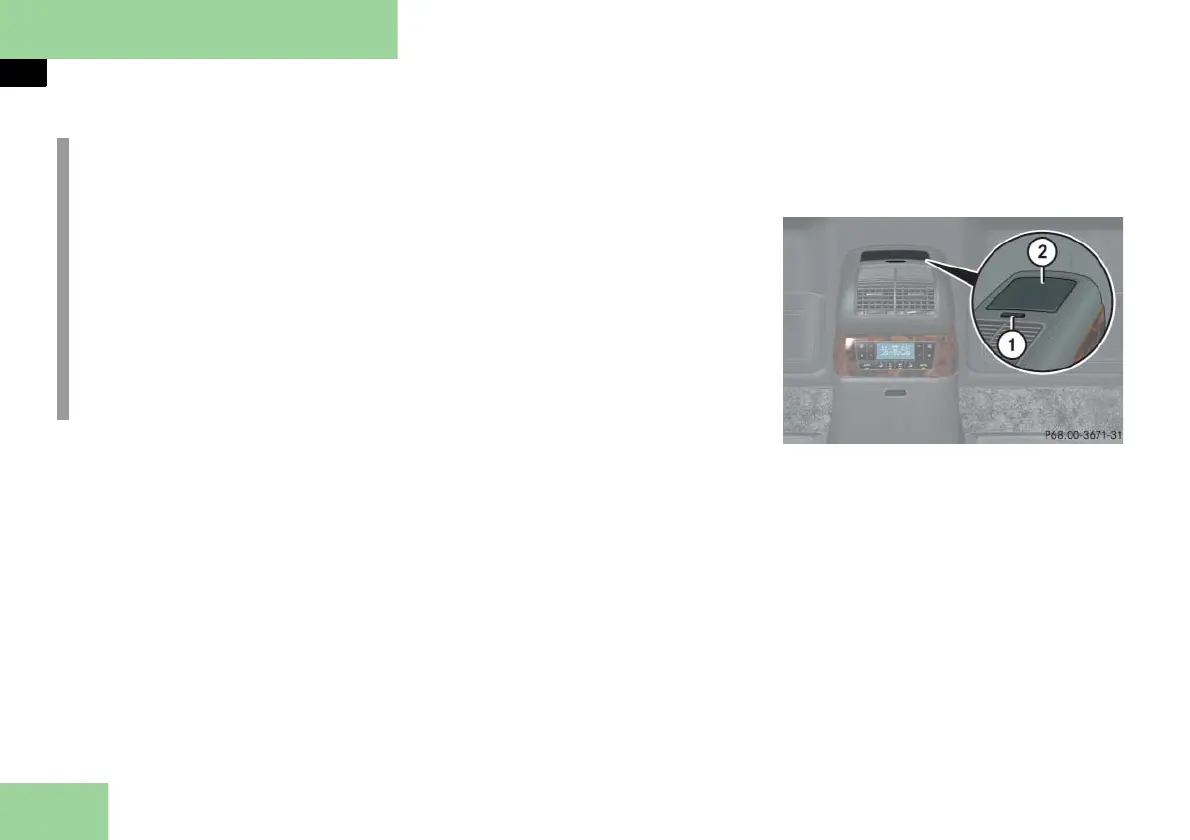
Opening/closing the upper storage com-
partment in rear center console
(only Maybach 62)
Example illustration from Maybach 62 with
partition*
1 Opening button for upper storage
compartment
2 Cover
To open, press button 1.
The cover 2 swings upward.
To close, press the cover 2 down-
ward.
The cover 2 engages automatically.
i
Maybach 62 with rear center seat*:
In the storage compartment/drawer
are:
the Pocket PC* ( page 311)
an additional SOS button, only in
Maybach 62 vehicles with parti-
tion* or two-way intercom*
(
page 298)
buttons for two-way intercom*
(
page 287)



 To Next Page