290
Controls in detail
Useful features
You can receive and place telephone
calls using the s and t buttons on
the steering wheel. To carry out other
telephone functions, use the control sys-
tem (
page 165).
See the separate operating manual
COMAND and Rear-Cabin Audiovisual
System for instructions on how to use the
telephone.
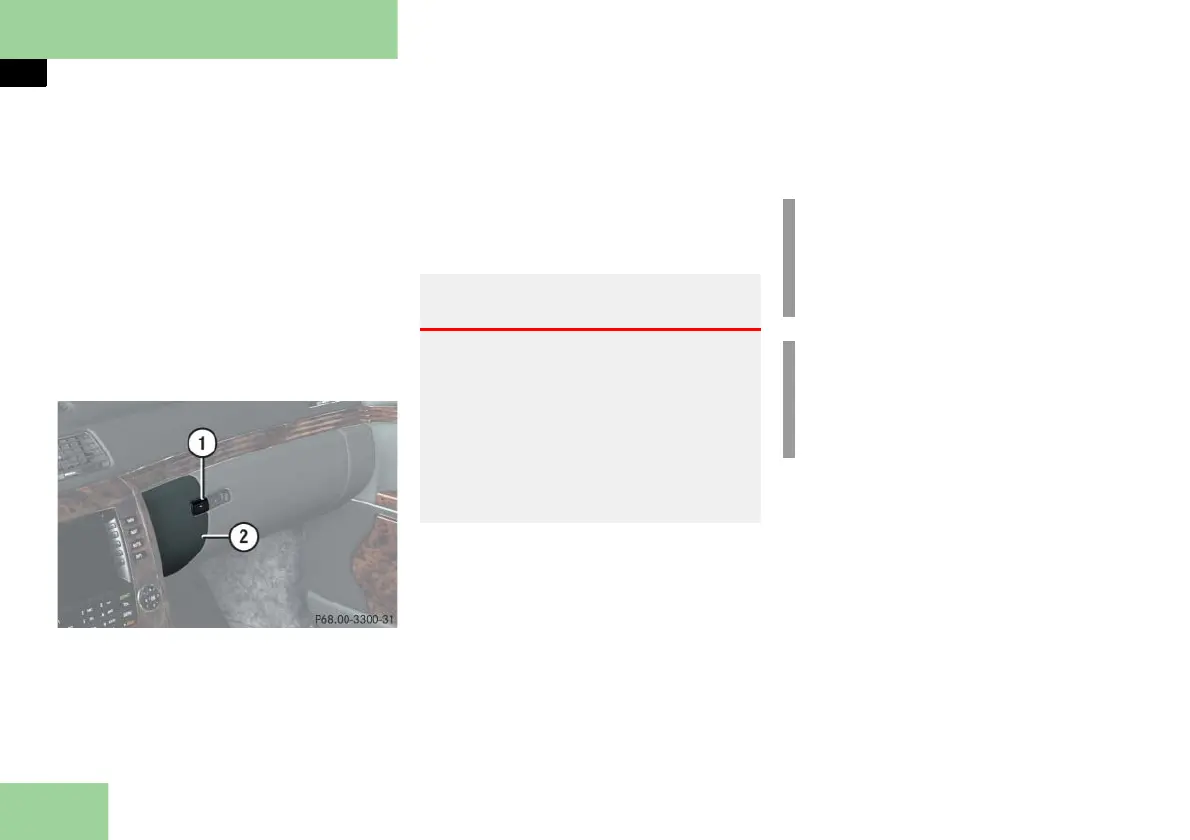
Cellular phone in the front
1 Compartment lid release
2 Compartment lid
Opening
Press button 1.
The compartment lid 2 opens down-
ward. The telephone handset swings
out.
Closing
Press button 1 to close.
Warning! G
Always keep the compartment for the
front telephone closed while the vehicle is
in motion. The protruding telephone could
otherwise cause injury to you and others
during
braking
vehicle maneuvers or
an accident.
!
To prevent any damage, the cellular
phone flap must be folded down be-
fore closing the telephone compart-
ment.
i
The Roadside Assistance button •
and the Information button ¡
( page 298) are located in the com-
partment for the front telephone.



 To Next Page