291
Controls in detail
Useful features
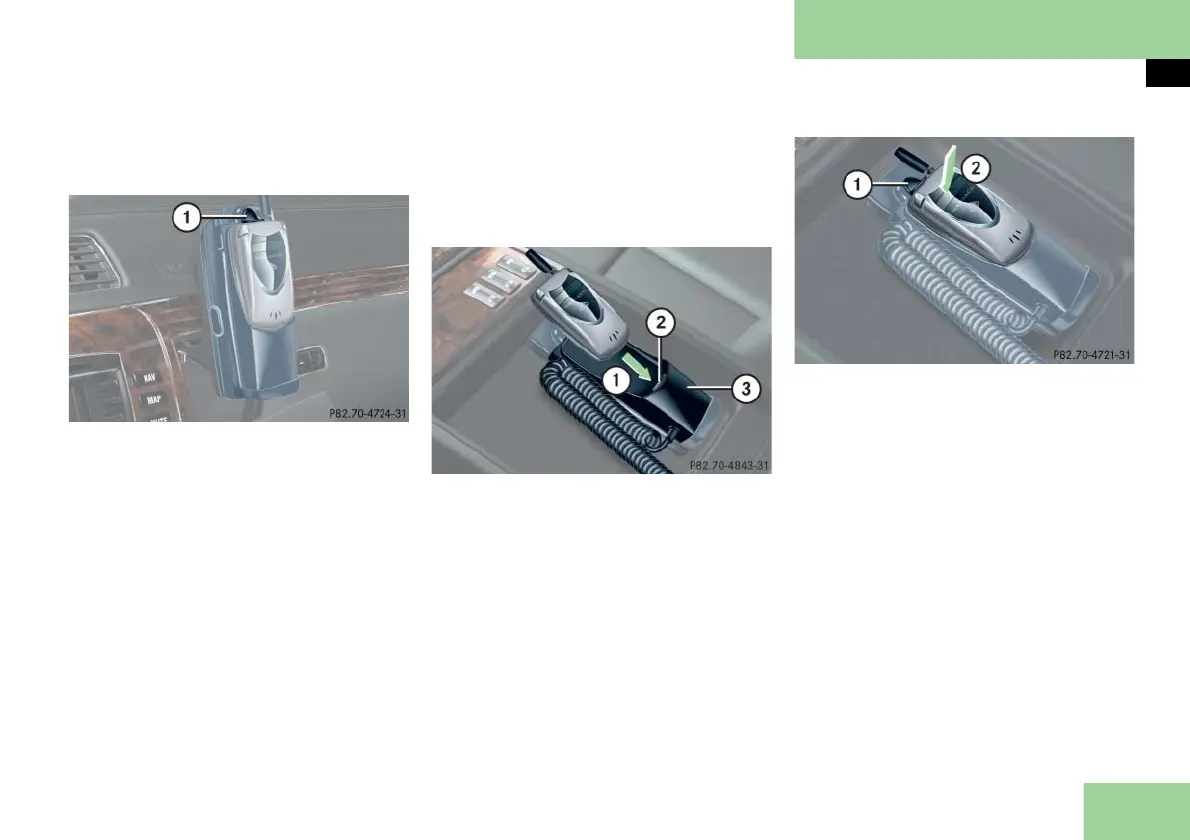
Removing the cellular phone from the
cradle
1 Release button
Press the release button 1 and re-
move the cellular phone from the cra-
dle.
Cellular phone in the rear
The cellular phone is located in the rear
armrest.
Open the storage compartment in
the rear center armrest (
page 266).
Inserting the cellular phone in the cellu-
lar phone cradle
Remove the round aerial contact cov-
er on the back of the cellular phone.
1 Insert the cellular phone
2 Connector contact
3 Cellular phone cradle
Slide the lower end of the cellular
phone into connector contact 2 on
cradle 3.
1 Release button
2 Engage the cell phone in cradle
Push the top of the cellular phone in
direction of arrow 2, until the lug on
the cellular phone release button 1
engages.
The battery will be charged depend-
ing on its charge status and the posi-
tion of the SmartKey in the starter
switch. The charging process is shown
in the cellular phone display.



 To Next Page