336
Controls in detail
Pocket PC remote control*
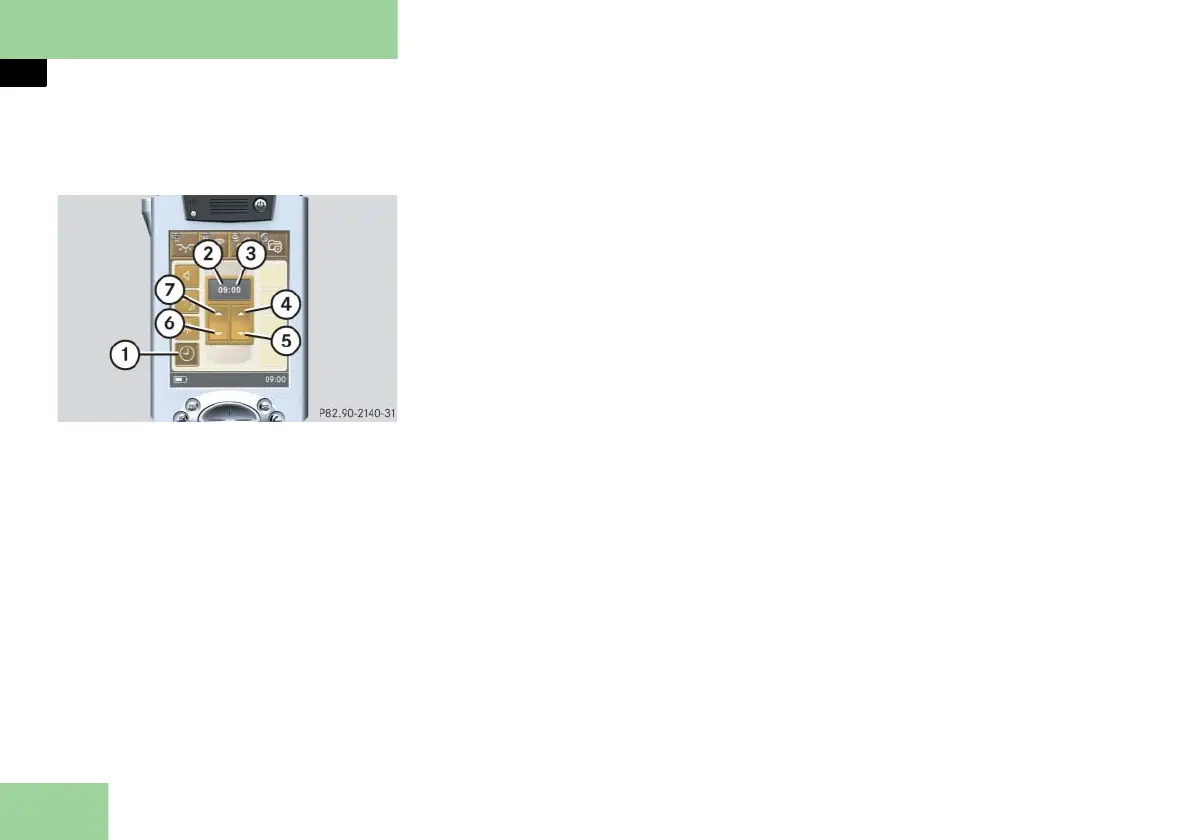
Selecting submenu: Time and selecting
settings (Pocket PC 1)
1 Submenu: Time
2 Settings menu for hours
3 Settings menu for minutes
4 To set minutes forward
5 To set minutes backward
6 To set hours backward
7 To set hours forward
Press submenu button: Time 1.
The selected symbol in button 1 is
highlighted in the display and you
will see the corresponding settings
menus 2 and 3.
Setting minutes forward or backward
Press symbol 4 or 5 until the min-
utes have been set.
Setting hour forward or backward
Press symbol 6 or 7 until the hour
has been set.



 To Next Page