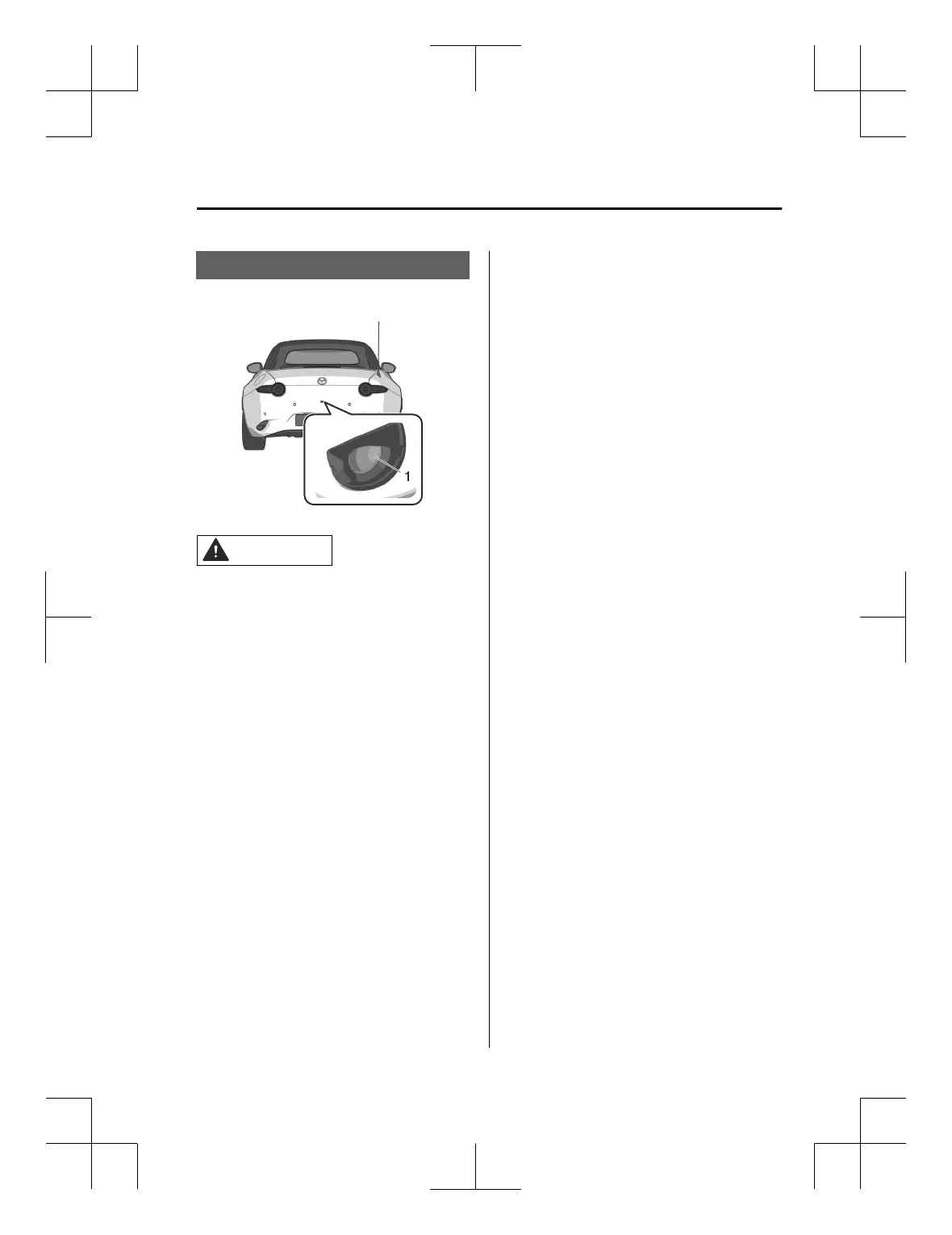
Camera
The camera shoots images from the
rear of the vehicle.
1. Rear camera
CAUTION
Do not disassemble, modify, or
remove the camera.
Consult an Authorized Mazda Dealer
if you need to repair, replace, or
paint parts near the camera.
If strong force is applied to the
camera, the camera position and the
installation angle may shift. Have
your vehicle inspected by an
Authorized Mazda Dealer.
Heed the following cautions so that
the camera can function normally.
Do not modify the suspensions.
Always use wheels of the specified
size for the front and rear wheels.
Consult an Authorized Mazda
Dealer for tire replacement.
Do not apply oil film remover,
organic solvents, wax or coating
agents, because the camera cover is
made of hard plastic. If any such
agent is applied, wipe it off using a
soft cloth immediately.
Do not rub the camera cover
forcefully with an abrasive or hard
brush. The camera cover or lens
might be scratched which might
affect the images.
If the lens of the camera is badly
damaged by flying gravel, replace the
camera. For the camera
replacement, consult an Authorized
Mazda Dealer.
Depending on the type of target
object and surrounding conditions,
the distance at which the camera can
detect target objects may be
shortened or the target objects may
not be detected. Always confirm the
safety around the vehicle visually
when driving.
NOTE
Do not apply stickers and do not
install accessories or illuminated
number/character license plates to
the area around the camera.
Otherwise, the camera may not
correctly display the surrounding
conditions.
If the camera is
affected
by excessive
changes in temperature such as
pouring hot water on the camera
during cold weather, the camera may
not operate normally.
The camera includes a function for
detecting abnormalities in the
camera, soiling of the camera’s front
surface, and informing the driver. If a
message appears on the screen that
can be addressed, follow the
directions of the message.
If there are water droplets, snow, or
mud on the camera lens, wipe it off
using a soft cloth. If the camera lens
is especially dirty, wash it
off
with
mild detergent.
Driving
Camera
5-97
MX-5_8ME4-EA-23L_Edition1_new 2023-8-31 16:47:34












 To Next Page