How to Use the Rear View Monitor
Displaying the rear view monitor
Shift the shift lever/selector lever to the R position.
Images are displayed on the center display.
Viewing the screen
NOTE
The images displayed on the center display are reversed left and right.
Screen brightness and contrast can be adjusted.
Set in the Mazda Connect “Settings” or consult an Authorized Mazda Dealer.
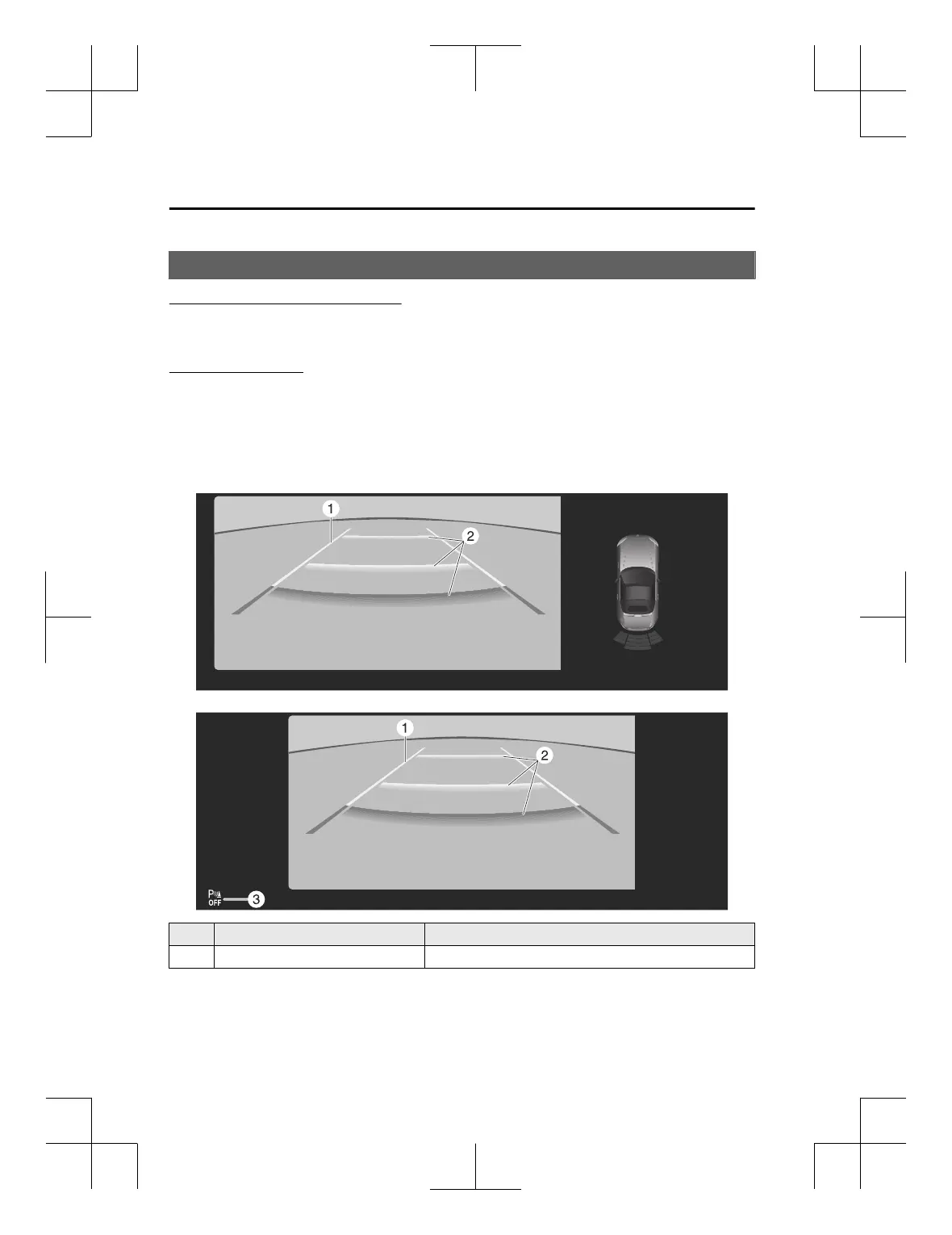
When the parking sensor is ON
When the parking sensor is OFF
Indication Content
1 Vehicle width guide lines (yellow) Indicates the approximate width of the vehicle.
Driving
Rear View Monitor
5-140
MX-5_8ME4-EA-23L_Edition1_new 2023-8-31 16:47:34












 To Next Page