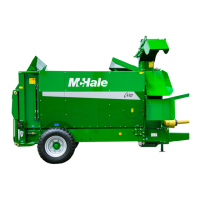
McHale C430/C460/C470/C490 Bale Chopper
47
7.1 Control box functions
No. Function Description
1 Up arrow Increases floor speed and other functions
2 Escape Menu escape and also clears warnings
3 Enter Menu enter and select
4 Down arrow Decreases floor speed and other functions
5 Power switch Rotate to switch On, press to switch Off
6 Chute joystick Chute control - left, right, up and down
7 Additive On/Off LED illuminates when additive is set to On
8 Pulsed floor On/Off LED illuminates when pulsed floor mode is set to On
9 Rotor comb out Moves comb forward
10 Rotor comb in Moves comb rearward
11 Loading door up
LED illuminates when loading door up is operated
from the auxiliary control box
12 Loading door down
LED illuminates when loading door down is operated
from the auxiliary control box
13 Rotor engage LED illuminates when rotor is engaged
14 Rotor disengage LED is off when rotor is disengaged
15 Floor forward
LED illuminates when floor forward is latched on or
is operated from the auxiliary control box
16 Floor reverse
LED illuminates when floor reverse is operated from
the auxiliary control box
17
Floor 2 forward
(C490 only)
LED illuminates when floor 2 is operated from the
auxiliary control box
18
Floor 2 reverse
(C490 only)
LED illuminates when floor 2 reverse is operated
from the auxiliary control box
19
Chute direction
indicators
Up or down or left or right arrows are shown when
the chute is operated using the joystick
20 Floor speed setting
Floor speed shown as bar graph and numerical
value. Adjustable from 1-20 and MAX hydraulic flow
21 Supply voltage Displays supply voltage



 To Next Page