McHale C430/C460/C470/C490 Bale Chopper
67
9.9 Adjusting the rotor drive belt tension
Ensure the rotor is in the ON position before beginning. Engage the rotor drive. Ensure
the ‘Rotor On’ LED is illuminated. Then shut down power to the unit.
Shut down tractor, remove key, apply parking brake, and prevent any machine
movement, using wheel chocks if necessary. Disconnect the electrical machine loom
from the control box, along with hydraulic hoses and the PTO shaft.
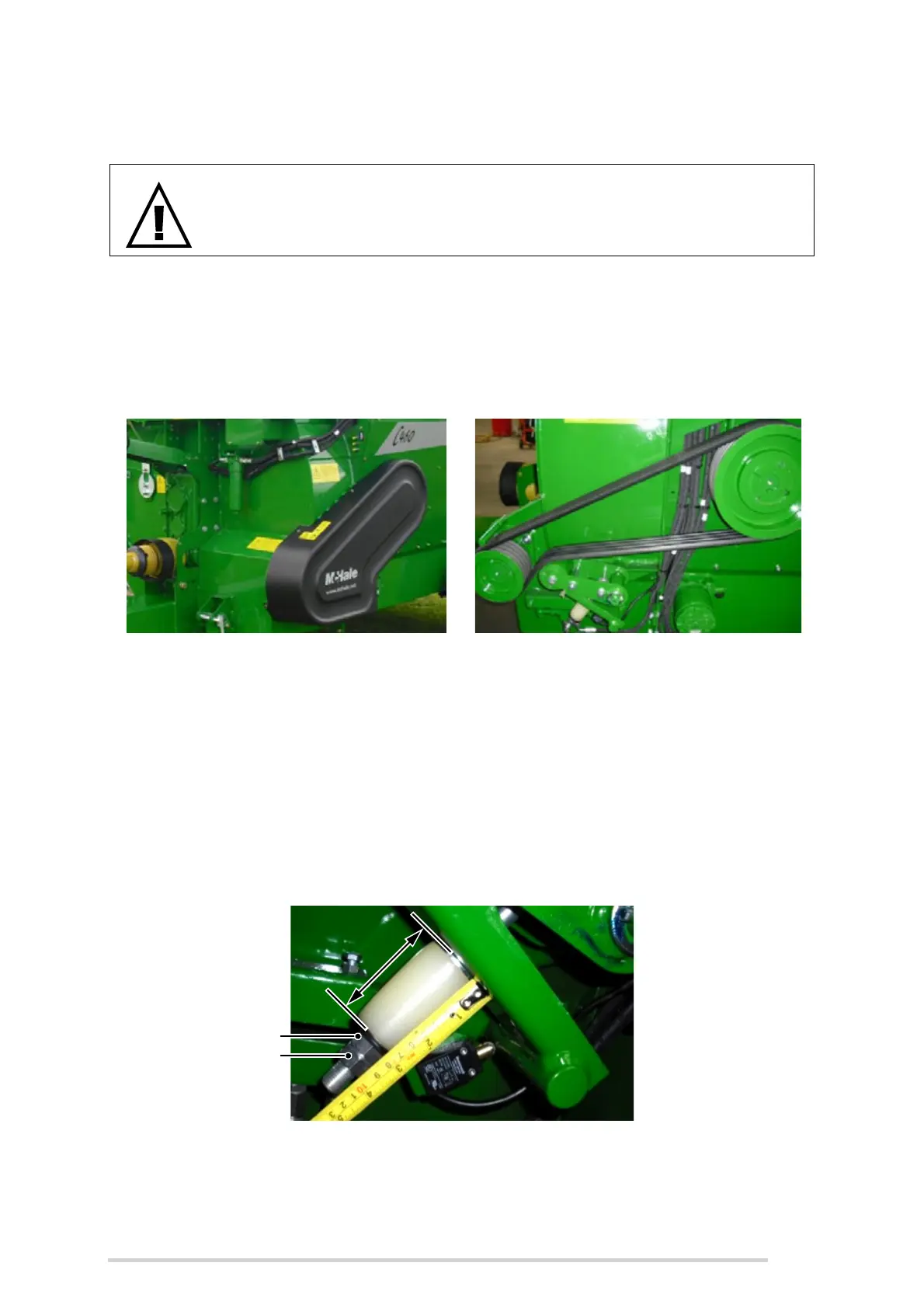
Remove the cover guard over the rotor drive belt on the front left hand side of the
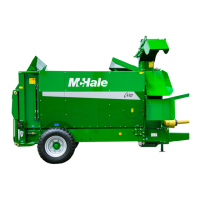
machine. The elastomeric spring on the belt tensioner should measure 70 mm in
length.
If not, adjust as follows using two 24 mm A/F spanners:
1. While holding the upper nut with one spanner, loosen the lower nut with the
other and back off a few threads.
2. Either tighten or loosen the upper nut until the spring measures 70 mm and
screw the lower nut back up.
3. Lock the two nuts together to secure in place.
Finally reposition the cover guard and tighten mounting screws securely.
NOTE: The belt tension can also be verified or adjusted from underneath without
removing the cover guard!
WARNING: Work to be carried out by qualified persons!
This work should only be carried out by qualified persons or your
McHale dealer!



 To Next Page