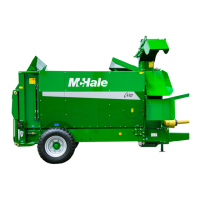
McHale C430/C460/C470/C490 Bale Chopper
56
9
Bale chopper operation & adjustments
Detailed instructions on how to operate the machine are outlined in the following pages.
These should be used along with learning the precise functionality of each button on
the control box. (See ‘Control box functions’). The following guidelines are given on the
basis that both of these chapters are fully understood:
1. Load a bale on to the machine. (See ‘Loading a bale’)
2. Position the comb to suit crop type. (See ‘Distribution’). Ensure there is
clearance between the bale and the rotor.
3. Disengage the rotor drive fully. (See ‘Control box functions’)
4. Select a suitable gear for fan rotation to suit either feeding or bedding.
5. Engage the PTO slowly and increase the PTO speed as required.
6. Set the chute height (and slide extension) for feeding, or to begin bedding.
7. Engage the rotor drive. Ensure the ‘Rotor Engaged’ LED is illuminated.
8. Set the floor speed to the minimum value. Never start the floor at a high speed.
9. Switch on the floor forward conveyor and ensure the ‘Floor Forward’ LED is
illuminated. The floor movement indicator disc will also rotate.
10. Increase the floor forward speed slowly.
11. Select the appropriate tractor travel speed.
12. Adjust the floor forward conveyor speed, as required, ensuring that the floor
indicator is rotating.
13. Re-set the chute height and direction to give desired results.
14. The 270° chute orientation allows full coverage both sides even in buildings
without a through passage. (See ‘Chute rotation’)
15. The product flow rate can be altered by changing the engine rpm (affecting
PTO and hydraulic flow), floor conveyor speed along with tractor speed.
CAUTION: Do not speed up the floor conveyor excessively
Speeding up the floor conveyor excessively will cause a blockage.
Check that the floor indicator is rotating.



 To Next Page