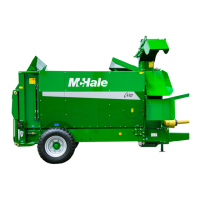
McHale C430/C460/C470/C490 Bale Chopper
50
being discharged from the machine. Do not operate the machine when people
are within a 25 m radius of it.
Alternative chute control
It is possible to operate the chute if the joystick is unavailable. When the joystick is set
to Off then button 7 is no longer used for the additive. Instead, it is used to enable/
disable chute control.
1. Set joystick to Off in the operator menu
2. Press button 7 to enable chute control. The LED flashes On/Off when the chute
control is enabled.
3. Use buttons 9, 10 11 and 12 to operate the chute as follows:
Press button 7 again to disable the chute control. The LED switches off and the buttons’
functions 9,10,11 and 12 return to normal.
7. Additive
Press button 7 to switch the additive on. The LED illuminates when additive is set to
On. If the additive is switched on, then an extra output is powered on whenever the floor
is moving forward. There is a spare connection on the wiring loom that switches on at
12 V and the maximum current draw allowable is 3 Amps.
8. Floor pulsed mode
Press button 8 to switch pulsed mode On/Off. The LED illuminates when pulsed mode
is set to On.
9. Rotor comb out
Press button 9 to move the comb towards the front of the machine.
10. Rotor comb in
Press button 10 to move the comb towards the rear of the machine.
11. Loading door up
Press button 11 to raise the loading door.
12. Loading door down
Press button 12 to lower the loading door.
Button Function
9
Rotates the chute to the left
10
Rotates the chute to the right
11
Rotates the chute upwards
12
Rotates the chute downwards



 To Next Page