McHale F5500 Baler
70
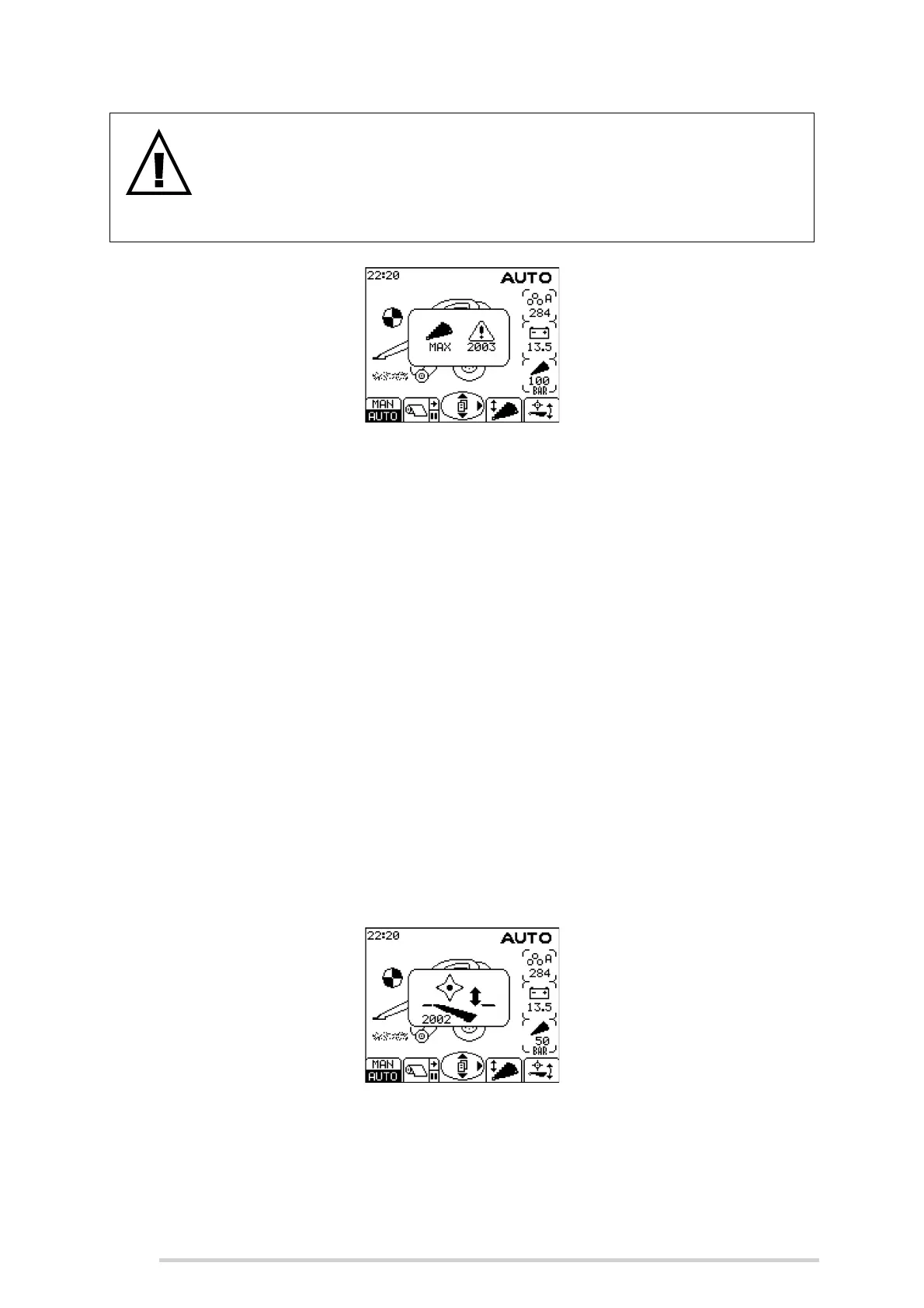
Knife pressure too high warning
7.2.7 Unblock floor operation
The unblock floor is operated by holding the ‘Floor Diverter’ (Button 4), on the control
box, and operating the tractor spool lever for the pick-up reel.
When a blockage occurs, switch off the tractor PTO and lower the floor by pressing and
holding the Floor Diverter Button while operating the spool lever in the pick-up reel
down direction. As soon as the floor moves away from the working position the warning
shown below will be displayed.
When the floor reaches the fully down position, the knives will also drop automatically
for easier clearing of blockages. (The knives will come up again once the floor is
raised.) Switch on the PTO to feed the blockage through to the chamber.
If a blockage occurs near bale completion, difficulty will be encountered in restarting
the PTO. The solution to overcome this, is to select Manual mode, then open the
chamber door a small amount so that the bale density gauge goes into the yellow zone.
(See ‘Bale density gauge’). Then restart the PTO and once the PTO is back up to
speed, close the chamber door fully and reselect Auto mode.
To raise the floor, press and hold the Floor Diverter Button then operate the spool lever
in the pick-up reel up direction until the warning switches off.
Floor is not in the working position warning
WARNING: Do not bale if the knife pressure is too high
Do not bale if the knife pressure is too high as machine damage will
occur. The warning below will always be shown when the knife pressure
is above working pressure. Lower the knives, then raise again to reset to
the normal working pressure.



 To Next Page