67 | Page
www.mdcusa.co m
Ph: 833-632-8721
Page | 67
Operating modes (control panel)
AquaGo comfort / AquaGo comfort plus
A control panel to select the operating mode (included with the delivery from serial number
DLE60X(X)27100000).
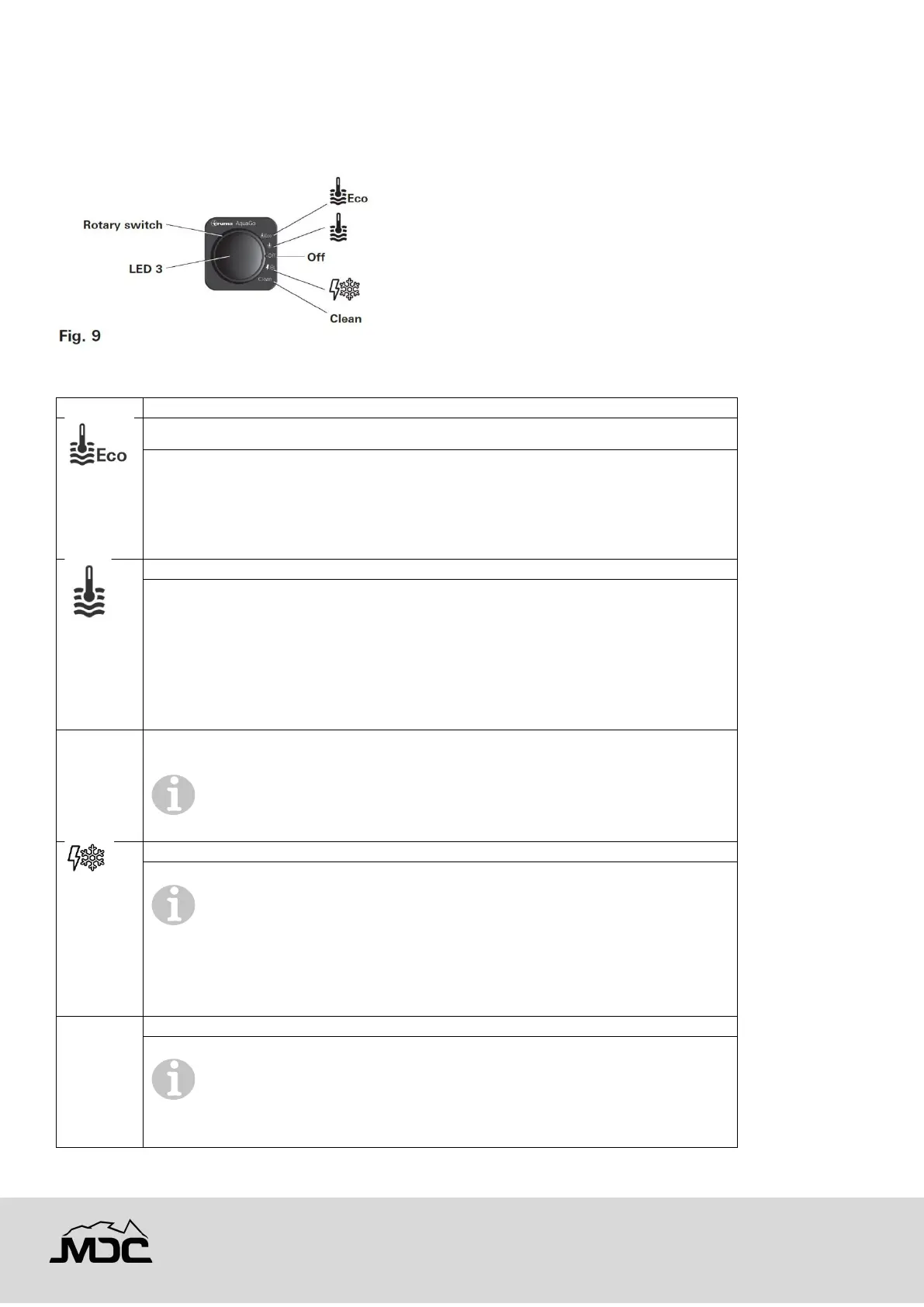
With the rotary switch (Fig. 9) you can choose between the following operating modes:
Operating mode / Description
The appliance is now running in energy-saving mode.
• Water temperature at the outlet is approximately 120 °F (49 °C).
• Prevention of freezing by using propane gas. The temperature in
the appliance is automatically kept above 41 °F (5 °C) .
• During operation, the yellow status LED 3 is lit.
The appliance is now running in a mode that provides rapid availability of hot
water.
• Water temperature at the outlet is approximately 120 °F (49 °C).
• Stand-by heat. The temperature in the appliance is automatically
kept above 102 °F (39 °C).
• During operation, the yellow status LED 3 is lit.
Stand-by. The appliance is not running in any operating mode.
• The yellow status LED 3 is off.
To switch off the POWER and gas supply refer to “Switching OFF
the appliance” on page 58.
Prevention of freezing using 12 VDC electricity:
Operating mode with installed electric antifreeze kit (available as an
accessory) and appliance switched on. The temperature in the appliance is
automatically kept above 41 °F (5 °C).
• During operation, the yellow status LED 3 is lit.
Only AquaGo comfort / AquaGo comfort plus. See “Decalcification” on page 63.
For safety reasons, after 30 seconds the decalcification process
cannot be stopped until the system has been rinsed in accordance with
the instructions. See “Interrupting decalcification” on page 21.



 To Next Page