5 Operation
31
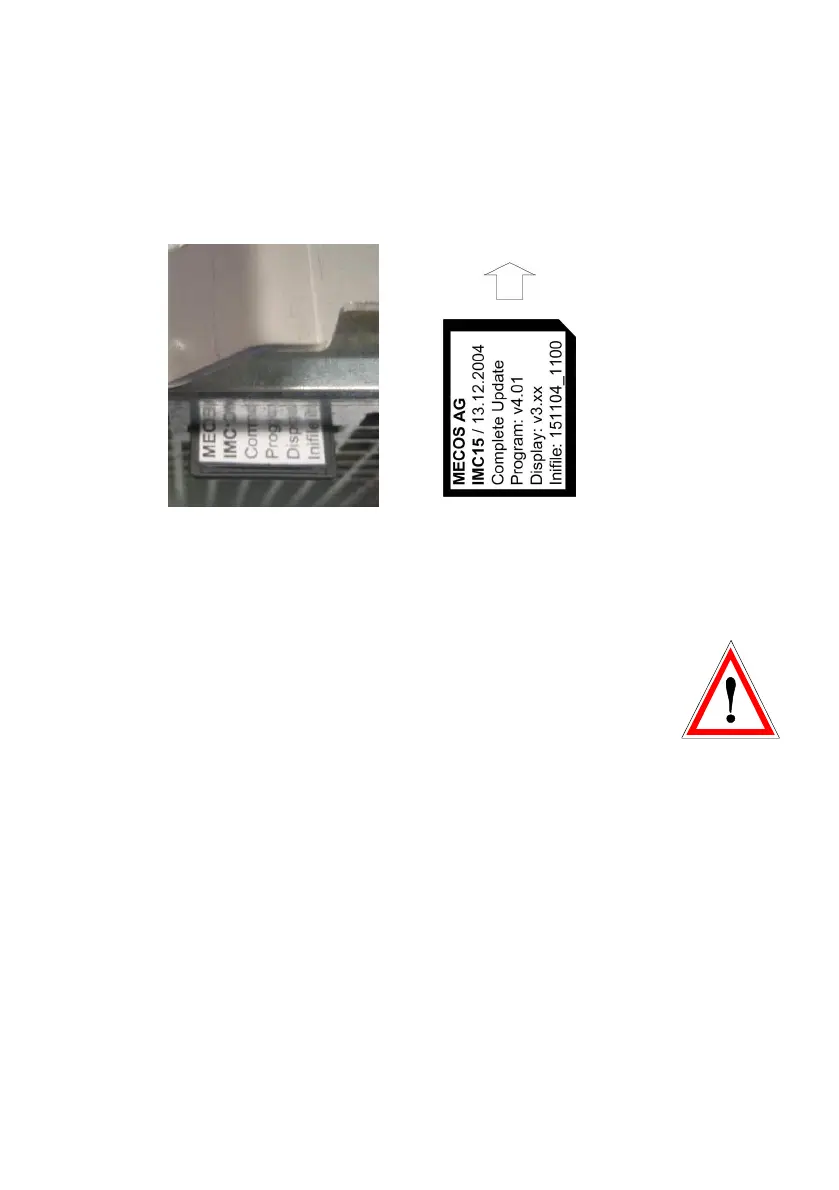
The flash card is introduced into the slot at the bottom of the
device. Take care to hold the card with the text facing towards
you and to introduce it in the direction as shown below.
After successfully carrying out the update (see following sec-
tions) the card has to be removed from the slot and can be
used for updating any number of further IMC15 devices.
Please keep in mind the following points:
• Updates of any kind may only be carried out by qualified
personnel using flash cards that have been explicitly made
for this application by MECOS AG.
• During the update the flash card may under no circum-
stances be removed from the slot or the power supply be
switched off. Incomplete updates result in an inoperative
device, that has to be sent to the factory for repair.
• The flash card can only be used for the specified type of
update. It is not possible to carry out display and/or inifile
update using a card for complete updates.


 To Next Page