5 Operation
25
5.4.2 Using the Fault and Warning Monitor
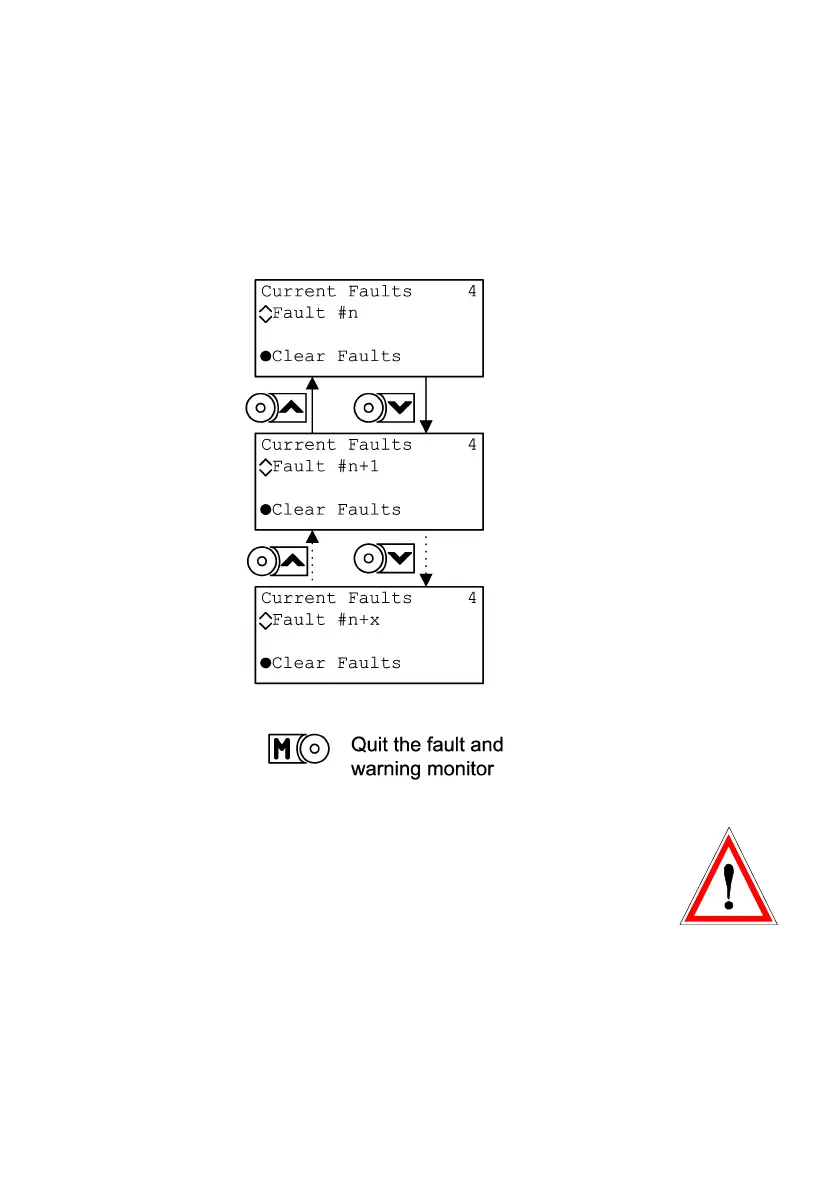
With the fault and warning monitor the current faults and war-
nings can be viewed and faults can be reset.
a) Viewing of current faults and warnings
Explanatory Note:
The selfcheck monitor in the main menu is used in the same
way as the fault and warning monitor and allows to display the
selfcheck warnings as well as selfcheck faults that have led to
the locking of the device by a „Perm“ and/or „DrivePerm“ fault.
Selfcheck faults cannot be reset directly. First the cause of the
selfcheck has to be removed, then the „Perm“ and/or „Dri-
vePerm“ fault can be reset.


 To Next Page