MIDInote:
2.PadPatternSetting
Define:AdjustthemidinoteofeachpadtriggerssendingoutthroughMIDIOUTPort.
ForeachPadtrigger'sdefaultMIDINote,seeTable1.2
Ifcurrentmidinoteparameterhasbeenselectedbyanothertrigger,LCDdisplays!
tosuggestyoutoadjustit.
Define:whenPadPatternFunctionis"On",youcanplayapatternbytriggeringapad.
"".
""
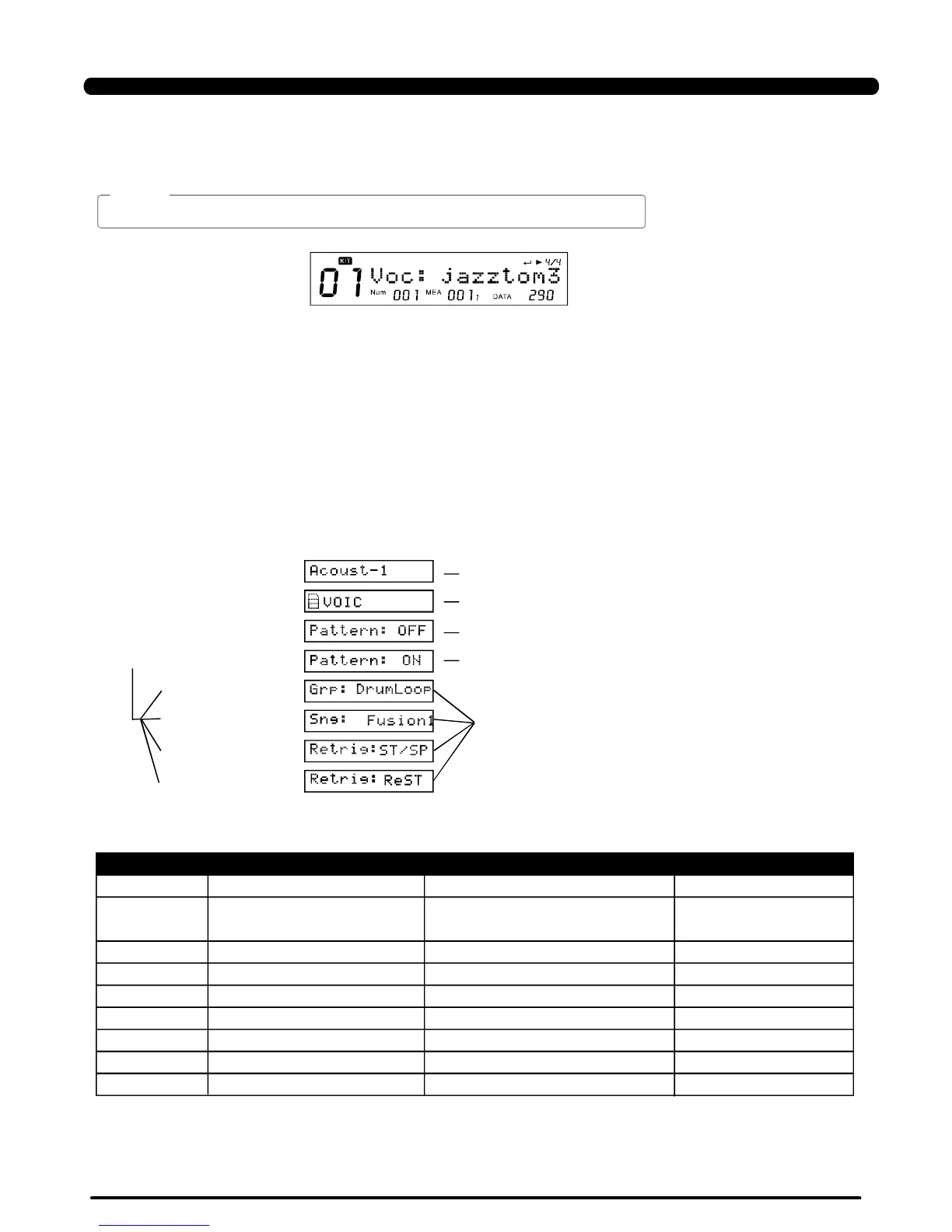
Voc:
[+]/[-]
Thedigitaldrumhasupto674Drumvoices.
PressthebuttonorusetheDIALtoselectadrumvoice;whenanothervoicegroupisselected,
themenu"Grp:"Willrefreshsimultaneously.
Inthemenuasbelow,the"DATA:290"iconindicatecurrentVoiceindex:
16
>>Table1.6
>>Table1.7
ARAMETEREXPLAINPARARANGEDEFAULT([+]/[-])
Pattern*PadPatternswitchOFF/ONOFF
Grp*PadpatterngroupDrumLoop/1Shot/
PercLoop/HIT/TAP/UserSong
Sng*Padpatternindex1~2201
Retrig*retriggermodeST/SPReSTST/SP
VelCtrl*velocitycontrolvolumeOFF/ONOFF
VolumeVolume
0~127
100
X'PosePadpattern'stranspose -12~12 0
RstTime*resettime
OFF/0.1s~4.0s(unit0.1s)
4.0s
DrumVoc*Whetherdrumvoicesound
OFF/ON
ON
DrumLoop
、
NOTE:
KIT
OperatingGuideLcdDisplay
[KIT]
EnterKitmode
[MENU]
EenterKit
menu
[PAGE+]
PadPattern
OFF
[+]
[+]/[-]
to
ON/OFF
see
Table
1.7for
detail
[SAVE/ENTER]
[PAGE+]
[PAGE+]
[+]
PDF created with pdfFactory Pro trial version www.pdffactory.com


 To Next Page