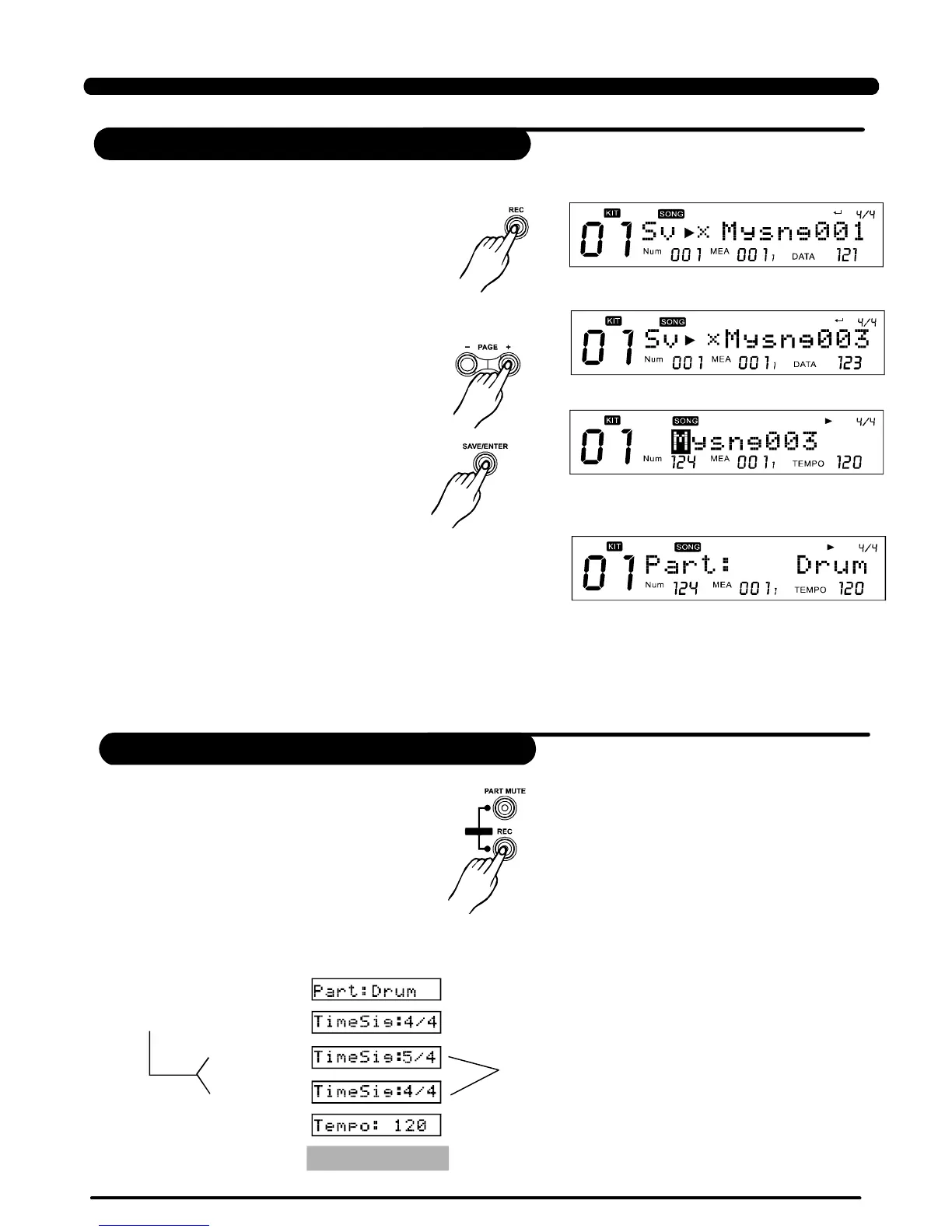
1.Selectapresetsong(forexample021),
pressbutton,thedigitaldrumindicates
savingittoausersong,itwouldselectthefirst
newusersongtobethedestination(ifthereis
nonewusersong,selecttheveryfirstusersong):
[REC]
2.Pressbuttonstoselectaproperusersong;
3.Pressbuttontoconfirmto
enterrenamemenu,see;
4.Then,LCDdisplays “SaveOk!” temporarily;2
secondslater,LCDdisplaysrecordmenuasbelow:
[+]/[-]
[SAVE/ENTER]
Rename
5.Theclickwouldbestartedautomatically.
The[REC]buttonislightened;atthistime,ifSYNCstartifON,[PLAY/STOP]buttonwouldspark;ifnot,
[PLAY/STOP]buttonwouldbedarken.
6.Choose “”(withoutanysettingstep,youcanimmediatelystartrecording)orcommon “QUICKRECORDRECORD”.
Pressbuttontoentertorecordsetting
page.
[REC]
>>Table5.1
QUICK
35
RecordingBasedonpresetsong
Settingrecord
LCDicon"NUM:021"indicatesthattheoriginal
songindexis021;
RECORD
[REC]
[PAGE+]
[+]
Adjusttimesignature
[-]
[PAGE+]
…seeTable5.2…
Operatingguide
LCD
display
PDF created with pdfFactory Pro trial version www.pdffactory.com


 To Next Page