YoucanloadaMIDIfiletobeausersong,orloadbackthesettingoftheKITs(*.KIT),alluser
songs(*.SNG),oryourglobalsetting(*.SET).
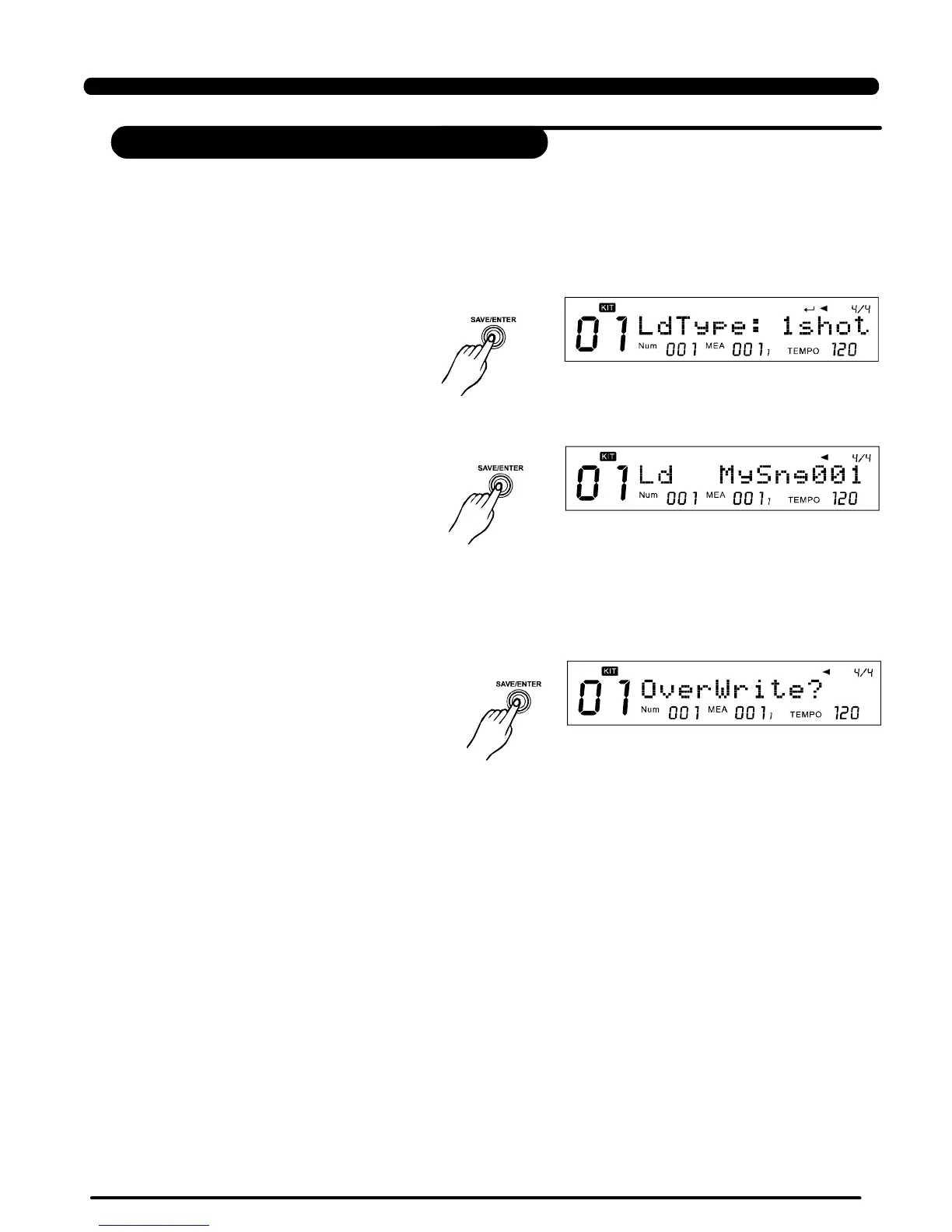
E.g.ifyouwanttoloadaMIDIfiletobeausersong,afteryou'veselectedthe “Load” inthecard
menu:
2.Presstoconfirmyour
selection,youwillbeaskedtoselect
theusersongmemoryslotwhichshould
beusedtosavethenewsong.Ifthere's
a “ * ” beforethenameoftheselection,it
meansit'semptyandit'ssafetosavethe
newsongintoitwithoutworryingabout
losingyourpreviousdata.
[SAVE/ENTER]
3.Presstoconfirmyour
selection.Ifyouhaveselecteda
usersongmemoryslotwhichisnot
empty,wewillaskyoutoconfirmtheover
writeoperation.Youcanuse
toconfirmorusetogobackto
thelaststepandchangeyourselection.
[SAVE/ENTER]
[SAVE/ENTER]
[EXIT]
45
Load
1.Pressbutton,you'll
beaskedtoselectthetypeoftheuser
songaftertheMIDIfileisloaded.
UseorDIALtoselectamong
1Shot,Loop,TapandHit:
[SAVE/ENTER]
[+],[-]
SDCard
PDF created with pdfFactory Pro trial version www.pdffactory.com



 To Next Page