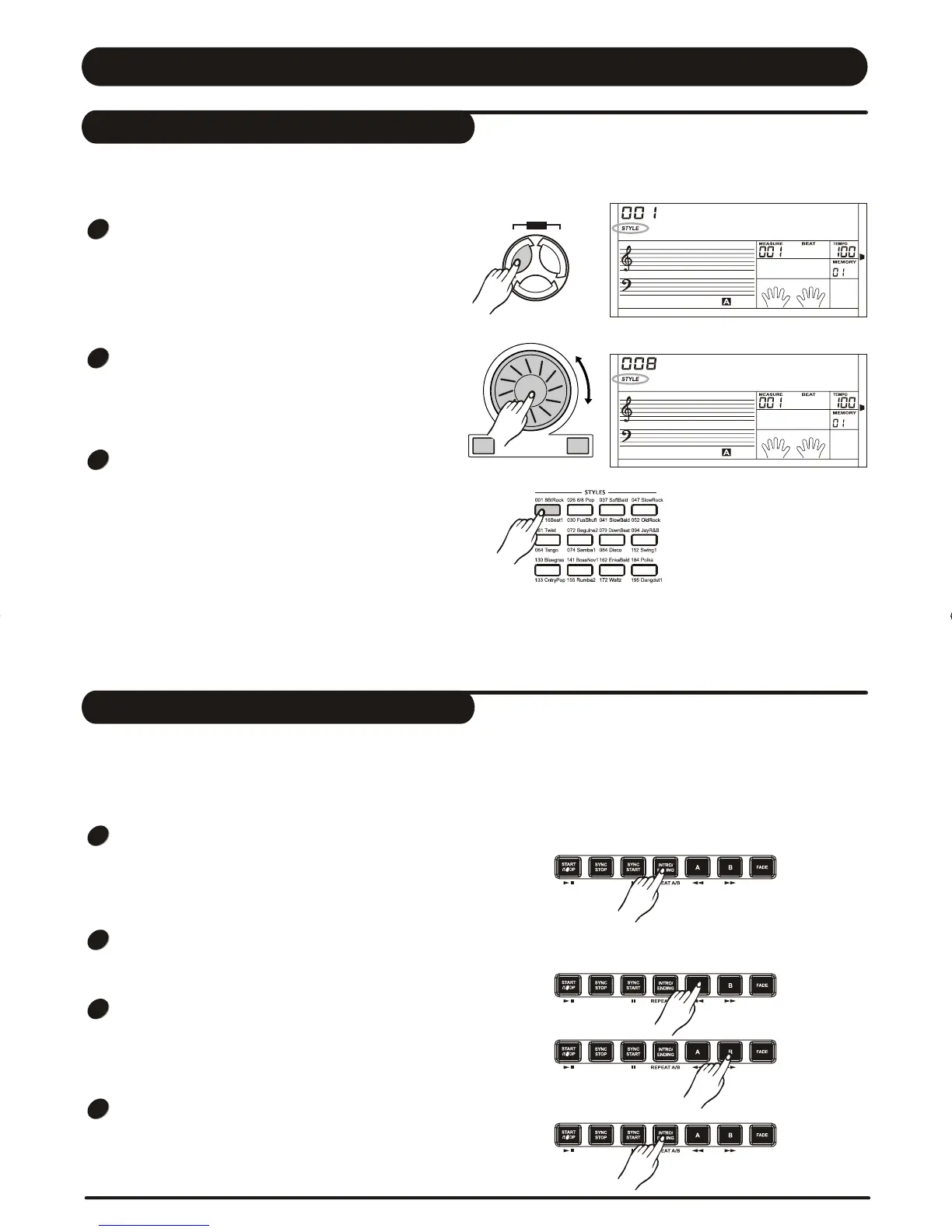
The keyboard has a total of 203 styles, from 001 to
203, including 3 user styles. The default style is 001.
Press [STYLE] button to set the keyboard to the
"style mode". The "STYLE " flag and the style
number will show up on the display.
Select a Style
Press [+/YES] / [-/NO] button or use DIAL to select
the style you want.
Use the Direct Select Button to select your desired
style(24 styles), 2 direct styles for each button
(upper & nether).
Direct Select Button
While changing a style, pay attention to the rules:
If the same button has been pressed twice, the style
will be swapped from one to another.
When the upper/nether style is on, and you then press
another direct button, the corresponding upper/nether
style will be selected.
8BtRock
8Beat2
SONG
STYLE VOICE
DEMO
3
Accompaniment consists of Intro, normal, variation,
fill (a-a, a-b, b-a, b-b), ending. Using different sections
based on the structure of styles enables you to
enhance musical performance.
INTRO
Press the [INTRO/ENDING] button to insert an intro
section before playing . The rhythm will begin with a
2-4 measure introduction which will be followed by a
main section.
NORMAL and VARIATION
There are two main sections: normal and variation.
Each section consists of 2 to 4 measures.
FILL
While the accompaniment is playing, you can fill in the
rhythm/accompaniment by pressing the [A] button or
the [B] button. This will automatically insert a fill
section.
ENDING
When you press the [INTRO/ENDING] button, in
process of accompaniment playing, it brings the ending
section appropriate for the accompaniment, and then
stop the performance.
The Accompaniment Section
1
1
2
2
3
3
4
Style Control
+/YES-/NO
16
DZBPFB0DQXDOB*BSGIDZBPFB0DQXDOB*BSGI



 To Next Page