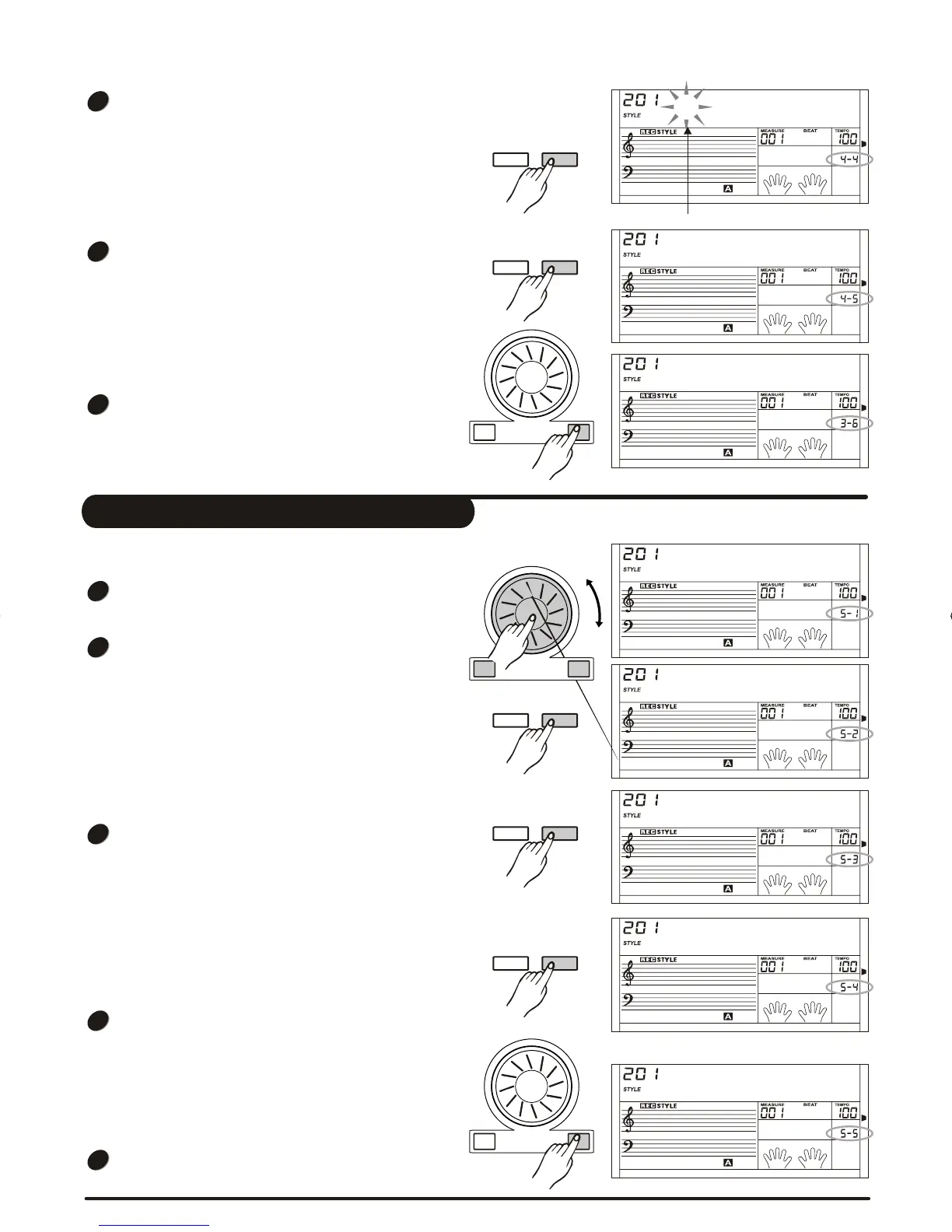
Delete a style
Select the user style that needs to be deleted.
Press [FUNCTION/NEXT] button to enter Paragraph
Selection page.
Press [+/YES], [-/NO] button or rotate the DIAL to
select the paragraph that needs to be deleted.
If All is selected, the menu will jump to step 4.
Press [FUNCTION/NEXT] button to enter Track
Selection page.
Press [+/YES], [-/NO] button or rotate the DIAL to
select the track that needs to be deleted.
If all is selected, the rhythm will be deleted.
Press [FUNCTION/NEXT] button to enter next menu.
LCD now displays "Sure?".
Press [+/YES] to confirm. Press [-/NO] to return to
previous menu.
Press [+/YES] to finish deleting.
Select DELETE in style record menu level5.
and then LCD
displays "Complete".
There are: Main _ A, Main _ B, Intro _ M, Intro_m,
Fill _ A, Fill _ B, Ending _ M, Ending _ m and All.
There are: Rhythm sub, Rhythm main, bass, chord 1,
chord 2,chord 3, phrase 1, phrase 2 and All.
Delete
Main_A
Chord1
Sure?
Complete
1
2
3
4
5
8BtRock
Save?
Flash
Press [FUNCTION/NEXT] button to enter page of the
abbreviation of style name.
Only 8 characters or digits can be inputted.
Press [FUNCTION/NEXT] button to enter next menu,
.LCD now displays "Save? "
Press [+/YES] to confirm, otherwise press [-/NO] to
return to previous menu.
Press [+/YES] to finish editing, and then LCD
displays "Complete".
Complete
4
5
6
+/YES-/NO
FUNCTION
NEXTBACK
FUNCTION
NEXTBACK
FUNCTION
NEXTBACK
FUNCTION
NEXTBACK
FUNCTION
NEXTBACK
+/YES-/NO
+/YES-/NO
36
DZBPFB0DQXDOB*BSGIDZBPFB0DQXDOB*BSGI



 To Next Page