14
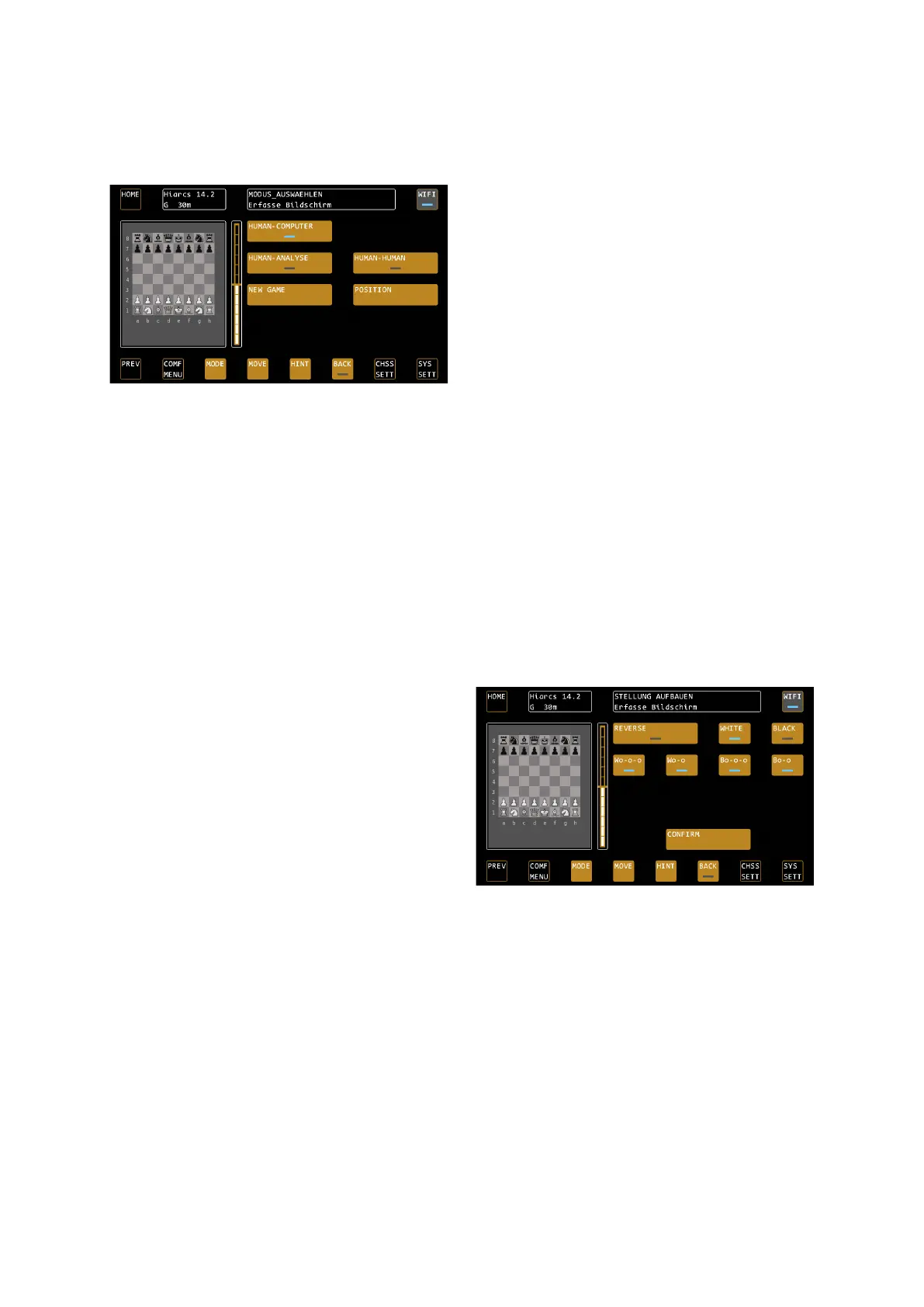
MODE – Mode Selection
TIP: You can only change the mode when it's your turn! In case of a long reflection time, you can force the move
of the computer by means of MOVE.
Single player mode „HUMAN-COMPUTER“
The default mode to play against the selected computer engine.
Two-player mode „HUMAN-HUMAN“
When playing a human-against-human game, the computer pays attention to the observance of the rules. Other
functions, such as the ratings bar or the information in the analysis box, are still active (according to the selected
display settings).
Analysis mode „HUMAN-ANALYSE“
For position analysis. You can enter moves for both sides in this mode. The computer analyzes the position with
the maximum performance of the engine used.
Position input mode "POSITION"
The mode for entering positions. The position is
changed based on the current board position.
REVERSE: Changes the direction of play, LED OFF
means white from below.
WHITE / BLACK: Use this to select the side that has the
first move.
Castling rights: With the buttons Wo-o-o etc. you can
set the castling rights per color, W stands for white, B for
black, o-o-o for castling long and o-o for castling short.
TIP: Note that starting the position input mode will delete the history of the current game.
New Game
Starts a new game from the initial position.
Alternatively, you can trigger the command for a new game by placing the pieces in the initial position. If the
pieces are already in the initial position and you want to execute the command for a new game, then it is
sufficient to simply lift and set down any piece in the initial position.
TIP: If you have changed chess-specific settings such as game strength, you must trigger a "New Game"
command to make them active.


 To Next Page