18
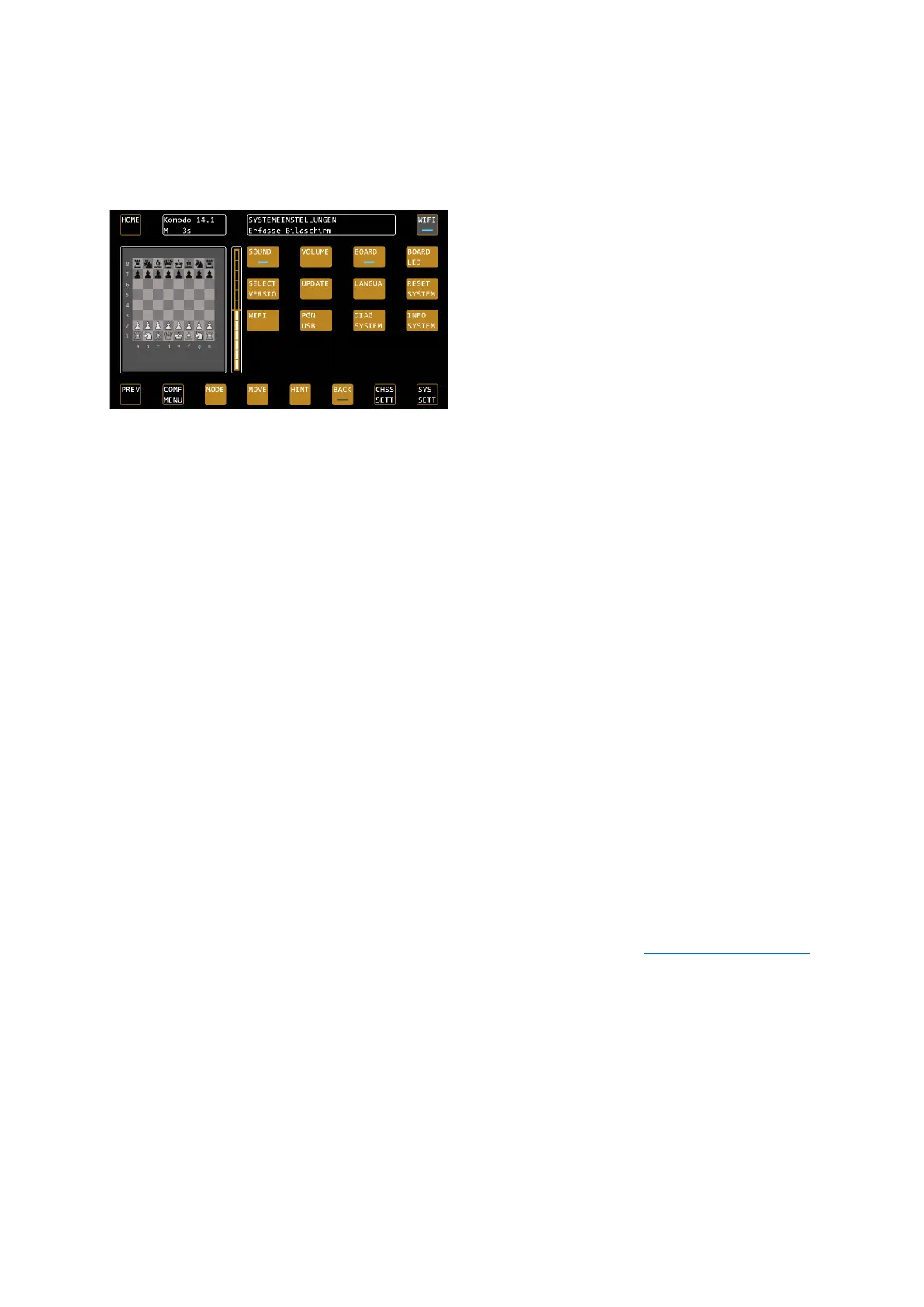
SYS SETT – System Settings
Important: These settings apply throughout the system!
Here you can set the system-wide settings, which also apply to the other modes that can be selected in the main
menu.
SOUND - Sounds
Toggles the sound on and off
VOLUME - Sound volume
Here you can determine the volume of the sound effects.
BOARD – Cable right or left?
Determine whether the cable on the board goes off to the right or left. On the right is the normal state (the logo
badge points to you), on the left the board is rotated so that you can continue to play with the white pieces from
below.
BOARD LED – brightness of the board LEDs
Determine how bright the LEDs should light up in the board.
SELECT VERSION – activate latest version
SELECT VERSION allows you to go back to previous firmware versions if you wish. After receiving updates, you
can activate the latest firmware version with this function.
Confirm with CONFIRM if you want to change a firmware version. The system now displays the latest available
version. Confirm this with CONFIRM or select a different version with LEFT / RIGHT.
TIP: Note that changing a firmware version is always associated with rebooting the system.
UPDATE – Perform system update
With this function, the system searches for updates, both on the USB port and via WiFi on the update server.
Make sure that your device is connected to WiFi if you want to install updates from the server.
If you have purchased additional software for your chess computer in the webshop at
www.computerchess.com
, it will also be transferred to your device via the update function and installed.
After a successful download of an update, it will be installed automatically. Look for the ads in the status box to
track progress.
If all updates have been installed, you can retrieve the latest version with the function SELECT VERSION.
LANGUA – Set the language of the system
Use the LANGUAGE menu item to set the system language. The texts in the buttons do not change, but all
system messages in the status box are output in their selected language. English, German, Dutch, French and
Spanish are available.
RESET SYSTEM – Perform system reset
This function resets the system to factory settings. Attention, this deletes all user-related data such as: Your WiFi
settings, but also custom profiles or the ELO values of Shredder.


 To Next Page