13
Operating instructions for the COMFORT MENU
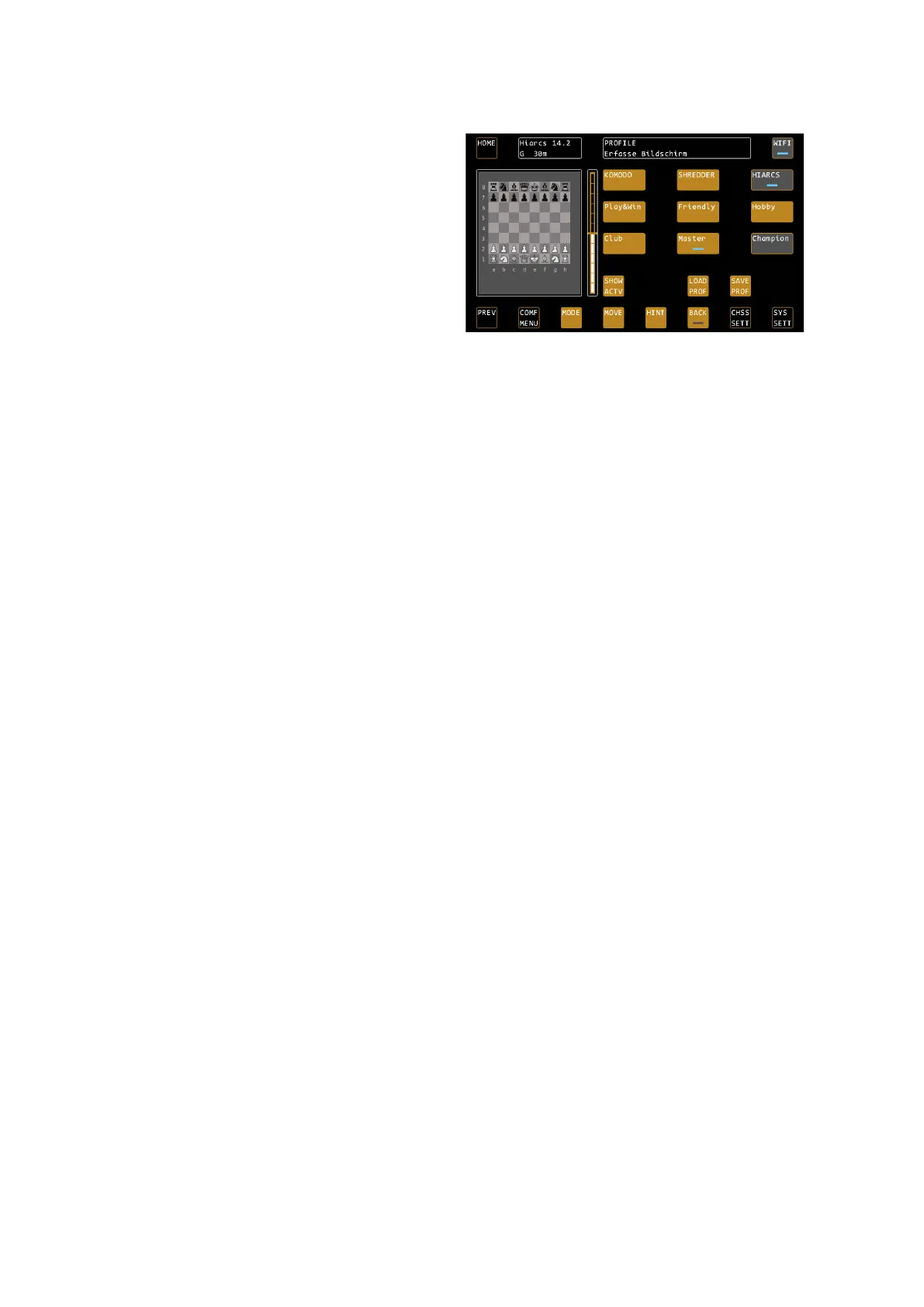
The last selected profile is highlighted in dark grey, the
currently selected profile is displayed by means of the
LEDs. Only after loading with CONFIRM will the
settings really be changed. You can thus navigate
through the profiles as you like and use the preview to
see which settings are hidden in the profiles. This will
teach you how to use the different options of the
engines.
Within the selected engine, profile settings can be
changed at any time by simply making the desired
adjustments via Chess Settings and overwriting the
existing profile with SAVE PROF.
TIP: The loading of a profile after a system restart does not take place automatically. The system always loads the
system parameters made by the user via the menu as well as the most recently used engine with its default
values.
For example, if you always want to play with Shredder Adaptive, press the COMF MENU button after system
startup. The last used profile is shown in grey background, just press LOAD PROF / CONFIRM and Shredder
Adaptive is fully active again.


 To Next Page